













Self-hosted digital signage is a signage CMS and player setup running on servers you control – your own server room, or a VPS (virtual private server) or cloud account in your company’s name – instead of a vendor’s per-screen subscription. Many networks face the choice now, because Samsung ends sales of MagicINFO On Premise on 31 December 2026.
This article is for integrators and screen network operators with a few dozen to several hundred screens. Prices are US list prices; the arithmetic works the same in any market.
The word “self-hosted” rarely comes up when integrators talk about a new platform. They care first about the cost of every new screen and about owning the system, and those two points decide the case for a custom digital signage CMS on your own server.
Self-hosted digital signage pays off past roughly 30–85 screens over five years, when your IT team or a client contract needs the server and data under your control, or when you want to sell the platform under your own brand. Below that, a subscription costs less.
Questions this article answers:
- Who owns the code, and is there a fee for every screen?
- Is a smaller vendor as secure as Samsung?
- Does the screen keep playing without internet?
- Who maintains the system after launch?
Self-hosted digital signage vs SaaS
Three models compete for the same network. They split along two lines – who runs the server and who owns the code – and the price follows from both.
Three ways to run a signage CMS
In a SaaS model the vendor hosts everything and bills every screen, every year: Yodeck Premium costs $12 per screen a month on annual billing, and Samsung VXT CMS P costs $400 per screen a year. Open source moves the server to you and removes the CMS fee, though not always the player fee. A custom system also runs on your server, and the code comes with it.
| Aspect | SaaS (e.g. Yodeck, Samsung VXT) | Open source on your server (e.g. Xibo) | Custom system on your server |
|---|---|---|---|
| Server | the vendor’s cloud | yours | yours, or administered for you |
| Fee per screen | every screen, every year | none for the CMS; Xibo sells per-device player licences for Android, webOS and Tizen | none |
| Code | the vendor’s | public, under the project’s licence | yours, with the copyright |
| Features | the vendor’s feature set | the project’s feature set, plus your own code | your specification |
| Security patches | the vendor | your team | the developer, under a maintenance agreement |
| Support when screens go dark | the vendor’s help desk | your team and the community forum | the team that built the system |
Ownership comes before the server room
Integrators replacing MagicINFO usually start with the billing model: they want to pay once and use the system without a subscription. For them, having the system in-house means owning it. The server room comes second.
Server location comes up later, usually with the IT team: your own server room or the developer’s cloud, Windows or Linux. Any of these can be right. Self-hosting covers a rack in your building and also a VPS or cloud account registered to your company, as long as you hold the admin access, the data and the right to move both.
Open source vs custom self-hosted digital signage software
Open source is the cheapest way to put signage on your own server, and our ranking of open source digital signage tools compares nine of them. The catch sits in the players and in maintenance. Xibo's self-hosted CMS costs nothing to license, but its players for Android, webOS and Tizen need a perpetual licence per device, and major upgrades are paid. Patches, backups and fixes are yours, because there is no vendor to call.
A custom system costs more upfront and covers what open source leaves to you: a team that answers for the code, features from your specification and no per-device licences. Open source suits a handful of screens with a technical owner; once screens carry paid campaigns, integrators we talk to want someone accountable for the code.
Self-hosted digital signage cost
The figures below use the same assumptions as our digital signage cost breakdown: software only, list prices from October 2026 and a fleet that grows 20% a year. We stretched the horizon to five years, because a server and code you own keep working after the third renewal.
Five-year cost and break-even point for self-hosted digital signage
For the custom system we take the top of the basic platform range, about $27,000, plus roughly $13,000 a year for hosting and maintenance (we quote $1,000–1,350 a month for a network of a few hundred screens). Subscription prices are multiplied by the number of screens in each year.
| Fleet at launch (in year 5) | Yodeck Premium, 3 / 5 years | Samsung VXT CMS P, 3 / 5 years | Custom system, 3 / 5 years |
|---|---|---|---|
| 50 (104) | ~$26,000 / ~$54,000 | ~$73,000 / ~$149,000 | ~$66,000 / ~$92,000 |
| 150 (311) | ~$79,000 / ~$161,000 | ~$218,000 / ~$446,000 | ~$66,000 / ~$92,000 |
| 300 (622) | ~$157,000 / ~$321,000 | ~$437,000 / ~$893,000 | ~$66,000 / ~$92,000 |
By our calculation, over five years a custom system costs less than Yodeck Premium from roughly 85 screens at launch and less than VXT CMS P from roughly 30. Over three years the thresholds rise to about 125 and 45 screens. Above them, every new screen widens the gap, because the custom column stays flat.
The table misses one cost. When a network moves from MagicINFO to VXT, the annual fee lands in a budget that had no room for it, and part of it can't be passed on to end clients who signed fixed-price contracts years ago.
Cases where a subscription stays cheaper
Self-hosting is the wrong call for a small network that won't grow: below the thresholds above, a subscription costs less and someone else carries the server. When a fleet grows by a few screens a year and still runs on MagicINFO, we sometimes advise buying spare MagicINFO licences before the end of sale and deciding later.
SaaS also fits AV integrators who sell installation and service and want a cloud dashboard with remote diagnostics, with nothing to administer. Others have a stable setup and no budget pressure this year. They usually come back when a renewal or an end-of-life notice forces the issue.

Running on-premise digital signage: server, offline and maintenance
Maintenance is the objection we hear most often: the launch itself rarely worries anyone, the years of upkeep after it do. The work splits into the server, the players and the people.
Server, backups and certificates for self-hosted digital signage
An on-premise digital signage server can be hosted three ways: your administrators run it, we buy and administer it for you, or we run it and re-invoice the cost. Windows or Linux is your IT team's call, and a managed VPS is often enough. Load grows with the number of players, the volume of video and the playback logs, which in a large network run into millions of entries.
A few routine jobs keep the server healthy:
- Backups – the database and the media library, copied off the server, with one test restore before rollout.
- Certificate renewal – TLS certificates are the files that let players trust your server's HTTPS address, and they now expire faster. Under the CA/B Forum's ballot SC-081v3, maximum validity drops to 200 days from 15 March 2026, 100 days from 15 March 2027 and 47 days from 15 March 2029. Renewal has to run automatically, or players stop syncing on the day a certificate expires.
- System updates – on a schedule agreed with whoever administers the server.
Offline playback and player monitoring
Buyers rarely raise offline playback themselves, yet for outdoor networks running on mobile data it is a hard requirement: sold airtime must play whether or not the connection holds.
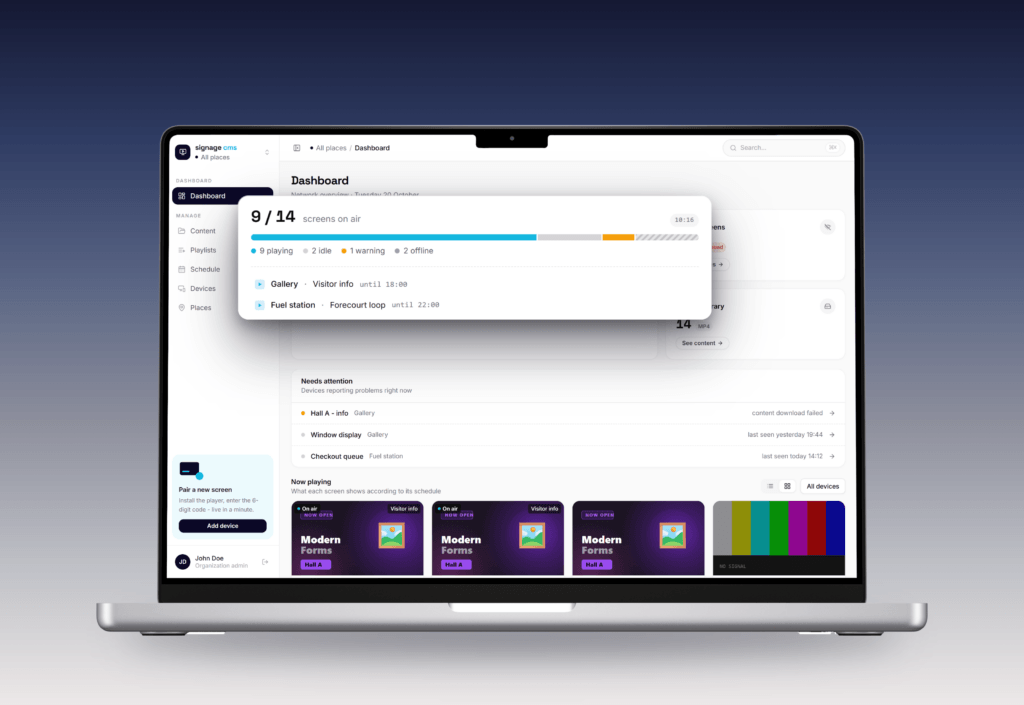
In a custom build, offline behaviour and monitoring are requirements you write into the specification:
- Caching window – the schedule and files each player downloads in advance, for example two weeks ahead, within the device's storage.
- Play logs – kept on the player during an outage and uploaded when the connection returns, so the advertiser's report has no gaps.
- Status and alerts – online status, last sync, the content on screen and free storage, with an alert after a set time without contact, sent by email, SMS or chat to the person on duty.
When the server itself goes down, screens keep playing from the cache. New content and live reports wait until it is back.
Maintenance after launch: warranty, fixes and hours
The other half of the maintenance worry is about people: integrators want the developer to stay with the system after launch. In the systems we build, a 12-month warranty covers fixes after launch. After that, each issue is quoted separately, and a monthly package of hours is optional for networks that change often.
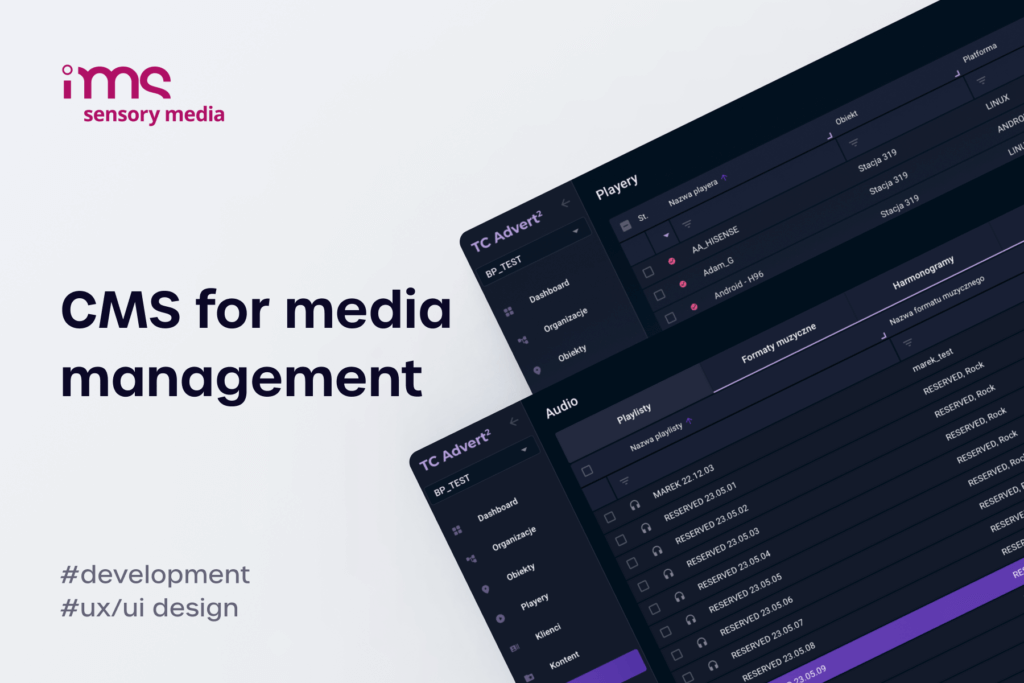
Because the code is yours, maintenance can move to another team if you ever need it to. For six years we have maintained the CMS we built for IMS Sensory Media, which runs it under its own brand.
Security and code ownership on your own server
Two worries decide many self-hosting projects at board level: security with a smaller vendor, and ownership of the code. Patch records and a clear split of duties settle the first; the contract settles the second.
Samsung, MagicINFO and the brand trust argument
Brand carries weight in security reviews: a well-known manufacturer has an easier time convincing clients that its system is safe, and management signs off more readily on a logo it knows. The record of Samsung's own on-premise server shows the limits of that shortcut. In August 2024 Samsung fixed CVE-2024-7399, a flaw in MagicINFO 9 Server that let attackers write files with system privileges. Arctic Wolf observed attacks using it in May 2025, and SANS ISC reported what appears to be a Mirai botnet variant doing the same. Servers that skipped the patch stayed open.
End of life is the second brand risk. According to Samsung's schedule, maintenance of MagicINFO 8 has ended, its security is now the customer's job, and MagicINFO support ends on 31 December 2029. Integrators worry that a vendor could one day switch off the service for the whole network at once. With your own code, updates follow your calendar, and screens can often leave a vendor CMS remotely, without sending technicians. Attack scenarios are covered in our guide to digital signage security.


Shared responsibility on your own server
With on-premise digital signage, security splits between two parties. A common worry with your own server is simple: someone from outside gets into the system and puts their own content on the screens. Preventing that takes work on both sides:
| Task | Handled by |
|---|---|
| Operating system updates, firewall rules, network access | the server administrator – your IT team, or us if we run the server |
| Backups and certificate renewal | the server administrator |
| User accounts and publishing rights | your team, inside the roles the CMS enforces |
| Application security fixes | the developer |
| Two-factor authentication and role permissions | the developer, built into the CMS |
| Secure updates of the player apps | the developer |
In the systems we build, two-factor authentication is standard. When we also administer the server, all the technical rows of the table sit with one team.
Code ownership and reselling self-hosted digital signage under your own brand
With a custom build, the source code and copyright transfer to you. That settles a point integrators raise early: they don't want a non-exclusive licence that would let the same developer build the system again for a competitor. New players are added in the panel without a fee, so the only fixed cost that grows with the network is the server.
Ownership also opens a revenue model. You can run the platform under your brand, set your own licence model and prices, and sell access to your clients, as described in our guide to white label digital signage software.
If your network is past the break-even point or your IT team wants the server in-house, custom CMS development lets you keep the per-screen fee you pay today as your own margin.
FAQ about self-hosted digital signage
What is self-hosted digital signage?
Self-hosted digital signage is a signage system whose CMS, media and play data run on servers you control, from your own server room to a VPS or cloud account in your company's name. You hold the admin access and the data, and you can move the system to another host. Open source projects and custom builds are the two common kinds of self-hosted digital signage software.
Who owns the code, and is there a fee for every screen?
In a custom build you own the code, and there is no per-screen fee: new screens cost only server capacity. SaaS vendors keep their code and bill every screen each year, and some open source projects charge for player licences per device. Before you sign, find the copyright transfer clause in the contract, because without it "your" system is only a licence.
Is a smaller digital signage vendor as secure as Samsung?
Company size says little about the security of a CMS. Ask any vendor for four things in writing:
- two-factor authentication on by default,
- the time it takes to ship an application fix and the way you hear about it,
- a track record on a network of similar size,
- the name of the party that patches the server and renews its certificates.
A vendor that covers all four gives you more assurance than a familiar logo.
Does a self-hosted digital signage screen keep playing without internet?
Yes. Offline digital signage works as long as the player caches its schedule and files in advance; the caching window is set per project and limited by device storage. Test it on one player before rollout:
- Disconnect the player from the network for a full day.
- Check that the playlist kept running on schedule.
- Reconnect it and confirm the play logs from the offline day reached the server.
If any step fails, fix it in the specification before the network grows.
Who maintains self-hosted digital signage after launch?
Usually the team that built it, first under a warranty and then under a maintenance agreement, while the server is administered by your IT team or by the developer. Because you own the code, you can hand maintenance to another team later. Put response times and a named contact in the contract, so the first call during an outage goes straight to the right person.