




Digital signage security has become a standard question on scoping calls, and the breach statistics explain why. Exploiting vulnerabilities now starts nearly a third of all breaches (31%), according to the Verizon 2026 Data Breach Investigations Report, and breaches involving a third party account for 48% of the total. Screens are part of that picture. When Hong Kong’s computer emergency response team tested eight digital signage brands, it found 20 vulnerabilities, ten of them high-risk. In a live demonstration it took control of a screen “in as little as three seconds”, while 39% of the 624 companies it surveyed did not assess the cyber risk of their signage at all (HKCERT). Digital signage security is the set of controls that keeps a screen network’s CMS, servers, players and user accounts under the owner’s control, so that only approved content reaches the screens.
This guide is for integrators and screen network operators who build, deploy or maintain signage for their clients and have to answer the security questions that come with it.
For them, digital signage security is a sales question as much as a technical one. In April 2025, attackers used phishing to take over a single user account and pushed their own content to the order-counter and drive-thru screens of about 300 Mary Brown’s restaurants in Canada. Clients remember stories like that, and the follow-up question is usually blunt: is a smaller software company as safe as Samsung?
Digital signage security depends on accounts, servers, devices and the people who maintain them, and a brand name on the box protects none of those on its own.
Questions this article answers:
- What is digital signage security?
- How did attackers take over screen networks in 2023–2026?
- Which parts of a signage system are the weak points?
- Is a smaller software vendor as secure as Samsung?
- What should integrators and client IT departments check before launch?
- How do NIS2 and the Cyber Resilience Act affect signage suppliers?
How digital signage gets hacked: entry points behind hijacked screens
Lists of famous digital signage hacking cases usually stop in 2018. The incidents of the last three years are more useful, because their root causes are documented, and they share a pattern that matters for digital signage security: the attackers got in through the management side, then reached the screens.
Recent digital signage security incidents and their entry points
The table below lists verified incidents from 2023–2026 and the entry point reported by investigators, operators or trade press.
| Incident | Content shown | Reported entry point |
|---|---|---|
| Infokiosks in 20 shopping malls in Poland, 14 October 2023 (election silence day) | Election-related content | Server of the company managing the kiosks |
| Mary Brown’s, Canada, April 2025 (about 300 restaurants) | Unauthorised content on order-counter and drive-thru displays | Phishing, then a hijacked CMS user account |
| LA Metro bus-stop e-paper signs, October 2025 | A false emergency warning | Third-party content management system |
| Ercan Airport, Northern Cyprus, September 2026 | A person’s photo, phone number and a slogan | Remote access to a server’s operating system |
Sources: wprost.pl (Poland, in Polish), invidis (Mary Brown’s), KTLA (LA Metro) and AV Magazine (Ercan). In the Mary Brown’s case, invidis noted that “the network’s CMS systems themselves were not directly attacked”; the attackers logged in with a stolen account.
Fleet-wide and single-screen attacks
Two kinds of attack need two kinds of defence. A fleet-wide hijack, like every case in the table, happens on the management side: a CMS account, the CMS server, or a vendor’s cloud system that pushes content to hundreds of screens at once. One compromised login can reach more screens than any attacker standing in a store.
Single-screen attacks happen at the device: a touch screen whose kiosk browser can be escaped, a USB port that starts a media file, an infrared remote or a phone app that mimics it. They reach one location at a time, but in public spaces one obscene image on one kiosk is enough to make the news. Digital signage security has to cover both.
Digital signage security weak points: panel, server, players and network
A signage network has four layers an attacker can target: the CMS panel, the CMS server, the players and the network traffic between them. Each has its own owner, so the weak point is often the gap between the vendor, the integrator and the client's IT department.
The CMS panel and user accounts
The CMS panel is the master key to every screen, which makes user accounts the most valuable target. Phishing, shared logins and passwords reused from other services gave the Mary Brown's attackers, and many others, their way in. Broken access control tops the OWASP Top 10:2025 list of web application risks for the same reason.
Three controls cut most of that risk. Two-factor login stops a stolen password from working on its own. Roles scoped to an organisation, a site or a single player mean that a franchisee's marketing user can reach that franchisee's screens and nothing else. And a log of system events records who changed what, so an unexpected campaign can be traced in minutes. In the CMS platforms we build, two-factor login is standard, permissions are set per user, organisation or location, an organisation can be capped at a set number of players, and system events are logged.
The CMS server and who secures it
On-premise CMS servers are a frequent weak spot because they tend to end up on the public internet. In May 2025, Arctic Wolf counted nearly 5,000 publicly accessible MagicINFO servers through Shodan, at a time when a known flaw in them was being exploited (Help Net Security). A web panel that anyone can reach is also a web panel that anyone can probe.
Server-side digital signage security is shared work. The vendor writes secure code and ships patches, but if the client hosts the CMS, the client's IT department controls the firewall, the operating system updates and the panel's exposure to the internet. We tell clients this plainly at the start of a project: the software can be locked down, but a breached server still exposes everything on it.
Players, kiosk mode and physical ports
Players and kiosks are where physical access meets software, and where kiosk security becomes part of digital signage security. HKCERT's lab tests found touch screens that allowed breakout, malicious programs launched from a USB device, exposed external ports and unauthorised control via infrared (HKCERT study). Kiosk mode is a convenience lock: CVEs from 2023–2026 show escapes from kiosk modes in Windows agents (CVE-2023-51751), Chromium-based kiosks (CVE-2023-48654) and Samsung's One UI (CVE-2025-21032), so a kiosk application needs its own hardening on top.
Default credentials are the other recurring problem. In an update to its BrightSign advisory published in early 2026, CISA described players that used "a default password that is guessable with knowledge of the device information", fixed for new installations only, so older installs had to change it by hand (CISA ICSA-25-126-03). Hardware control is a related point. On Samsung displays, functions such as remote restart, input switching or brightness require an app signed with a Samsung partner certificate, and on Android such control usually needs root access, which is itself a security decision to make deliberately.

Network traffic between the CMS, players and storage
The fourth layer is the traffic itself. Players pull schedules and media files from the CMS and from file storage, often over shared shop or venue networks, and anyone on that network can read or alter unencrypted traffic. A player that accepts content or updates without checking where they came from will play whatever arrives. Encrypted connections between the CMS, players and storage, signed app updates and a separate network segment for the screens close this route, and the same network separation keeps a compromised player away from POS terminals and office systems.
Samsung MagicINFO vs smaller vendors: what digital signage security really depends on
Clients trust Samsung by default, and integrators who offer a custom system have to compete with that trust. The record of Samsung's own on-premise CMS shows why the logo is a weak proxy for digital signage security.
The MagicINFO timeline
MagicINFO 9 Server is Samsung's long-standing on-premise CMS, used by retailers, airports, hospitals and restaurants. Its 2024–2026 vulnerability history is well documented:
| Date | Event |
|---|---|
| August 2024 | Samsung fixes CVE-2024-7399, a path traversal flaw that lets attackers write files "as system authority", in version 21.1050 |
| 30 April 2025 | Technical details and a proof-of-concept exploit are published |
| Early May 2025 | Arctic Wolf observes exploitation in the wild; SANS ISC reports what appears to be a Mirai variant using the flaw |
| 7 May 2025 | Huntress shows that the patched version 21.1050 is still vulnerable |
| May 2025 | Samsung releases hotfix 21.1052; CVE-2025-4632 enters the CISA KEV catalog on 22 May |
| 24 April 2026 | CISA adds the original CVE-2024-7399 to the KEV catalog, almost a year after exploitation began |
| August 2024 – April 2026 | NVD records 24 CVEs for MagicINFO 9 Server, three of them hard-coded credentials |
Samsung deserves credit for publishing CVEs and patches; many smaller vendors publish none, and the absence of CVEs proves nothing either way. A patch can be incomplete and needs retesting. Government must-patch lists can lag by months. And an on-premise server facing the internet turns every new flaw into an emergency. Integrators planning the move away from MagicINFO, whose on-premise licences stop selling at the end of 2026 (Samsung VX), can find the commercial side in our comparison of Samsung VXT and MagicINFO.
Digital signage security questions that matter more than the logo
A client's IT department will accept a smaller vendor when the answers are specific. These are the questions we suggest asking any provider, ourselves included:
- How do players authenticate with the server, and can one device's credentials be revoked?
- Is all traffic between CMS, players and storage encrypted?
- Are app updates signed, so a player cannot install someone else's code?
- Which roles exist, and can a user be limited to selected players?
- Who tests the system, how often, and what was fixed after the last test?
- Where is the data hosted, and who owns the hosting account?
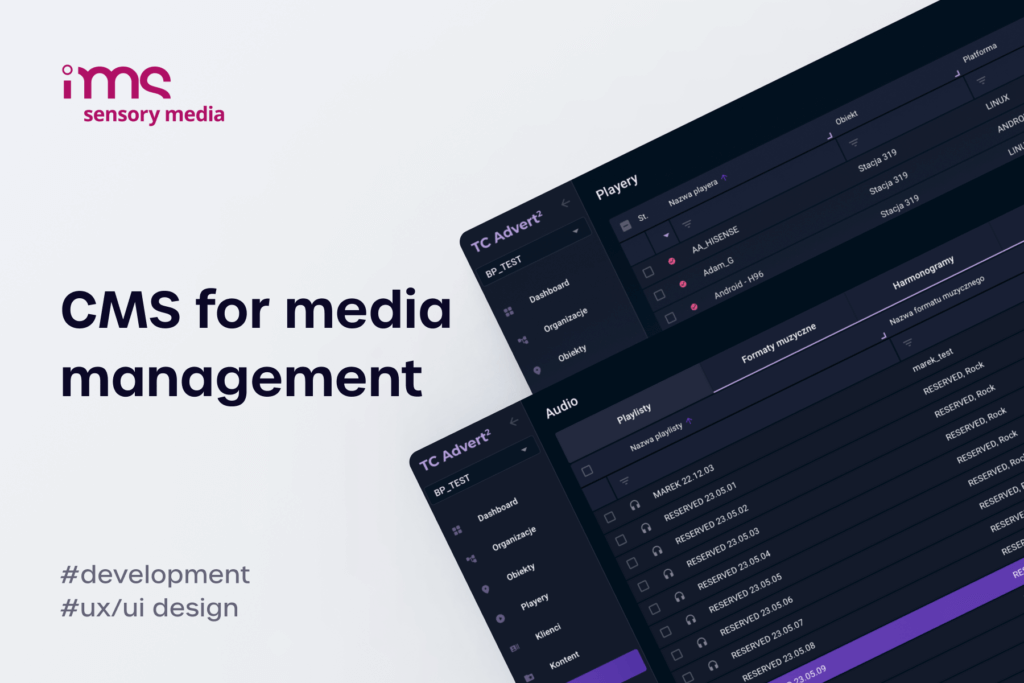
We cover these in more detail in our guide to white label digital signage software. Specific answers convince an IT department; a familiar logo only postpones the questions. We describe a platform of this scale, now around 15,000 devices, in our IMS Sensory Media case study.
Digital signage security checklist
Digital signage security responsibilities split between the people who run the network and the people who run the infrastructure under it.
For integrators and operators
These controls sit in the CMS and on the players, so integrators and operators can build them into the product and show the client that they work.
- Two-factor login on every CMS account, no shared logins, and SSO where the client already uses it.
- Roles scoped to an organisation, site or player, so no single account can reach every screen.
- An approval step for new campaigns and a log of who changed what.
- Unique, revocable credentials per player and no default passwords, including on devices installed years ago.
- Locked-down devices: unused ports and USB autoplay disabled, remote-control pairing restricted, kiosk breakout tested on site.
- Encrypted traffic and signed app updates for every player platform.
- A kill switch that blanks every screen or switches it to safe content within minutes.
- Vendor advisories tracked for the CMS, players and display firmware in the fleet.
For the client's IT department
These controls sit on the infrastructure under the CMS, so the client's IT department owns them, whoever wrote the software.
- Keep the CMS server off the public internet, or behind a VPN or an IP allowlist.
- Patch the operating system, web server and database on a schedule, using CIS Benchmarks as the baseline where they exist.
- Separate the signage network from POS terminals and office systems with its own VLAN.
- Back up the CMS and test a restore, because a clean restore is the fastest way back after an incident.
- Watch the logs for new admin accounts, logins from unusual locations and campaigns published outside working hours.
- Write security into the contract: vulnerability handling, response times, who hosts the system and where the data lives.

Digital signage security regulation and testing
Digital signage security now comes with legal obligations. Two EU laws affect integrators who sell to regulated clients, and both push towards evidence that systems have been tested.
NIS2 and the Cyber Resilience Act
The NIS2 directive requires essential and important entities, such as hospitals, transport operators, energy companies and parts of public administration, to manage "supply chain security", handle vulnerabilities in the systems they acquire and maintain, and use multi-factor authentication where appropriate (Article 21). For an integrator supplying screens to such a client, those duties arrive as tender requirements and contract clauses.
The Cyber Resilience Act applies to manufacturers of products with digital elements. Since 11 September 2026 manufacturers have had to report actively exploited vulnerabilities and severe incidents, with an early warning within 24 hours (European Commission), and the full set of requirements applies from 11 December 2027. Its essential requirements read like a signage checklist: a secure-by-default configuration, protection from unauthorised access, a limited attack surface "including external interfaces" and logging of access and changes. The CRA's application to software built for a single client is a question for legal counsel.


Digital signage security testing in practice
A useful digital signage security test covers every layer, and HKCERT's study is a good template. Its testers examined "selected digital signages, their client-side applications and web management portals" in a grey-box setup, with network access and management credentials, and found 11 issues in web portals and 9 on devices. A test of a signage platform should cover:
- The web panel and API – access control first, then the rest of the OWASP Top 10.
- The server – operating system, web server and database configuration against a hardening baseline.
- The player apps and devices – ports, USB, infrared, kiosk breakout and the update mechanism.
- The network traffic – encryption between CMS, players and storage.
- The fix – a retest after every correction, because the MagicINFO bypass showed that patches can miss.
Before a platform reaches a client's screens, we test it layer by layer: the web panel and API, the server configuration, the player apps and devices and the network traffic, and we retest after every fix.
Systems written quickly with AI tools need the same scrutiny, because generated code often skips access control and safe configuration. We describe the typical gaps in our article on vibe coding security.
Name an owner for every layer – vendor, integrator and client IT – before the first screen goes live, and write those names into the maintenance contract.
If you need a CMS and players your client's IT department will sign off, talk to us about digital signage CMS development.
FAQ about digital signage security
Short answers to the questions integrators hear most often from clients and their IT departments.
What is digital signage security?
Digital signage security is the protection of a screen network against unauthorised control: the CMS panel and its user accounts, the server it runs on, the players and kiosks, and the traffic between them. Its goal is simple to state – only approved content plays, and every change can be traced to a person. In practice it is shared between the software vendor, the integrator and the client's IT department.
Can someone swap the content on a digital signage screen?
Yes, and recent cases show it happens mostly through the management side: a stolen CMS account, a compromised CMS server or a vendor's cloud system. Attackers with access can push their own content to every connected screen at once. A secure digital signage setup blocks the most common routes with two-factor login, narrow user roles and a CMS server kept off the public internet.
Is a smaller vendor less secure than Samsung?
Not by default. Samsung's MagicINFO server had 24 recorded CVEs between 2024 and 2026, including actively exploited ones and hard-coded passwords, so size alone guarantees little. The deciding factors are the vendor's handling of authentication, roles, updates, testing and vulnerability fixes, and evidence such as a documented track record on a large network.
How do you secure a digital signage CMS and its players?
Digital signage security combines controls on several layers:
- Accounts – two-factor login, roles limited to selected players and a log of changes.
- Server – patched, hardened and not exposed to the public internet.
- Players – unique credentials, signed updates, encrypted traffic and disabled unused ports.
Regular tests and a retest after every fix keep those controls honest.
What should you do if a screen is hacked?
Hacked digital signage needs a fast, ordered response. Act in this order:
- Take the content down – blank the screens or switch them to safe content from the CMS, or cut their network access.
- Close the entry point – reset passwords, revoke sessions and device credentials, patch the server.
- Preserve evidence – keep logs and screenshots for the investigation and any regulatory report.
Then identify the account or system that was used and tighten permissions before restoring normal playback.
What should you check before launching a digital signage network?
Check that every CMS account uses two-factor login and a role limited to the screens it needs, that each player has its own revocable credentials and no default password, and that unused ports and kiosk breakout routes are closed. On the infrastructure side, the CMS server should be patched and kept off the public internet, the screens should sit on their own network segment and a backup restore should be tested. Finally, name an owner for each layer in the contract.
Does NIS2 apply to digital signage?
NIS2 applies to organisations, not to screens, but signage used by an essential or important entity, such as a hospital, airport or energy company, falls within that entity's security duties. Those clients must manage supply-chain risk and multi-factor authentication, so they pass the requirements on to their signage suppliers. In Poland, the amended national cybersecurity act implementing NIS2 has been in force since April 2026.
Is kiosk mode enough to secure a touch screen?
No. Kiosk mode limits what a casual user can do, but published vulnerabilities show escapes through file dialogs, keyboard shortcuts, help screens and browser features. Kiosk security on a public touch screen also needs a hardened operating system, disabled ports and shortcuts, a locked-down browser and a test by someone actively trying to break out.