













Most digital signage platforms are now sold as a subscription billed per screen. Yodeck, OptiSigns, ScreenCloud and LG SuperSign Cloud all work this way, and Samsung is moving its customers in the same direction. Sales of perpetual MagicINFO On-Premise licenses end on 31 December 2026, leaving the VXT subscription as the only Samsung option for new screens. At list prices, a 500-screen network pays between $48,000 and roughly €149,500 a year in CMS fees alone, depending on the vendor and plan. For an AV integrator or a screen network operator, this is no longer a small line item. It is a cost that grows with every screen you install.
That is why more integrators are looking at white label digital signage software, which they can sell under their own brand and price on their own terms. The term is used for two different models, and it is worth knowing which one you are being offered.
- Rebranded SaaS – the vendor’s own platform with your logo and domain on it. Your clients see your brand, but you still pay the vendor for every screen.
- Owned platform – software built for you by a development partner. You own the code, set the prices and decide what gets built next.
Only the second model changes the economics of your network. Fingoweb works in this model. We build custom digital signage software for integrators and operators, and the finished platform belongs to the client.
In this article, you will find:
- the difference between a rebranded SaaS, a reseller program and owned white label digital signage software,
- what per-screen licensing costs at 100, 500 and 1,000 screens,
- what owning the platform lets you sell, from your own licenses to self-service plans,
- the features integrators and DOOH operators ask for first,
- how to tell which model fits your business,
- the cost, timeline, contract terms and migration path for launching your own platform.
White label digital signage software, explained
Two different products are sold as white label digital signage software. Before you compare vendors, it helps to know which one you are looking at.
What is white label digital signage software?
White label digital signage software is a CMS and player application built by one company and sold or operated by another under its own brand. Your client sees your logo, your domain and your support desk, while the developer behind it stays invisible. The label is identical across the market. What sits underneath it is not.
In the rented model, you get a reskinned tenant on the vendor’s multi-tenant SaaS. You set the colours, upload a logo and point a subdomain at it. The vendor keeps the code, the roadmap and the price list, and you pay per screen like everyone else, usually with a partner discount. Most digital signage white label programs you will find in search results work this way.
In the owned model, a development partner builds the platform for you. You hold the source code and the intellectual property, you decide what gets built next, and nobody sends you a per-screen invoice.
Example – rented: A mid-sized AV integrator runs 40 client accounts on a rebranded SaaS panel. Clients log in at
signage.integrator-name.comand never see the vendor’s name. Each screen still costs the integrator $12 a month. When the vendor raises prices by 20%, the integrator either eats the difference across all 40 accounts or has 40 uncomfortable conversations.
Rebranded SaaS vs. an owned platform
The difference shows up in contracts, not in demos. On a sales call, both options look the same, with a dashboard, playlists, schedules and a device list showing which screens are online.
| Rebranded SaaS (rented) | Owned platform (custom-built) | |
|---|---|---|
| Who owns the code | The vendor | You |
| Cost to you | Per screen, every month or year | One-off build, then hosting and optional development |
| Who sets the roadmap | The vendor, for all its customers | You |
| Custom features | Feature request, maybe next year | Scoped and built for your clients |
| Your own licensing model | Limited to the vendor’s tiers | Any model you want (per screen, per site, flat fee) |
| Hardware support | The vendor’s supported list | The platforms your fleet runs on |
| Leaving | Re-onboard every screen onto a new system | Nothing to leave |
| Best fit | Small fleets, fast start, no dev budget | Growing networks, resellers, DOOH operators |
A rented digital signage white label panel is a sensible start for an integrator with 30 screens and no plans to grow the software side. Past a few hundred screens, the maths and the dependency start to hurt.
Which white label model fits your business?
Neither model of white label digital signage software is right for everyone. A few questions usually settle it.
- How many screens will you manage in three years? Under about 100, a rented panel is usually cheaper and faster. Above a few hundred, subscription fees start to exceed the cost of building your own platform within a year or two.
- Do your clients need features no SaaS offers? LED layouts, guaranteed ad plays, audio sync or integrations with a client’s ERP are typical reasons integrators outgrow standard tools.
- Is software part of what you sell? If you want to sell licenses, subscriptions or managed services under your brand, you need control over pricing, which only ownership gives you.
- Can you fund a one-off build? An owned platform moves the cost from a monthly fee to an upfront investment, plus hosting and maintenance.
- How much vendor risk can you accept? Price changes, discontinued products and end-of-sale dates hit every client on a rented platform at the same time.
If you answered “few screens, standard features, no budget” to most of these, rent. If your answers point the other way, ownership is worth pricing out.
White label vs. a digital signage reseller program
A digital signage reseller program lets you sell the vendor's product under the vendor's brand. You earn a margin or a commission, the client signs up for Yodeck, OptiSigns or ScreenCloud, and the relationship partly belongs to the vendor. White label signage moves the brand to you. An owned white label platform moves the brand and the code to you.
"Would you resell a white-label platform, or build your own?" shows up in forums and search results, and we hear a version of it on nearly every scoping call. Our honest answer is to resell if signage is a side line, and to own the platform if screens are your business. A digital signage reseller earns a slice of someone else's subscription. An owner sets the subscription.
Why integrators and screen network operators are rethinking licensing?
The market has moved from one-off licenses to meters. For integrators, software used to be a line item paid once, and now it is a cost that grows with every screen they install. That shift is the main reason white label digital signage software is back on the agenda.
Per-screen subscriptions are now the default
Almost every major CMS now bills per screen, and the remaining perpetual options are closing:
- Samsung stops selling MagicINFO On-Premise licenses on 31 December 2026 and moves customers to VXT, a yearly subscription. Existing installations keep running, with support through 2029, but new screens can only be added on VXT.
- LG SuperSign Cloud is sold as per-display monthly or annual licenses.
- Yodeck and OptiSigns bill per screen per month, with annual discounts.
- Xibo is only partly free. The CMS and the players for Windows and Linux are open source, but the players for Android, LG webOS, Samsung Tizen and ChromeOS need a paid commercial license for each display, and the cloud-hosted CMS is a paid subscription.
We covered the Samsung case in detail in our guide to alternatives to a per-screen VXT subscription. The pattern is the same across vendors. The hardware you sold once now carries software rent.
Per-screen costs at 100, 500 and 1,000 screens
List prices look small per screen. Multiplied across a network, they stop looking small.
| Platform and plan | Per screen per year | 100 screens | 500 screens | 1,000 screens |
|---|---|---|---|---|
| Yodeck Premium | $144 | $14,400 | $72,000 | $144,000 |
| OptiSigns Pro (monthly) | $150 | $15,000 | $75,000 | $150,000 |
| LG SuperSign Cloud (annual license) | ~$209 | ~$20,900 | ~$104,500 | ~$209,000 |
| Samsung VXT CMS P Series | ~$340 | ~$34,000 | ~$170,000 | ~$340,000 |
A single year of fees can still look manageable in a budget. The picture changes when you look at the period a network actually runs for. Displays stay on the wall for years, and client contracts often run for three years or more, so the subscription keeps coming back long after the installation is paid off.
Example – three years at 500 screens: An operator with 500 screens on Yodeck Premium pays $216,000 in CMS fees over three years. On VXT P Series, the same fleet costs €448,500. Neither figure buys the operator a single feature its clients asked for.
The integrator in the middle
The cost itself is only half the problem. The other half is who has to explain it.
Integrators we talk to describe the same pattern - their clients bought perpetual licenses once and moved on. Now the same clients face a yearly fee they never planned for, and some can absorb it while others cannot. The integrator has to sell the change either way. Whatever they propose instead has to compete with a Samsung, a big-brand product that clients already trust on security, and that is hard to do without a strong argument.
That is the real brief for white label digital signage software in 2026. It has to be cheaper over the life of the network, as easy to use as the product it replaces, and safe enough that the integrator can defend it in front of a client's IT department.
What owning a white label digital signage platform gives you?
Ownership changes what you can sell, not only what you pay. The three shifts below come up in almost every project we scope, whether the client acts as a digital signage reseller for a handful of businesses or runs a network of thousands of screens.
Code ownership: extend it, move it, resell it
When the platform is yours, the source code sits in your repository. You can keep developing it with the team that built it, hand it to another software house or bring it in-house. You can also sell it in several ways, as a product under your brand, as a service bundled with hardware, or as licenses for smaller integrators who do not want to build their own.
For many integrators, this is the biggest advantage. The system does not stay the developer's property, it becomes theirs. For a business that plans to be around in ten years, that matters more than any single feature.
Your own licensing model on top
An owned platform lets you design the commercial layer instead of inheriting one. Typical building blocks:
- License pool – you buy or generate licenses and assign them to specific devices, the same logic MagicINFO users know, except you set the price.
- Organisations with limits – each client gets an organisation capped at, say, 10 players or a set number of ad slots, and pays for exactly that.
- Roles and permissions – a client's marketing team can upload content to its own screens and nothing else, which takes routine content requests off your support desk.
- Self-service signup – smaller clients create an account, pay by card, install the player app on their own screen and start playing content. You never touch the onboarding.
Example – licensing: A signage operator serves 30 franchise locations. Each franchisee gets its own organisation limited to five players and pays a monthly fee set by the operator. When a franchisee wants a sixth screen, it upgrades in the panel. The operator's margin on that screen is 100%, because there is no vendor fee underneath.
One CMS for the mixed fleets you inherit
Integrators rarely start with a clean fleet. When you win a client, you often take over what they already have, such as Samsung Tizen displays in one region, LG webOS in another, a few Android boxes and a Windows PC feeding a screen over HDMI.
Owned white label digital signage software can support all of them. At Fingoweb we have built players for Samsung Tizen (from version 4.0), LG webOS, Toshiba, Hisense, Android, Windows and Linux, including Android players that cost around $40. One caveat is worth knowing. Hardware-level control on Samsung displays (remote restart, input source switching, brightness) needs an app signed with a Samsung partner certificate. Integrators with a Samsung partnership usually get one without trouble, and the same functions exist on LG.
Features integrators expect from white label digital signage software
The list below comes from real scoping calls with integrators and DOOH operators. Most of them start from "everything MagicINFO does" and then add three or four features that the off-the-shelf tool never handled well.
Offline playback on unreliable connections
Every player should keep playing when the internet drops. In the systems we build, players cache around two weeks of schedule and content, so a lost connection does not mean a black screen. Content and schedule updates download in the background and switch over only once they are complete, which avoids the freeze-and-blackout some platforms show during downloads.
Example – offline: An operator runs roadside LED screens connected over mobile data. Coverage at some of the sites drops several times a week. The players keep running the cached schedule, log every play locally and send the logs once the connection returns, so the advertiser's report is still complete.
LED screens, multi-zone layouts and video walls
LED installations break the assumptions of most CMS tools. Resolutions are rarely Full HD or 4K, and many LED controllers read content from the top-left corner (point 0,0) of a Full HD signal. A good platform lets you build the layout at the controller's output resolution and place content in an exact region, for example a 640-pixel-wide strip at the top left, instead of forcing designers to prepare special files for each screen.
The same layout engine should handle multi-zone screens, video walls built from four or more displays, and synchronised playback across many screens in one space. In a shop with 10 visible screens, a half-second drift between them is obvious to every customer. We have built synchronisation that keeps audio and video on separate devices aligned to under 80 milliseconds, below the point where viewers notice lip-sync errors.
Ad-time sales and proof of play
For DOOH operators, the screen is inventory. When a client buys 10 plays per hour on a set of LED screens, the platform has to schedule them evenly across the booked period, deliver exactly that number, and prove it. Not nine. Not "about ten".
That means emission rules that still work when dozens of campaigns overlap, per-play logs, and reports clients can read without opening a spreadsheet. Some operators go further and connect the CMS to a programmatic marketplace, like the Broadsign integration we built for IMS Sensory Media, so buyers can book available slots on their own.
Monitoring, reporting and integrations
A network of hundreds of screens needs to report problems before a client does. The platform should show which players are offline, which failed to download content, and which are playing an outdated schedule, and it should send alerts instead of waiting for someone to open the dashboard.
Reporting matters just as much for the people paying for the screens. Most proof-of-play reports still go out as spreadsheets, which are hard to read and do little to justify the price. A platform you own can generate branded PDF or web reports from the same data, with charts per campaign and location. Some operators add audience measurement on top. We have integrated cameras that count people in front of a screen and whether they are looking at it, which turns a play count into a count of real views.
Finally, an open API lets you connect the CMS to the systems your clients already use, such as POS, ERP, booking or inventory tools. The same API can feed AI agents, for example to let a sales team build campaign offers from live screen availability.


Security your clients will accept
Brand is Samsung's strongest argument. A client's IT department trusts a Samsung product by default, and your platform has to earn the same trust with evidence. Before you commit to any white label digital signage software, rented or built, ask the provider these questions:
- How do players authenticate with the server? Each device should have its own credentials that can be revoked, not a shared key.
- Is all traffic encrypted? Communication between the CMS, players and storage should run over TLS.
- How are app updates delivered and verified? Updates should be signed, so a player cannot be tricked into installing someone else's code.
- What roles and permissions exist? A client user should never be able to reach another client's screens or content.
- Who tests the system for vulnerabilities, and how often? Ask for the last test date and what was fixed.
- Where is the data hosted? For European clients, hosting in the EU makes GDPR conversations much shorter.
For reference, in six years of running systems for IMS Sensory Media, we have not had a single breach, and our testers are the kind of people who look for ways into a system that nobody else would think to try. Specific answers to the six questions above are what works in front of a client's security team.
Launching your own platform: cost, timeline and migration
This is where most integrators want numbers. The figures below are ranges from our own white label digital signage software projects, not a quote.
How much does it cost to build white label digital signage software?
A basic white label digital signage platform with MagicINFO-level scheduling, playlists, device monitoring and one player app (for example Tizen) typically costs a one-off €12,000 to €24,000 to build. Each extra player platform, a content editor, ad-time sales or analytics adds to that. Even a large multi-platform system rarely comes close to the three-year subscription cost of a 1,000-screen network.
After launch, three costs remain.
- Hosting – server costs depend on the number of players and on how long you keep logs and reports, which grow into millions of records on a large network. They grow slowly with the fleet, not with a fee attached to every screen.
- Maintenance – display manufacturers update their operating systems, browsers change, and security patches need applying. Plan for a maintenance agreement or a small monthly budget of developer time.
- New features – optional, and paid only when your clients ask for something worth building.
Example – break-even at 500 screens: Take a basic build at €24,000 and assume a generous €1,000 a month for hosting and maintenance. The first year costs €36,000 and each year after that €12,000. The same 500 screens on Yodeck Premium cost $72,000 (about €66,000) every year. The owned platform pays for itself within the first year, and by year three the difference exceeds €130,000.
At 100 screens the gap mostly disappears. The same plan costs about €13,000 a year, which is close to what hosting and maintenance might cost on their own. At that size, ownership makes sense only if you need features no SaaS offers or expect the fleet to grow, which is why fleet size and growth plans matter so much in the decision. Our article on when building your own signage software makes sense walks through the break-even point in more detail.
Timeline from scope to first screens
A typical project runs in four stages:
- Scope (1–2 weeks) – you list the features you need, or the product you want to match, and we turn that into an estimate with costs and a schedule.
- Core platform (1–2 months) – CMS, scheduling, device management and one player app. Enough to move your first clients.
- Extended platform (3–5 months in total) – additional player platforms, content creation tools, licensing and ad-time modules.
- Ongoing development – new features as your clients ask for them, on your roadmap.
What to put in the contract with your development partner?
"You own the code" means little unless the contract says so. These are the clauses we recommend checking in any agreement for custom white label digital signage software, including ours.
- Transfer of intellectual property – the copyright to the source code passes to you, in full, once each stage is paid for.
- Repository access from day one – the code lives in a repository you control, not only on the developer's servers.
- Documentation – enough for another team to take over the code without the original developers.
- Hosting in your name – the cloud account, domains and certificates belong to your company.
- No royalties or per-screen fees – check that the contract does not add a license fee for each installation.
- Maintenance terms – response times, what counts as a bug fix and what is new development.
- Handover on exit – what happens if you decide to continue development with someone else.
If a partner hesitates on the first two points, you are looking at a rented platform with extra steps.
Migrating an existing fleet without truck rolls
Nobody wants to send technicians to 3,000 locations to swap software. On Samsung displays, you do not have to. The display downloads its player app from a configured URL, so changing that URL remotely lets the screen install the new app, pull its content and start playing on your own white label digital signage software. We have tested this path specifically for MagicINFO migrations. For other vendors, the migration route depends on how their players are provisioned, which is worth checking before you sign. Samsung users can find more detail in our piece on a one-time license instead of VXT.
Case study: six years of an owned platform
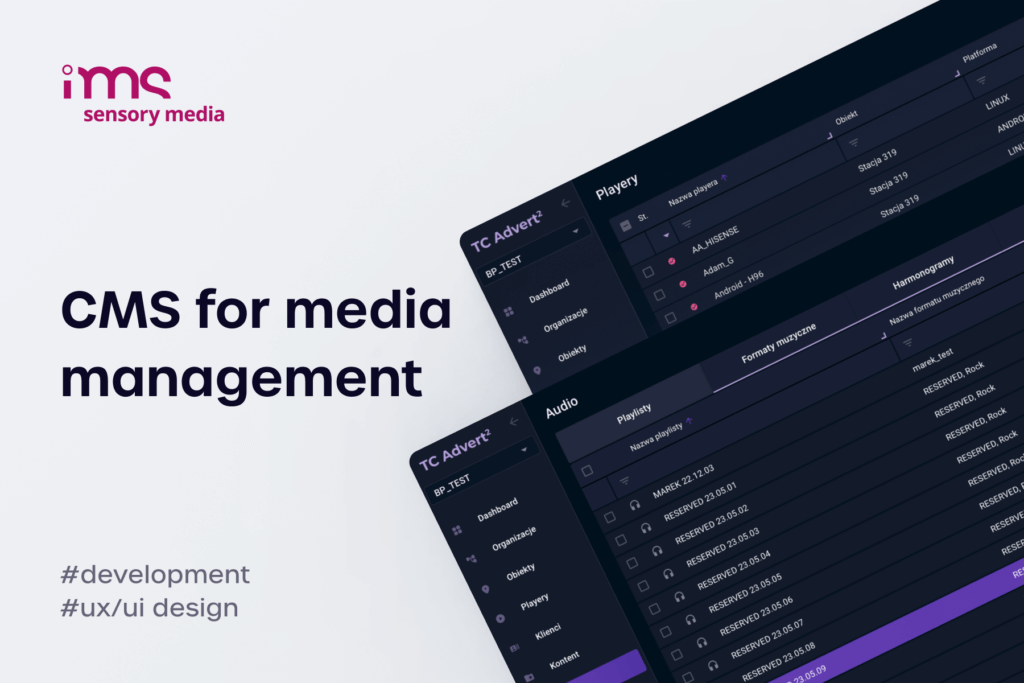
IMS Sensory Media came to us over six years ago with an outdated system and a failed rewrite by another company behind them. We rebuilt the platform, and it belongs to IMS. Since then it has grown to cover audio devices synchronised with video, an offer creator that prices campaigns from real player availability, and programmatic sales through Broadsign. The platform now runs across thousands of screens in several countries, and it shows what owned white label digital signage software looks like after six years of development on the owner's roadmap.
FAQ
What is white label digital signage?
White label digital signage is signage software your business sells or operates under its own brand while another company develops it. White label signage comes in two forms. One is a rebranded tenant on a vendor's SaaS, where you still pay per screen. The other is a custom platform built for you, where you own the code and set your own prices.
How much does white label digital signage software cost?
It depends on the model you choose:
- Rebranded SaaS – a digital signage white label plan usually comes at a partner price per screen, in the range of roughly $8 to $45 per screen per month at list prices.
- Owned platform – a one-off build, from about €12,000 to €24,000 for a basic system, plus hosting.
- Hidden costs – onboarding and training fees on SaaS, and log storage and hosting on an owned platform.
On networks above a few hundred screens, the owned model usually pays for itself within the first one or two years.
Can I resell white label digital signage software to my clients?
Yes, but the terms differ by model. On a rented platform, you act as a digital signage reseller, and the vendor's partner agreement decides what you can charge and whether you can bundle it with other services. On an owned platform, you can sell licenses, subscriptions or complete managed services at any price, and even license the software to other integrators.
What should I look for in white label digital signage software?
Start with the hardware your fleet runs on and the features your clients pay for, then check the commercial terms. The points integrators most often regret skipping are:
- support for every display platform you already manage,
- offline playback and remote device monitoring,
- multi-client management with limits and permissions,
- clear rules on who owns the code, the data and the hosting account.
A demo shows the interface. The contract shows what you are buying.
What happens to MagicINFO, and what is Samsung VXT?
Samsung VXT is Samsung's cloud CMS, sold as a yearly subscription per screen. For MagicINFO, the key dates are:
- 31 December 2026 – end of sale for MagicINFO On-Premise licenses.
- After that date – existing screens keep working, but new screens need VXT or another CMS.
- End of 2029 – end of support for MagicINFO On-Premise.
Integrators who want to keep a one-off cost model are now choosing between VXT and a platform of their own.
How long does it take to launch a white label digital signage platform?
A rebranded SaaS tenant can be live in days. A custom white label digital signage platform with scheduling, device management and one player app takes about one to two months to build, and a multi-platform system with content tools and ad-time sales takes three to five months. Migrating an existing Samsung fleet can then happen remotely, without site visits.