














Samsung set December 31, 2026 as the End of Sale for MagicInfo, and after that date no new perpetual licenses ship for Lite, Premium, or Remote Management. Existing installations keep running, with security patches arriving until December 2029, but every integrator with a self-hosted fleet now has to plan a MagicInfo on-premise alternative for new screens. From January 2027 the only Samsung-branded path forward is Samsung VXT, a yearly subscription with no on-premise variant on the roadmap.
For integrators with fleets sitting behind a corporate firewall or hospital intranet, that is not a migration plan – that is a forced rebuild. The discount window that drops VXT P Series to roughly €105 per screen for year one closes on June 30, 2026, which makes the choice urgent for anyone trying to keep their cost base predictable. The realistic question is no longer Samsung VXT or MagicInfo – it is which on-premise CMS replaces the perpetual-license model your business was built around, and where a productized MagicInfo on-premise alternative with one-time licensing fits next to open source and full custom builds.
Why is it worth it to pay for on-premise CMS in 2026?
On-premise is no longer the default deployment model for digital signage, and most new fleets ship as cloud-managed by default. What changed in 2026 is the binary nature of the choice: Samsung removed the on-premise option for new MagicInfo customers, so any fleet that requires local hosting is now actively shopping for a replacement rather than passively continuing with what they already had. This section unpacks where cloud-only platforms break down and how the math changes when subscription replaces perpetual licensing.
Cloud-only limits in retail, healthcare, and industry
Cloud signage works fine for a coffee shop chain showing daily menus, but breaks down the moment a deployment touches a network that is not allowed to talk freely to the public internet. Three contexts surface most often when integrators push back on a SaaS-only path:
- Retail headquarters and distribution centers – many enterprise retail networks segment store traffic from corporate traffic, and signage that lives on the corporate VLAN cannot reach a US-hosted CMS without firewall changes the IT team will not approve. On-premise sits inside the same security zone as the rest of the building's systems.
- Healthcare and public-sector buildings – HIPAA in the United States, GDPR plus national health-data rules in the EU, and a long list of country-specific patient-information regulations make hospitals reluctant to send any device telemetry to a third-party cloud. Even waiting-room signage carrying no patient data inherits the policy by default.
- Manufacturing, logistics, and energy – factory floors, ports, and substations run on industrial networks that are often air-gapped on purpose. A CMS that needs an outbound HTTPS connection to download its own playlists fails the security review before the deployment even starts.
These are not edge cases. They are the deployments where MagicInfo On-Premise solved a problem that cloud cannot, and they are the ones that need a deliberate MagicInfo on-premise alternative rather than a copy of the Samsung VXT migration playbook. For a fuller side-by-side of what Samsung is gaining and losing in the transition, the Samsung VXT vs MagicInfo: pricing, features, and migration decisions breakdown covers the comparison in detail.
Owning vs renting signage software over two years
The Samsung pricing flip is the real reason this decision feels different from a normal product refresh. MagicInfo shipped in two CMS tiers, both as perpetual on-premise licenses, with VXT replacing each one as an annual subscription:
- MagicInfo Lite at €165 per screen one-off covered the simpler deployments – coffee shop menus, small office signage, single-zone playlists – and maps to VXT S Series at €99 per screen per year.
- MagicInfo Premium at €446 per screen one-off was the full-feature tier with WebAuthor, Rule Sets, multi-zone layouts, and DataLink integration, and maps to VXT P Series at €299 per screen per year.
In both cases the license never expired, and the integrator could resell that one-time cost to a client as a capex line item. VXT replaces both with annual subscriptions, plus separate onboarding (€998), training (€499), and consulting (€110/hour) charges on top.
For an integrator managing several client fleets, the cash flow consequences pile up fast. A 1,000-screen retail customer on MagicInfo Premium represents a fixed €446,000 one-time license cost the integrator passes through with a markup, then forgets. The same fleet on VXT P costs €299,000 every year on subscription, climbing past the original MagicInfo bill in under 18 months and never stopping. The Lite side of the portfolio behaves the same way one tier down: a 1,000-screen Lite fleet was a €165,000 sunk cost, and the equivalent VXT S subscription is €99,000 every year, crossing the original Lite bill in roughly 20 months. Multiply both scenarios across a portfolio of clients and the integrator has shifted from a transactional sales motion to a permanent collections operation, with every renewal cycle exposed to a price increase from Samsung.
| Cost model | Year 1 | Year 2 | Year 3 | Three-year total (1,000 screens) |
|---|---|---|---|---|
| MagicInfo Lite perpetual (one-off €165/screen) | €165,000 | €0 | €0 | €165,000 |
| MagicInfo Premium perpetual (one-off €446/screen) | €446,000 | €0 | €0 | €446,000 |
| VXT S Series subscription (€99/screen/year, list) | €99,000 | €99,000 | €99,000 | €297,000 |
| VXT P Series subscription (€299/screen/year, list) | €299,000 | €299,000 | €299,000 | €897,000 |
An on-premise CMS deployment can start from around €15,000 and scales with fleet size and feature scope, but in nearly every scenario the total stays well below the long-run VXT bill – a one-off license amortizes across the fleet's lifetime, while a subscription compounds every renewal cycle.
A MagicInfo on-premise alternative with a perpetual or one-off license model is not nostalgia – it is the only commercial structure that preserves the unit economics the integrator's existing Lite and Premium client contracts were priced against.
Feature scope of a viable MagicInfo on-premise alternative
Not every on-premise CMS is a real MagicInfo on-premise alternative. A platform that can stream a playlist to a screen is the easy part. The harder part is matching the operational depth that MagicInfo Premium offers in a fleet management context, which is what integrators rely on day to day. This section sets the minimum feature surface a credible alternative needs to clear.

The MagicInfo features that matter
Most clients do not buy "MagicInfo Premium" – they buy outcomes that happen to be powered by it, and those outcomes need to keep happening after migration. When auditing alternatives, work through this checklist before signing any contract:
- Multi-format content authoring – playlists assembled from images, video, HTML5 packages, web URLs, RSS feeds, and PDF, with WebAuthor-style template editing rather than a "drop your MP4 here" upload form.
- Day-part and conditional scheduling – playlists that change by hour, weekday, holiday, and store-specific calendar, plus the ability to override scheduled content with a campaign push.
- Full hardware control – brightness, input source, volume, IR-remote lock, button lock, power scheduling, and OTA firmware updates, all from the CMS console. Without this, you have a content player, not a fleet management platform.
- Tag-based device grouping – grouping screens by region, format, or client account, with all schedule and content operations driven by tag membership rather than per-device assignments.
- Open API for integration – a documented REST surface so the CMS can be reached from a ticketing system, a sales backend, or the integrator's own NOC dashboard.
- RBAC with multi-tenant separation – an organization layer that lets one CMS instance host multiple client accounts without users from client A seeing client B's screens.
- Knox or equivalent device security posture – if the fleet is Samsung hardware, parity with Knox secure boot and policy management is what makes the CMS deployable in regulated environments.
If a candidate platform satisfies six of these seven, it is a serious option. If it satisfies three, it is a content scheduler with a CMS label on the box.
Rule Sets, DataLink, and multi-zone layouts
Three MagicInfo capabilities are the ones integrators miss the loudest after migration, and the ones cheaper alternatives quietly skip:
- Rule Sets – the IF/THEN conditional logic engine in Premium that ties content decisions to inputs like temperature, time, device location, stock levels, or external data. A retail playlist that swaps to cold-drink creative when the store temperature crosses 25°C, or hides a product the moment stock drops below ten units, runs on Rule Sets.
- DataLink – the dynamic data binding add-on that pulls live values from SQL databases, Excel files, RSS feeds, REST endpoints, and POS systems straight into screen templates. A price tag that updates from the ERP every two minutes, or a queue counter wired to the POS, is a DataLink integration.
- Multi-zone layouts – a single screen split into independent content regions, where each zone has its own playlist, schedule, and refresh cadence. Airport flight boards, hospital wayfinding screens with corner news tickers, and quick-service menu boards with a live order zone all depend on this.
These three capabilities are the difference between a CMS that schedules video files and a CMS that runs an actual retail or hospitality network. Any alternative shortlist should be tested specifically against Rule Sets, DataLink, and multi-zone behaviour before the contract is signed, because almost every gap in lower-cost on-premise tools sits inside these three areas.
Paths to replacing MagicInfo with on-premise software
Once cloud-only is off the table and the feature scope is clear, three replacement paths remain for the MagicInfo on-premise alternative shortlist. Each one trades a different set of variables: cost, control, time-to-deploy, and operational risk. The right answer depends less on which platform is "best" in the abstract and more on the size of the fleet, the rate of change in the client's content, and how much engineering capacity the integrator has internally.
Open source, off-the-shelf, and custom-built options compared
| Path | Up-front cost | Ongoing cost | Feature parity with MagicInfo Premium | Best fit |
|---|---|---|---|---|
| Open source (Xibo, others) | Self-hosted: free. Hosted/commercial editions: vendor-dependent | Hosting, maintenance, occasional core updates | Strong on scheduling, multi-zone, and APIs. Weaker on Rule Sets-equivalent logic and Samsung-specific hardware control | Integrators with internal ops capacity, fleets where Knox-level lock-down is not mandatory |
| Productized MagicInfo replacement on-premise CMS (e.g. Fingoweb's product) | One-time license per screen + setup, starting around €15,000 for smaller fleets | Optional maintenance fee, no recurring per-screen subscription | Built specifically as a Lite/Premium drop-in, including Rule Sets-equivalent logic and DataLink-style integration | Integrators who want MagicInfo's commercial structure (one-time, perpetual) without Samsung's end-of-sale risk |
| Full custom build from scratch | Project-based, significantly higher than a packaged product | Internal or partner-led maintenance | Full parity by design – features scoped to client needs | Edge cases: proprietary hardware ecosystems, white-label resale models, content workflows no packaged product fits |
Xibo is the open-source default most integrators evaluate first. It runs on-premise on a Linux server, handles tagged scheduling and multi-zone layouts, and exposes a documented API. The trade-off is that conditional logic on the order of MagicInfo Rule Sets is not built in – it is achievable through scheduling combinations and external scripts, but it is work, not a feature. For a fuller landscape view of where Xibo sits relative to Yodeck, Screenly, and other open contenders, the top 9 open source digital signage software solutions in 2026 comparison covers the field.
A productized MagicInfo-replacement on-premise CMS is the middle path, and the closest 1:1 commercial swap for a Lite or Premium fleet. Vendors in this category ship a packaged installer for Windows Server or a Linux VM, sell perpetual per-screen licensing rather than an annual subscription, and target the MagicInfo demographic directly. Fingoweb's MagicInfo on-premise alternative sits in this category by design: a CMS built specifically as a Lite/Premium drop-in, with one-time per-screen licensing instead of a recurring fee, so the integrator keeps the perpetual-license economics that MagicInfo was originally priced against. Setup costs start around €15,000 for smaller fleets and scale with screen count and feature scope.
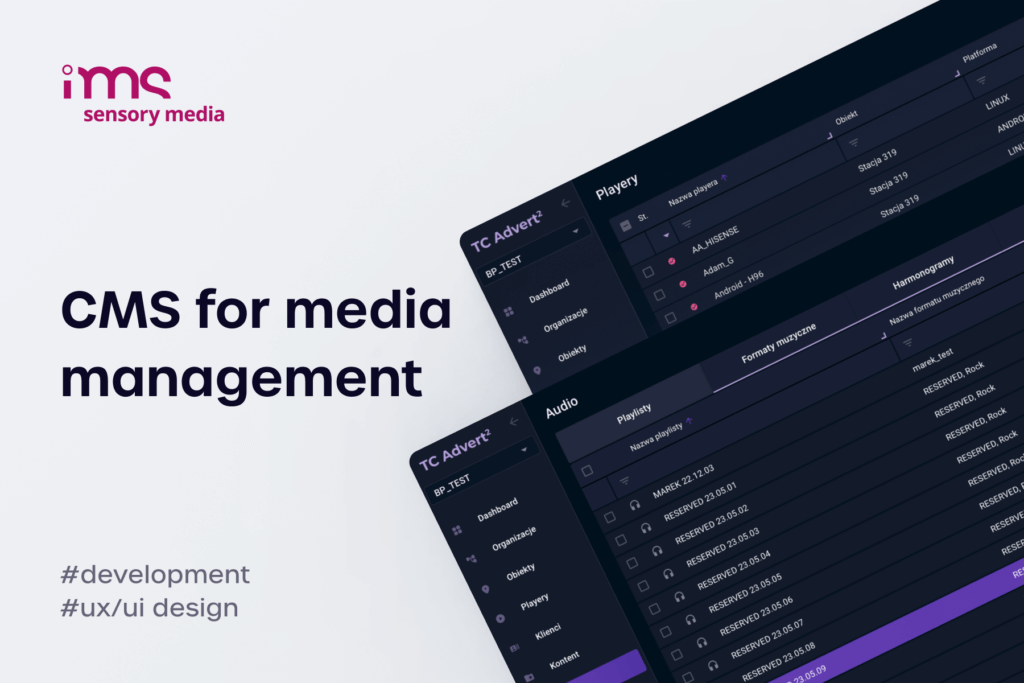
A full custom build from scratch is the third path and remains an option for edge cases – integrators with unusual hardware ecosystems, white-label resale models, or content workflows that no packaged product accommodates. For most fleets replacing MagicInfo, a productized off-the-shelf alternative reaches feature parity faster and at lower cost. For the difference between buying a packaged on-premise CMS and commissioning a full build, digital signage software development: ready-made vs custom solutions breaks the decision down further. A working example of how a tailored CMS integration plays out at the operational level is the SSP integration case study with BroadSign and IMS Sensory Media, where the CMS layer was shaped around the integrator's revenue model rather than around a vendor's product roadmap.
Migration practicalities: content, schedules, devices, accounts
Whichever path the integrator picks, the migration itself follows the same four-phase shape. Underestimating any of the four phases is where most MagicInfo replacements run over budget.
- Content export and re-encoding – pull every active asset out of the MagicInfo Server media library, capture associated metadata (tags, approval state, expiration), and re-import into the new platform. HTML5 packages and WebAuthor templates are the painful part: they often need to be rebuilt rather than imported, especially if the new CMS uses a different editor.
- Schedule and playlist rebuild – nested playlists, smart playlists, advertisement playlists, and Rule Sets do not export cleanly to any non-MagicInfo system. Plan for the schedule team to recreate them by hand, using exported playlist definitions as a reference, and budget time to validate the rebuilt schedules against the original behaviour before cutover.
- Device re-enrollment – every Samsung display in the fleet needs to be unbound from MagicInfo Server and re-enrolled against the new CMS. For mid-size fleets this is doable remotely if the new platform supports URL Launcher enrollment on Tizen, but older S3/S4 hardware and any third-party screens require a different procedure. The remote digital signage migration playbook details how to do this without sending technicians to every site.
- Account, role, and RBAC mapping – MagicInfo's three-level user model (server, organization, device) does not map one-to-one onto every alternative platform. Take the existing role definitions, flatten them onto the new platform's permission model, and treat this as the moment to audit who needs which access before recreating old habits.
The cleanest migrations are the ones where the integrator treats the platform switch as a chance to rebuild operations on better foundations rather than as a forklift port of an aging MagicInfo configuration.
FAQ – MagicInfo on-premise alternative
What does on-premise mean for a digital signage CMS in 2026?
On-premise means the CMS server runs on hardware controlled by the customer or integrator, inside the customer's own network, with no required outbound connection to a vendor's cloud for the system to function. The server can be a physical Windows or Linux box in a server room, a VM in a private data center, or a private-cloud instance hosted by the integrator. The distinguishing factor is control over hosting, network topology, and data flow, not the brand of the underlying hardware.
How do open source platforms like Xibo compare with a paid on-premise alternative?
Xibo is a credible MagicInfo on-premise alternative for fleets where Samsung Knox-level integration is not a hard requirement and the integrator has the ops capacity to host and maintain a Linux server. It covers the bulk of MagicInfo Lite use cases out of the box.
- Where Xibo matches MagicInfo Premium: multi-zone layouts, tagged scheduling, REST API, multi-tenant accounts, Android, Linux, and Windows player support.
- Where Xibo trails MagicInfo Premium: native conditional logic comparable to Rule Sets, dynamic data binding comparable to DataLink, and the depth of Samsung-specific hardware control.
Paid on-premise alternatives generally close those gaps and ship with vendor support, which is the difference an enterprise integrator usually pays for.
Can a single CMS cover both MagicInfo Lite and Premium use cases?
Yes, but only if the CMS is designed for tiered deployment. The Lite use case (basic playlists, simple scheduling, single-zone playback on a small fleet) and the Premium use case (conditional logic, dynamic data, multi-zone layouts, Knox integration) impose different requirements on the underlying platform. Most off-the-shelf alternatives are built for one or the other and add the missing capabilities as bolt-ons. A custom-built MagicInfo on-premise alternative can target both from day one because the feature set is scoped to the integrator's portfolio rather than to a generic product roadmap.
What does migration from MagicInfo to a different on-premise platform involve?
The migration covers four workstreams – content export and re-encoding, schedule and playlist rebuild, device re-enrollment, and account and RBAC mapping – plus a parallel-run period where both platforms operate side by side until the new system is validated against the old behaviour. For a typical 200-screen retail fleet the project runs eight to twelve weeks from kickoff to full cutover, with the schedule rebuild and Rule Sets recreation as the largest single time sink. Older Samsung hardware on Tizen S3 or S4 is the second-biggest source of unplanned cost, because some alternatives require a hardware refresh that MagicInfo did not.
Are perpetual licenses still a viable commercial model for signage software?
Perpetual licensing is still viable, and several on-premise vendors continue to ship it specifically because the demand from MagicInfo's installed base did not disappear when Samsung pivoted. Productized MagicInfo-replacement CMS deployments and full custom builds are both typically perpetual by default – the integrator either holds a permanent per-screen license or owns the codebase outright, with no recurring per-screen-per-year fee attached. The commercial structure most under pressure is the cloud-subscription-only model from a single vendor, because it exposes the integrator's margin to the vendor's pricing decisions every renewal cycle. For integrators reviewing their options, how to choose the right digital signage software company for your project covers the partner-side of the decision in more depth.