




The video wall market was valued at USD 11.81 billion in 2025 and is expected to reach USD 23.06 billion by 2031, according to Mordor Intelligence, which also notes “software and control layers taking a larger share of delivered value.” Panels keep getting cheaper and brighter. What separates a wall that reads as one image from four TVs playing roughly the same thing is video wall software: the program that splits content across a group of screens and tells each one when to show which frame.
Integrators know the failure from site visits. The screens start together and look perfect at handover, and an hour later the left half of the image trails the right by a few frames, or the voice from the store speakers no longer matches the lips on screen.
Keeping many screens in sync is a timing problem with known causes and measurable limits, and good video wall software solves it for the whole playback, from the first frame to the last.
This guide covers the forms a video wall takes in signage networks, the causes of drift, the delays viewers notice, three ways to synchronize screens, the hard cases (sound from a separate device, mixed brands, cheap players) and the lessons from building custom digital signage software for a network of around 15,000 devices.
Questions this article answers:
- What is video wall software, and how does it keep screens in sync?
- Why do the screens in a video wall drift apart over time?
- How much delay between screens, or between sound and picture, do viewers notice?
- Do I need a video wall controller, or can software alone synchronize the screens?
- Can I sync a video wall built from different screen brands?
- How do I keep cheap Android players in sync on a video wall?
- What should I ask a vendor before choosing video wall software?
Video wall software basics for signage networks
In a control room, a video wall usually means a processor feeding a grid of identical panels. In signage networks the term covers more situations, and each asks something different of the video wall software.
Tiled walls and coordinated screens
A video wall is a group of displays mounted side by side that shows one image split across all of them, or content timed so precisely that the screens read as a single surface. The classic form is a 2×2 or 3×3 grid of thin-bezel LCD panels, or an LED wall built from modules. In retail and DOOH, integrators meet three variants of the same problem:
- One image across tiles – every screen shows its slice of a larger frame, so any offset appears as a visible jump at the seams.
- Coordinated screens in one space – a store with ten screens in view, or a restaurant with menu boards side by side, where the same ad plays everywhere at once or an animation passes from screen to screen.
- Sound from a separate device – a TV shows the video while an in-store audio player carries the soundtrack, and viewers judge the result by lip sync.
Each variant has its own tolerance, so “in sync” means little until you name the variant you are building.
Controller, display or player
Synchronization can live in three places. A video wall controller, sometimes called a processor, takes one source, splits it and sends each slice to a panel over HDMI or DisplayPort. Displays with built-in wall features handle tiling themselves from a daisy-chained signal or coordinate playback with each other over the network. In the third model, each screen runs its own player, either the display’s built-in SoC or a small media player, and video wall software keeps those players aligned over the network.
A digital signage video wall usually follows the third model because it scales, reuses the hardware already on the wall and lets the CMS that schedules campaigns run the walls as well. It is also the model where synchronization is hardest, because nothing physical ties the screens together.
Causes of playback drift across screens
Players that start on the same second rarely stay together. Drift has a handful of physical causes, and video wall software that ignores any of them will look fine during a demo and fall apart over a long loop.
Clocks that tick at different speeds
Every player keeps time with its own quartz crystal, and no two crystals run at exactly the same rate. A difference of 20 parts per million sounds negligible, yet by our calculation it adds up to about 72 milliseconds per hour, which at 50 frames per second means one frame of offset roughly every 17 minutes. Cheap hardware with looser tolerances drifts faster.
Dedicated video hardware is not immune either. One media-server vendor documented two professional video wall controllers running at 60.110 Hz and 60.120 Hz, a gap that works out to a full frame every 100 seconds once the external sync signal is removed. Synchronization is therefore a continuous job: the system keeps measuring and correcting for as long as content plays.
Start time, downloads and display processing
Even with perfect clocks, other delays push screens apart:
- Decode start. Players load and start a video file at slightly different speeds, especially when models or firmware versions differ.
- Downloads during playback. A player fetching the next schedule or a large file can stall for a moment. On weak SoC displays we have seen playback freeze or turn black during downloads until the player was rebuilt to fetch content in the background.
- Micro-stutters on weak hardware. Low-cost Android boxes and older TVs drop the odd frame. Two devices receive the same start signal, one hiccups, and from that moment they are out of step.
- Processing inside the display. Motion smoothing, scaling and picture modes add delay after the player has done its job, so two players on the same frame can still show different frames.
- Scan order at the seams. Panels refresh line by line from top to bottom, so where the bottom edge of one screen meets the top edge of the next, the two can sit almost a full frame apart. LG addresses this with a Scan Inversion setting for alternate rows.
The practical test is a camera: film the wall at a high frame rate and step through the footage frame by frame, because screenshots taken one after another hide millisecond offsets.
Delay thresholds video wall software has to meet
The acceptable offset depends on what the viewer compares. Lip sync has published thresholds from broadcasting, while tiled walls follow simpler arithmetic based on frame duration, and together they set the targets any video wall software should be measured against.
Lip sync, the strictest test
Broadcasters measured audio-video offset decades ago. ITU-R BT.1359-1 puts the detectability threshold at about 45 ms when sound runs ahead of the picture and 125 ms when it runs behind, with acceptability limits at about 90 ms and 185 ms. The EBU R37 recommendation is stricter because it sets end-to-end limits for television emission: sound no more than 40 ms early and 60 ms late.
| Standard | Sound ahead of picture | Sound behind picture | What it describes |
|---|---|---|---|
| ITU-R BT.1359-1, detectability | 45 ms | 125 ms | When viewers start to notice |
| ITU-R BT.1359-1, acceptability | 90 ms | 185 ms | When the offset becomes unacceptable |
| EBU R37-2007 | 40 ms | 60 ms | Broadcast end-to-end limit |
The asymmetry matters for signage. People tolerate late sound far better than early sound, because in real life sound always arrives after light: a ceiling speaker five metres away already adds about 15 ms of natural delay at 343 metres per second. An audio player that runs ahead of the screen is the case to avoid.
Seams on a tiled wall
When one image spans several panels, the unit that matters is the frame. At 50 frames per second a frame lasts 20 ms, and at 60 it lasts 16.7 ms.
| Frame rate | One frame lasts | 80 ms equals |
|---|---|---|
| 25 fps | 40 ms | 2 frames |
| 30 fps | 33.3 ms | 2.4 frames |
| 50 fps | 20 ms | 4 frames |
| 60 fps | 16.7 ms | 4.8 frames |
Take an object crossing a 1920-pixel panel in one second at 60 fps. It moves 32 pixels per frame, so a one-frame offset makes it jump 32 pixels at the seam, about 2 cm on a 55-inch screen, and an 80 ms offset makes the jump closer to 10 cm. Tiled walls therefore need frame-level alignment, while separate screens in the same room tolerate more, as long as nothing moves from one screen to another.
Three ways to synchronize a video wall
Every synchronized wall uses one of three approaches, or a mix of them. They differ in accuracy, cost and reach, and the right choice depends on the wall type you are building. Only the third relies on video wall software alone.
| Approach | Typical accuracy | Scale | Main limits |
|---|---|---|---|
| Controller or daisy chain (one source) | Frame-accurate by design | One wall, limited by outputs or chain length | One source resolution, single point of failure, extra hardware |
| Built-in display features (Samsung Sync Play, LG Sync Mode) | Good on identical models | A group of the same model | Identical models, vendor CMS tier, limited formats |
| Networked players with clock sync and live correction | Depends on hardware and correction; tens of milliseconds or better | Thousands of screens across many sites | Needs mature software; wired network for tiled walls |
One source, many panels: controllers and daisy chains
The simplest way to keep screens together is to give them one source. A video wall controller splits a single signal into tiles and drives every panel from one clock, so there is nothing to drift. Daisy chains work on the same principle: Samsung's UDE series, for example, could pass one 4K signal through up to 25 displays over DisplayPort with no extra hardware. An LED wall driven from one sending card behaves the same way, because the whole surface is one image with one clock.
The price is flexibility. Every panel shows a slice of one source resolution – 4K spread over 25 screens leaves each panel a 768 × 432 pixel slice – and one failed cable or controller darkens the whole wall. Controllers also add hardware cost to every wall and do nothing for screens spread around a store. They suit one large, permanent image and leave coordinated screens across a site to another method.
Built-in display features on Samsung and LG
Signage displays ship with their own wall tools. On LG webOS signage, Tile Mode builds one image across up to 15 × 15 monitors, Natural Mode hides the part of the picture behind the bezels, Scan Inversion reduces deviation at the seams, and Sync Mode keeps time and content aligned over RS-232C or over the network, the latter only with UPnP enabled because it uses UDP port 1900. An LG video wall set up this way needs no external controller.
Samsung offers Sync Play through MagicINFO and VXT, which needs S3-class or newer devices and an access point or switch with IGMP snooping. The catch sits in the documentation: "Sync play only works between identical models," states Samsung's VXT guide, and Windows and Android players need identical specifications too. For a Samsung video wall installed in one go, that is fine. For integrators who take over whatever screens a client already has, it is a hard limit.
Video wall software with clock sync and live correction
The third approach lets each player keep its own copy of the content and coordinates the players over the network. It starts with a shared clock. NTP is typically limited to about a millisecond of uncertainty, according to NIST, and PTP, defined in IEEE 1588, reaches sub-microsecond accuracy where the network supports it. The video wall software then schedules every start against that clock instead of trusting each device's own time.
A shared clock covers only one of the causes listed earlier. Decode delays, stutters and display processing still pull screens apart, so the players have to check their position during playback and adjust: one acts as the reference, and the others shift or slightly speed up their playback until the offset disappears. That is how we approached synchronization for IMS, with every audio and video device at a site synced to the same clock and a mechanism that measures the delays live and corrects them. The operating system matters here as well, because Tizen, webOS and Android give the player different levels of control over playback.
Hard cases for video wall software: sound, mixed brands and cheap players
Controller-based walls in control rooms rarely meet these problems. Signage networks meet them every week, because the screens, the speakers and the budget were chosen long before anyone thought about synchronization.
Audio from a separate device
Lip sync is the most noticeable kind of desync, and in retail it often involves two different devices: the screen plays the video while a separate audio player drives the store's speakers. For a campaign built around a well-known chef's video and played in fuel-station cafés, the requirement was that sound and picture start within 80 milliseconds of each other on every site. That figure sits inside the ITU acceptability range in both directions. Since viewers notice early sound first, the software should never let the audio player run ahead of the screens.
When several screens are visible from one spot, play the sound from a single source. Two speakers carrying the same track with a small offset produce echo and phasing that customers hear even when no video lag is visible.
Mixed brands in one space
Vendors' sync features assume identical hardware, and real sites rarely have it. An integrator who takes over a client's fleet may find Samsung Tizen panels by the entrance, LG webOS screens at the checkout and an older Android TV in the café, and replacing working screens to satisfy a sync feature is a hard sell. The alternative is video wall software with a player app for each platform, all talking to the same CMS and the same clock, with the correction step absorbing the difference in decoding and display speed between brands.
That approach takes more engineering. Each platform needs its own app – our list covers Samsung Tizen from version 4.0, LG webOS, Toshiba, Hisense, Android, Windows and Linux – and each needs testing for its own delays. It is, however, the approach that scales across a network where hardware was bought over ten years by different people. The app side of that work is part of our TV application development service.
Low-cost Android players
Cheap Android boxes are tempting for walls because one box per screen costs less than a controller. They are also the hardest devices to keep in sync. Weak processors stutter when they download, decode and render at the same time, and every stutter costs frames. We have made the cheapest boxes in a client's fleet play reliably by managing downloads, file checks and threads carefully and by skipping files the device already holds.
For tiled walls, test the exact box model with your video wall software and your own content before you commit, and film the result.


Lessons from a 15,000-device network
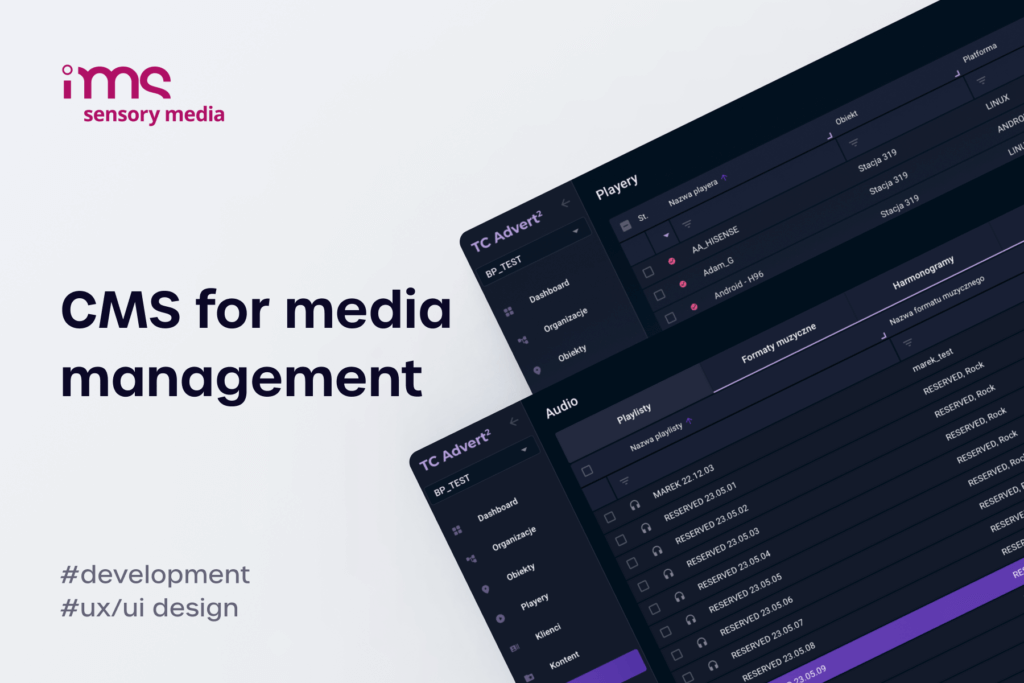
Our largest synchronization work runs inside the platform we develop for IMS Sensory Media, which manages around 15,000 audio and video devices in shopping centres, fuel stations and retail chains, mostly in Poland.
The IMS build
The LG webOS player we built for IMS alone runs on more than 2,700 screens across four generations of the operating system, from webOS 4.0 to 9.0, and handles audio-video synchronization between TVs and audio players as well as video-video synchronization between TVs, as described in the webOS case study. Other players in the same network run on Samsung, Toshiba, Hisense, Android, Windows and Linux. The video wall software inside the platform cuts a high-resolution file into tiles, and we have delivered walls built from four regular displays.
Two lessons stand out. Sync has to survive offline operation: players cache around two weeks of schedule and content, so a dropped connection must not break the timing of a campaign. And weak hardware decides the design, since staying under 80 ms on cheap Android boxes took more work than on any branded display.
Checklist for choosing video wall software
Whether you build or buy, these questions separate video wall management software that works in a sales demo from video wall software that works on a client's site:
- Sync method – controller, built-in display feature or networked players, and the wall types it supports.
- Clock source – NTP, PTP or a local sync server, and the behaviour when the internet goes down.
- Correction during playback – alignment of the start only, or continuous measurement and correction during long loops.
- Mixed hardware – the brands, models and OS versions that can share one synchronized group.
- Audio – support for a separate audio device in the group, and the device that acts as the reference.
- Resolutions and layouts – custom canvases for LED, content placed from pixel 0,0, bezel compensation and multi-zone screens.
- Monitoring – alerts when a player falls out of sync, goes offline or misses a download.
A vendor who promises "seamless" playback without a millisecond figure and a test method has not measured it. For the wider picture of managing walls inside a signage network, see our notes on the challenges of managing many screens and the guide to owning a white label platform. Before you sign, ask for a millisecond figure and a camera test on your own hardware. If your clients need walls and coordinated screens across a mixed fleet, ask us about sync in your network.

FAQ about video wall software
What is video wall software?
Video wall software is a program that plays content across a group of screens as if they were one display. It splits an image into tiles or schedules the same content on neighbouring screens, keeps every player on a shared clock and corrects drift during playback. In signage networks it is often part of the CMS, so the system that plans campaigns also runs the walls.
What is a video wall?
A video wall is a set of displays mounted together that shows one image across all screens, or content timed so precisely that the screens read as one surface. It can be built from thin-bezel LCD panels, LED modules or projectors. In signage networks the term also covers coordinated screens in one space, where video wall software makes them play the same content at the same moment.
Do screens in a video wall have to be on the same network?
The requirements depend on the synchronization method:
- Tiled wall with networked players – a wired local network, ideally one switch or VLAN for the group.
- Samsung Sync Play – one access point or switch with IGMP snooping, and S3-class or newer devices.
- LG Sync Mode over the network – UPnP enabled on every display.
Screens spread across a site can also sync through a cloud or local sync server, with looser timing than a wired group.
What delay do people notice between screens?
The answer depends on the comparison. For lip sync, ITU-R BT.1359-1 puts detection at about 45 ms when sound leads and 125 ms when it lags. On a tiled wall the practical limit is one frame, 20 ms at 50 fps, because any offset shows as a jump at the seams.
Will video wall software work across screen brands?
Built-in sync features from Samsung and LG generally require identical models. Software that runs its own player app on each platform can synchronize mixed brands, provided it corrects each device's delay during playback. Plan extra testing time, because every brand decodes and displays video at a slightly different speed.
Can you build a 2x2 video wall from regular displays?
Yes. Four regular displays can form a 2x2 wall, either with a controller splitting one signal or with a player on each screen showing its tile of a larger file. Thin bezels and bezel compensation make the result look like one image, and identical models make synchronization much easier.
Do I need a video wall controller, or is software enough?
A controller makes sense in two situations:
- One large, permanent image from a single source, such as a lobby wall.
- Live inputs such as cameras or PCs that must appear on the wall in real time.
For walls that play scheduled signage content, a player per screen and video wall software can do the job without a controller, and the same CMS runs the rest of the network.