













More than two-thirds of large-scale technology programmes are not expected to be delivered on time, within budget or within their planned scope, according to a BCG survey of over 1,000 executives. Signage adds a failure mode of its own. In June 2026, invidis reported that after a wave of integrator failures, in several networks “screens went dark overnight as backend services were switched off”. For an integrator, both risks end up in the same place: in front of the end client, whose screens are your responsibility whether the software came from a vendor or from your own digital signage project.
That is why many integrators hesitate before commissioning custom digital signage software, even when per-screen fees and missing features push them towards it. A software project feels open-ended: no product to test, no clear end date and no certainty about support in year three. A well-run digital signage project removes that uncertainty in stages, and every stage ends with something you can click, test or put on a screen. Below we walk through these projects as we run them at Fingoweb: the proof you can check before signing, the four stages with real timelines, the team on both sides, the jobs AI speeds up and the ones it cannot touch, and maintenance once the screens are live.
Questions this article answers:
- How does a custom digital signage project work, step by step?
- What can a software house show before signing if it has no ready-made CMS?
- How long does a digital signage project take, and when will I see something working?
- What is the difference between a proof of concept and a pilot in digital signage?
- Will the development team change halfway through the project?
- Can AI build a digital signage system cheaper, in a week?
- Who maintains a digital signage system after launch, and what does maintenance include?
A digital signage project without a ready-made CMS
The first question on almost every scoping call is a fair one: if you build to order, what can you show us? The answer explains a lot about the way a custom digital signage project works.
Built to order, owned by the client
A software house that builds custom signage systems usually has no CMS of its own to demo, and in our case that is by design. When we build a platform for an integrator, the source code becomes the client's property. They can develop it further with us, hand it to another team or resell it under their own brand. The most complete system we have built is therefore not ours to put in front of prospects, and a "test CMS" would mean lending out someone else's product.
The same arrangement shapes the economics. There is no licence fee per screen and no subscription on top of the build, so adding the thousandth player costs the same as adding the tenth, apart from server capacity on the largest fleets. We cover the commercial side, from licensing models to contract clauses, in our guide to owning a white label digital signage platform. An owned platform still starts life as a project, and the project has to be predictable.
Proof before the contract
Integrators still need evidence before they commit a budget, and "trust us" is not evidence. We offer three kinds of proof, and most clients use at least two of them.
- A live walkthrough on running players – an online session on a trimmed copy of a production CMS, with players showing content live. You see scheduling, playback and reporting on the platforms your clients use.
- A demo on your own data – for one outdoor advertising operator we built a demo before any contract was signed, then ran it on a full month of the client's real work orders, around 5,000 records. Turnaround was about a week.
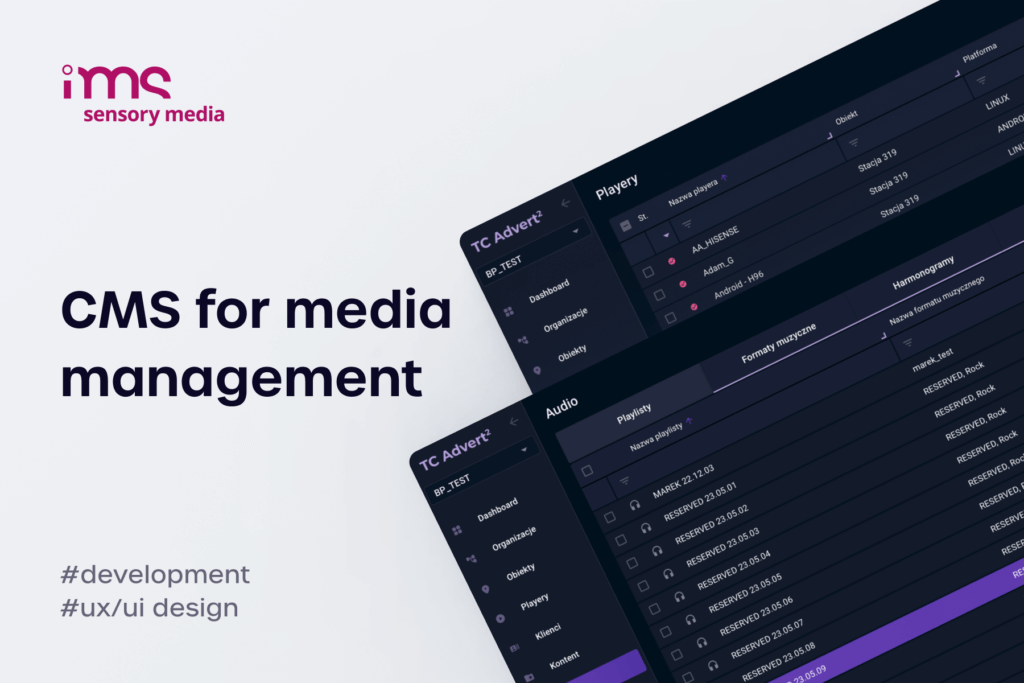
- A platform with years in production – the system we have developed for IMS Sensory Media for more than five years now manages around 15,000 audio and video devices, mostly in Poland.
None of these replaces a contract. Together they answer the question behind "what can you show us": has the team already solved the problems your project is about to run into?
Digital signage project stages and timeline
Every custom build we run goes through four stages. The durations below come from our own projects and assume a decision-maker on the client side who answers questions within days. After each stage you hold something you can judge before deciding on the next one.
| Stage | Typical duration | What you get at the end | Your decision |
|---|---|---|---|
| 1. Feature list and scope | 1–2 weeks | An estimate with costs and a schedule | Go ahead, cut scope or stop |
| 2. Proof of concept | from about a week to six weeks | A working demo on your data, devices or network | Confirm the approach |
| 3. Core platform | 1–2 months | CMS, scheduling, device monitoring and one player app on live screens | Move the first client |
| 4. Extended platform and rollout | 3–5 months in total | More player platforms, extra modules, fleet migration | Plan further development |
Stage 1: feature list and scope (1–2 weeks)
The fastest way to scope a signage platform is to start from one you already know. We often ask integrators to take the feature list of MagicInfo, or whichever CMS they run today, and mark three things: what their clients use, what nobody touches and what is missing. Rebuilding every feature of a mature product makes no sense when a typical operator uses a fraction of them, and the missing features are usually the reason for the project in the first place.
Expect the scope to grow during this stage. "A very simple CMS" tends to gain client organisations, user roles, proof-of-play reports and a second player platform within two conversations, which is why we ask for a budget ceiling early. A $25,000 limit calls for a different architecture than a $100,000 one, and knowing it early saves everyone an estimate nobody can approve. Questions we ask at this point:
- How many players and client organisations will the system manage in three years?
- Which screen platforms are already installed at your clients' sites?
- What must keep working when the internet drops?
- Which outside systems need to feed the screens, and who controls their APIs?
The estimate is free and usually arrives within a week, sometimes faster as an order-of-magnitude figure. A written analysis by a business analyst is available but optional. Many integrators prefer to point at a reference system and skip a paid discovery phase, which is a reasonable way to keep the first stage short.
Stage 2: proof of concept on your data
A proof of concept (PoC) in a digital signage project is a small working build that proves the critical function on the client's own data, devices or network before full development starts. It answers one question, for example: can an Android player handle your content without stuttering, or can installers' photos be checked automatically? A pilot comes later and tests the finished system in daily operation across a handful of real sites.
The important word is "your". A demo built on sample data proves that developers can build a demo. One built on a month of your own records, on your clients' devices, exposes the problems that matter: messy data, slow devices, a firewall that blocks the player. For the outdoor operator mentioned above, running the demo on real data cost us next to nothing, and it gave several decision-makers who would never read a specification something they could click through themselves.
A PoC also starts conversations a specification never would. When we built a prototype wayfinder CMS for an existing client on our own initiative, in about six weeks, the first reaction was a list of questions about integrations and legacy apps we had not modelled. Hearing those questions in week six costs far less than hearing them in month six.
Stage 3: core platform and the first screens (1–2 months)
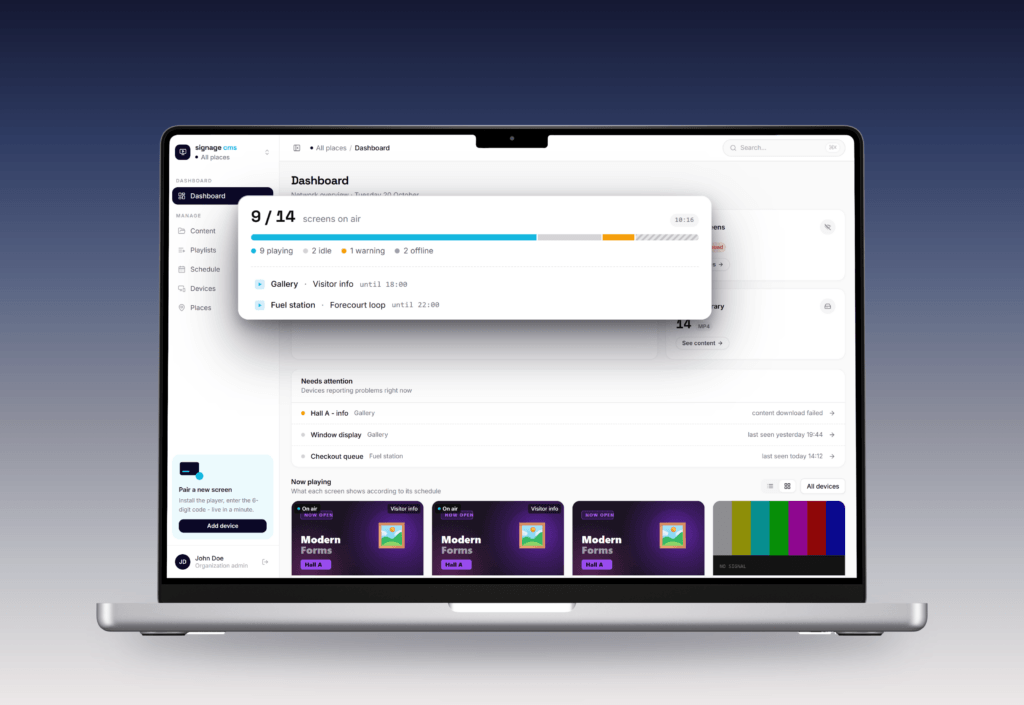
The core platform is the smallest version you can sell: content upload, playlists, schedules, device monitoring and one player app, for example for Samsung Tizen. In our projects it takes one to two months, and it is the point where real screens start playing real campaigns. A straightforward MagicInfo replacement delivered turnkey, deployment included, usually lands at two to three months.
From here the work runs in releases rather than one big handover. On a long-running platform our cycle looks like this:
- Changes to the specification go into the requirements document (SRS) for the client to approve.
- The team builds the release and tests it internally.
- The release goes to a staging environment, where the client tests it for about a week.
- Once accepted, it goes to production, usually early in the week so any issue meets a full team.
Short releases help the integrator as much as the developer. Integrators who see working software every few weeks can show it to their own clients, collect feedback and adjust the next release. The alternative is waiting half a year for a system that may no longer match what the market wants.
Stage 4: extended platform and rollout (3–5 months in total)
The extended platform adds what the first clients ask for once they use the system: player apps for more platforms such as LG webOS, Android, Windows and Linux, content tools, licensing for your own customers, ad-time sales and proof-of-play reports. A full multi-platform system of this kind takes three to five months in total. Larger platforms keep growing after that, but by then development follows your roadmap and your clients' requests.
Integrators usually fear digital signage deployment across an existing fleet because of the cost of truck rolls. On Samsung displays it can be done remotely, because the screen downloads its player app from a configured address. Change that address and the display installs the new app, pulls its schedule and connects to the new CMS, with no technician on site.
Roll out in waves, and start the pilot on the hardest sites first: the store with the weakest connection, the oldest screens, the location where content changes daily. A digital signage implementation that survives those sites will survive the rest of the fleet, and a digital signage project plan built around waves lets you fix the playbook after the first five locations instead of the first fifty.
The team behind a digital signage project
Most delays in a digital signage project have nothing to do with code. They come from missing decisions, missing test devices or an IT department nobody asked in time, and a clear split of responsibilities on both sides prevents most of them.
Roles on the software side
A custom signage build needs more specialists than a typical web project, because the same system runs in a browser, on a server and on several screen platforms. A team for a full CMS-and-player platform usually includes:
- Project manager or account lead – your single contact, who turns requests into scoped tasks and keeps the roadmap in one place.
- Business analyst – writes the specification when you want one.
- UX/UI designer – designs the panel for the people who will schedule campaigns in it every day, and they are rarely technical.
- Backend and frontend developers – in our case Laravel and React with TypeScript, plus React Native when a mobile app is needed.
- Player developers – people who know the quirks of Tizen, webOS and Android and test on actual devices.
- Testers and DevOps – QA on real devices, plus the server side from hosting and monitoring to cost control.
Continuity matters as much as the roles. Practically the same team has developed the IMS platform for five to six years, and clients ask about this directly, usually because they have watched a vendor's project manager leave mid-project and take the project knowledge along. Everyone on our side works in-house in Poland, and code written by a single developer still goes through review by a second one.
Inputs the integrator brings
The integrator controls things no software partner can replace. Test devices come first. If your clients run older Tizen screens and basic Android devices, those are the devices we need to test on, because emulators hide exactly the problems that matter. Sample data comes second, from real playlists to the spreadsheets that currently drive pricing or offers.
The third input is access to the end client's IT. In one project for a building-technology integrator, the way devices connected to the platform had to be approved by the end client's IT department, and showing the wrong option could have closed the site to the integrator for good. Bring IT into the conversation during stage 1, while changing the approach still costs nothing. Then name one person who can make decisions. Projects stall far more often on an unanswered question than on a hard technical problem.
AI in a digital signage project
The question comes up on most calls now, sometimes as a challenge: if a developer with an AI assistant can write a player in a week, why does a project take months? AI has changed how we write code. It has not changed what happens when that code meets an older Android device in a store with weak Wi-Fi. According to the Stack Overflow Developer Survey 2025, 84% of developers use or plan to use AI tools, and 66% name "AI solutions that are almost right, but not quite" as their biggest frustration.
Work AI speeds up
Our developers work with AI coding assistants every day, mostly Claude, with some front-end developers preferring Cursor. The gains are real in the parts of a signage platform that look like any other web application: admin panels, forms, API endpoints, data imports, test scaffolding and documentation. A clickable demo that once took weeks can now be ready in days, which is part of the reason a PoC on your data costs you almost nothing.
AI also helps with integrations, where much of the work is mapping one system's data onto another. Turning a retailer's promotional spreadsheet into structured screen content, or reading a mall's tenant list from a JSON feed, is the kind of task where a good assistant cuts hours to minutes. Those savings go straight into the estimate. To integrators who ask "could AI build a player in a week?", our answer is that we can write one in a week too. Making it run reliably across a real fleet is what takes the rest of the project.
Problems AI does not see on a test bench
The hard part of signage starts when software leaves the developer's laptop. These are problems we have had to solve in production, and none of them shows up in a demo:
- The black screen during downloads. Weak SoC displays can freeze or stutter while they fetch a new schedule or large video files. The player has to download in the background and switch over only when everything is in place.
- Offline operation. Players cache around two weeks of schedule and content, so a dropped connection does not mean a dark screen, and they send their play logs once the connection returns.
- Low-power devices. Making the player run smoothly on a low-power Android device took careful management of downloads, file checks and threads. The shortcut of downloading everything at night was rejected by the client, because schedule changes would only reach the screens the next day.
- Synchronisation. Starting audio on one device and video on several screens within 80 milliseconds of each other takes clock synchronisation plus live correction of each device's delay.
- Security of generated code. One client came to us with a large vibe-coded system whose cloud keys had no spending limits and were tied to the client's own card. Fixing that kind of risk is now a separate service: cleaning up vibe-coded applications.
An experienced team is fast because it already knows this list. An assistant will write the code you ask for without warning you that the panel you specified freezes on half your fleet.
Digital signage maintenance after launch
A signage network runs for five years or more, while the platforms underneath it change every year. Digital signage maintenance keeps the screens playing correctly in year three and beyond, so it belongs in the plan from day one.


Warranty and paying for fixes
Our standard warranty on a custom build is 12 months. After that, we estimate each change when it comes up, you see the time and cost, and the decision is yours. We do not require a fixed monthly package of hours, though integrators who want a team on standby can have one. The cost that recurs regardless is the server: for a fleet of 120–150 players it is typically around $100–150 a month, and it grows slowly with the number of devices and with how long you keep logs and reports.
Hosting can sit on either side. We can buy and run the server and re-invoice the cost, or your own administrators can host the platform on infrastructure you already manage. What matters is that the cloud account, domains and certificates are registered to your company, so the system stays yours whoever operates it.
Platform changes maintenance has to absorb
Most maintenance work is triggered by changes outside your system. A few that integrators should plan for in 2026:
- Browser engines frozen per model year – every Samsung Tizen model year ships with its own web engine, from Chromium M108 on 2024 models to M130 on 2026 models, according to Samsung's signage developer documentation. A mixed-age fleet runs several engines, and the player has to be tested on each of them.
- Android TV goes 64-bit – from 1 August 2026, every new app or update with native code for Google TV and Android TV must include 64-bit versions, as the Android Developers Blog announced.
- MagicINFO end of life – sales of MagicINFO On-Premise end on 31 December 2026, the cloud service shuts down on 28 February 2027 and support ends in December 2029.
- Shorter certificates – the CA/Browser Forum approved a schedule that cuts the maximum validity of TLS certificates from 398 days to 47 days by March 2029. CMS and API endpoints need automated renewal, and players should never depend on one specific certificate.
None of these is dramatic on its own. Missed together, they slowly switch off a network that worked perfectly at launch, one model year at a time.
Responsibilities after go-live
In our usual arrangement, Fingoweb stays technically responsible for the software: bug fixes, platform updates, security patches and new features. The integrator operates the system at the end client's sites, handles content and first-line support, and holds the SLA towards the client. Integrators raise this early because it is their biggest worry, and with reason: years of running and developing a system take more effort than building it.
If the build-or-buy decision is still open, or you are comparing partners, our guide to choosing a digital signage software company lists the questions worth asking. Before you sign a digital signage project with any partner, ask for three things: a demo on your own data, a release cycle you can test, and the names of the people who will maintain the system in year three. If that is the kind of digital signage software development partnership you need, send us your feature list and we will propose a PoC on your data.
FAQ - Digital signage project
How long does a digital signage project take?
A custom digital signage project usually takes two to five months to reach a full platform. Typical stages in our projects:
- Scope and estimate – 1–2 weeks.
- Core platform with one player app – 1–2 months.
- Extended multi-platform system – 3–5 months in total.
The biggest variable is the speed of decisions on the client side. Digital signage deployment to an existing fleet adds time per site, although remote installation on Samsung displays removes most site visits.
What is the difference between a proof of concept and a pilot in digital signage?
A proof of concept checks one critical function before full development, for example a specific player model handling your content, or your data driving the screens automatically. It takes from a few days to a few weeks and can run on your devices, without involving live sites. A pilot comes after the build and needs real locations, staff and content: it runs the finished system on a few sites for several weeks to test operations and network conditions before the full digital signage implementation.
How do I start a digital signage project?
Start your digital signage project with a list of the jobs your clients need the screens to do and the platforms their screens already run on. If you run a CMS today, mark the features you use and the ones that are missing, then ask a development partner for an estimate based on that list. A budget ceiling and one or two test devices will make the first estimate far more accurate.
Who owns the code after a custom digital signage project?
In a custom build, the source code should pass to you once each stage is paid for, and the contract should say so explicitly. At Fingoweb the client owns the code, the repository and the hosting account, so you can keep developing the system with us, move it to another team or sell it under your own brand. Before signing with any partner, check that the contract adds no royalty or fee per installed screen.
What does digital signage maintenance include?
Digital signage maintenance covers everything that keeps a live network playing correctly after launch:
- Fixes and updates – bug fixes, security patches and compatibility updates for new screen models and OS versions.
- Monitoring – alerts about offline players, failed downloads and outdated schedules.
- Hosting – servers, backups, certificates and log storage.
Content production and on-site support usually stay with the integrator.
How much does a custom digital signage project cost?
A basic custom platform with scheduling, device monitoring and one player app typically costs a one-off $13,500 to $27,000 to build. Each additional player platform, integration or module such as ad-time sales adds to that, with hosting and maintenance as running costs. We compare these ranges with per-screen subscriptions in our article on digital signage cost. A larger multi-platform system costs more upfront but carries no per-screen fees as the fleet grows.