













The global digital signage market reached $31.09 billion in 2025 and is on track to hit $58.42 billion by 2033, an 8.2% annual climb. Most of that growth ships as cloud-managed software billed per screen, and Yodeck is one of the names integrators reach for first. The platform is cheap to start, runs on a Raspberry Pi, and gets a single screen live in an afternoon. None of that is why integrators eventually look for a Yodeck alternative.
That model works well until the fleet grows. A per-screen fee that looks trivial at three screens turns into a five-figure annual line at three hundred, and a cloud-only platform becomes a dead end the moment a deployment sits behind a hospital firewall or on an air-gapped factory network. So when an integrator starts hunting for a Yodeck alternative, the useful question is rarely which other subscription is slightly better. It is whether to keep renting signage software at all, or to run a custom digital signage CMS the business owns outright. The strongest Yodeck alternative for an integrator managing fleets is not another per-screen plan – it is a CMS you host, brand, and control, priced once instead of every month. Most “Yodeck alternative” round-ups only point you to the next subscription. This one adds the option they leave out, and the fleet size where owning starts to cost less than renting.
Yodeck’s strengths and its structural limits
Before committing to a Yodeck alternative, it helps to know exactly where the platform earns its keep. The friction is not that the product is weak, but that two design choices, cloud hosting and per-screen billing, pull in the opposite direction from what a scaling integrator needs.
Yodeck’s strengths for small, simple deployments
Yodeck earns its reputation on the low end. One screen is free for as long as you keep it to one screen, and paid plans run $8, $12, and $16 per screen per month for Basic, Premium, and Enterprise. Annual billing throws in the player hardware, a Raspberry Pi 4 on Basic or a 4GB Player Plus higher up. You get 800-plus templates, 90-plus content apps, drag-and-drop layouts, and offline caching so a screen keeps playing when the network drops.
For a coffee shop with two menu boards, a gym, or a single-site office, that is hard to beat. Setup takes minutes, there is no server to maintain, and the monthly cost barely registers. An integrator serving small independent clients can even white-label the platform and resell it without touching a line of code. The catch is that every one of these strengths is tuned for the small end of the market, not for a growing fleet.
The limits integrators hit at scale
The problems show up in a predictable order as a deployment grows. Three of them are structural, which means no plan upgrade fixes them:
- Cloud-only, with no on-premise option – Yodeck runs entirely from its cloud. There is no self-hosted or on-premise build, so any deployment that cannot send device traffic to a third-party cloud is out of scope before the evaluation starts. Hospitals under HIPAA, public-sector networks, and air-gapped industrial sites all fall here.
- Per-screen billing that compounds – the fee never ends and never converts to an asset. A 300-screen fleet on the Premium plan is roughly $43,000 every year, and each renewal is exposed to a price rise.
- Features gated behind the top tiers – the REST API and webhooks appear only from the Premium tier up, while custom roles, SSO, and workspaces are Enterprise-only. An integrator who needs API access across 200 screens pays the Premium rate on all of them.
There are softer limits too: the layout editor gets awkward for precise multi-zone designs, granular permissions are thin, and the white-label program rebrands Yodeck's cloud rather than handing over anything you own. This is usually where the search for a Yodeck alternative starts.
The three kinds of Yodeck alternative
Search for a Yodeck alternative and almost every result is a list of other cloud platforms. That is one option out of three, and often the weakest for an integrator, because it swaps one subscription for another without changing the economics or the hosting model. The three real paths look like this.
Another cloud signage subscription as Yodeck alternative
The direct swaps are OptiSigns, ScreenCloud, Rise Vision, and Pickcel, among a crowded field. Each competes with Yodeck on the same terms: a per-screen monthly fee, a cloud dashboard, and support for common media players. They differ in the details that decide a specific project.
| Platform | Pricing model | Pricing per screen | Hosting | Where it stands out |
|---|---|---|---|---|
| Yodeck | Per-screen subscription | $8–16 | Cloud only | Low entry cost, bundled Pi players |
| OptiSigns | Per-screen subscription | $10–15 | Cloud only | Large app and integration library |
| ScreenCloud | Per-screen subscription | $20–30 | Cloud only | Enterprise features and support |
| Rise Vision | Per-screen subscription | $11–15 | Cloud only | Template library, education pricing |
| Pickcel | Per-screen subscription | $10–20 | Cloud, private cloud on request | Some hosting flexibility |
The useful signal in that table is what the columns share, not where they differ. Every one is a per-screen subscription on someone else's cloud, so if the reason for leaving Yodeck is compounding cost or a deployment that cannot touch the public cloud, another SaaS solves neither. It is a lateral move. Where they do help is a specific feature gap: OptiSigns for its integration catalogue, ScreenCloud where enterprise support justifies the premium. In the yodeck vs optisigns decision, integration depth usually matters more than a few dollars of price difference.
Open source, self-hosted Yodeck alternative
The second path drops the subscription entirely. Xibo is the one most integrators evaluate first. It installs on a Linux server or a private cloud, handles tagged scheduling and multi-zone layouts, and exposes a documented API, all on-premise with no per-screen fee. Screenly and a handful of others sit in the same category.
The trade is operational. You host it, you patch it, you own the uptime, and conditional logic on the order of the paid platforms is scripting and scheduling work rather than a built-in feature. Support is a community forum, not an SLA. For the full landscape, our comparison of the top 9 open source digital signage software solutions covers where each one fits. Open-source digital signage suits integrators with in-house ops capacity and fleets where community support is acceptable.


A custom CMS you own
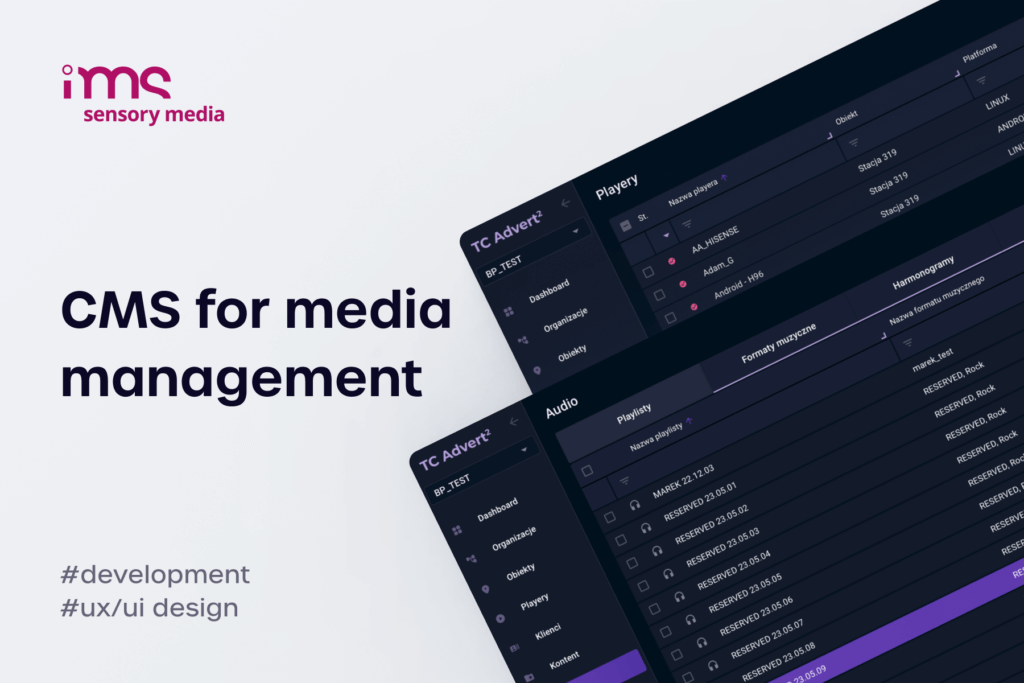
The third path is the Yodeck alternative the comparison lists skip: a CMS built for the integrator and owned outright. This route sits between open source and enterprise SaaS. You get the on-premise control and the no-per-screen-fee economics of the open-source route, plus the finished features and vendor support of a commercial platform, because the platform is scoped to your business rather than to a generic product roadmap.
This is where a software partner comes in rather than a vendor. A custom digital signage CMS can be self-hosted or run in a private cloud, carries the integrator's brand from end to end, and licenses once instead of per screen per month. Our breakdown of ready-made versus custom solutions walks through when each makes sense. The obvious objection is whether a custom build can match what Yodeck does day to day. That is the next section.
Matching Yodeck feature-for-feature with a custom CMS
Owning the platform only pays off if it does the daily work Yodeck does. The question with any Yodeck alternative is whether it covers that workflow, and the good news for integrators is that Yodeck's feature set, while polished, is well understood and reproducible. What matters is knowing which capabilities are table stakes and where a custom build reaches past any subscription.
The Yodeck capabilities a custom build has to cover
Clients do not buy "Yodeck." They buy outcomes that a CMS happens to deliver, and those outcomes have to survive the switch. A credible custom platform needs to match this surface first:
- Multi-format content and templates – images, video, HTML5, web pages, PDFs, and Office files, with a real template editor rather than a bare upload form.
- Scheduling with day-parting and time zones – playlists that change by hour, weekday, and location, with per-screen time-zone handling for national fleets.
- Multi-zone layouts and video walls – a single display split into independent regions, plus synchronised playback across grouped screens.
- Content apps and live data – weather, calendars, RSS, and dashboards that pull live figures from a spreadsheet or an API straight into a template.
- Offline playback – full local caching so a screen keeps running through a network outage.
- REST API, webhooks, and roles – programmatic control, event triggers, and multi-tenant permissions so one instance serves many client accounts without them seeing each other.
Match those and you have parity with the Premium and Enterprise tiers most integrators run on. Miss two or three and you have a content player wearing a CMS label.
Advantages an owned CMS has over Yodeck
Parity is the floor. The reason to own the platform is the set of things a cloud subscription cannot offer at any tier:
- On-premise and air-gapped deployment – the CMS runs inside the client's own network, which clears the compliance hurdle that rules Yodeck out of healthcare, government, and industrial sites.
- Hardware you are not locked into – a custom player can run natively on Samsung Tizen, LG webOS, or Android SoC screens with no external device, sidestepping the Raspberry Pi model entirely. Our guide to webOS vs Tizen vs Android covers the trade-offs.
- Integrations built around your revenue model – hooks into a POS, an ERP, or an ad-serving SSP, scoped to how the business earns. Our SSP integration case study with BroadSign and IMS shows a CMS shaped around the integrator's model instead of a vendor's roadmap.
- White-label you own, not rent – the brand, the data location, and the roadmap are yours, rather than a reskin of someone else's portal.
The feature list is where Yodeck and a custom CMS look alike; ownership, hosting, and integration are where they stop being comparable at all.
The cost case for owning your CMS
Feature parity and control decide whether a custom CMS is viable. Cost decides whether it is worth it, and the honest answer depends entirely on fleet size and how long the screens stay live.
Per-screen subscription vs a one-time owned Yodeck alternative
A subscription and a one-time build behave like renting versus buying. The subscription is cheaper to start and never stops. The build costs more up front and then largely stops. Where they cross depends on screen count, and the SaaS side drifts upward on its own: the median business software subscription rose 7.8% year over year in 2025, so today's renewal figure is a floor, not a ceiling.
| Total cost over 5 years | Yodeck Basic ($8/screen/mo) | Yodeck Premium ($12/screen/mo) | Yodeck Enterprise ($16/screen/mo) | Custom owned CMS |
|---|---|---|---|---|
| 100 screens | $48,000 | $72,000 | $96,000 | From ~$15,000 (one-time build) + optional maintenance |
| 500 screens | $240,000 | $360,000 | $480,000 | From ~$15,000 (one-time build) + optional maintenance |
The pattern in that table is what makes ownership work at scale. A custom CMS is priced against features and complexity, not against how many screens run it, so adding screens is close to free once the platform exists. A 100-screen fleet on Premium passes a mid-range custom build inside two to three years. A 500-screen fleet passes it inside the first year and keeps paying every year after. As a rough rule, rent under about 30 screens and look hard at owning past a few hundred. That split is why Yodeck dominates the small end, and why the case for owning strengthens with every screen you add.
The deployments that justify a custom build
The decision comes down to a few honest signals. A Yodeck alternative is not always the right move: stay on Yodeck or another SaaS when the fleet is small, the content is straightforward, there are no compliance constraints, and you want zero infrastructure to run. That covers most single-site and small-chain work, and there is no shame in renting when renting is cheaper.
Build and own when one or more of these holds:
- the fleet is large or growing fast, and per-screen fees have become a real line item
- deployments need on-premise hosting for compliance or network reasons
- the business resells signage and wants a platform it controls and brands as its own
- the screens need integrations no off-the-shelf tool supports
If two or more of those apply, a custom digital signage CMS usually returns the investment within the first refresh cycle. Choosing the partner matters as much as choosing the platform: our guide on how to choose a digital signage software company covers what to check, and the remote migration playbook shows how to move a live fleet off Yodeck without sending a technician to every site. For a scaling integrator, the point where a Yodeck alternative pays for itself is not a feature gap, it is the moment the subscription line stops making sense.
FAQ - Yodeck alternative
Is there a free Yodeck alternative?
Yes, if you are willing to host it yourself. Open-source platforms like Xibo carry no license fee and run on your own server, which makes them the closest thing to a free Yodeck alternative. The cost moves from a subscription to your own time: hosting, updates, and support all become in-house work. For a single free screen with zero maintenance, Yodeck's own free tier is still the simplest option.
Can you run Yodeck on-premise or self-host it?
No. Yodeck is a cloud-only platform, and this is the single most common reason integrators start looking for an alternative. There is no self-hosted or on-premise edition, which rules it out wherever data cannot leave the local network. The two options that do run on-premise are:
- Open-source signage such as Xibo, self-hosted on your own server
- A custom CMS, hosted on-premise or in a private cloud and owned by the integrator
How much does Yodeck cost per screen?
Yodeck is billed per screen per month, with player hardware included on annual plans:
- Free – one screen, for as long as the account has only one registered
- Basic – $8 per screen per month
- Premium – $12 per screen per month, adds the API and data apps
- Enterprise – $16 per screen per month, adds SSO and custom roles
Fleets over 50 screens are quoted individually.
Yodeck vs OptiSigns: which alternative is better?
For most buyers it is close, and both are cloud, per-screen platforms. OptiSigns tends to win on the breadth of its integration and app library, while Yodeck wins on entry price and its bundled Raspberry Pi players. Neither solves the two problems that push integrators to look further afield: recurring per-screen cost and the absence of an on-premise option. When those are the drivers, an owned CMS is the more relevant comparison.
Is a custom digital signage CMS worth it versus Yodeck?
It depends on scale. Below about 20 to 30 screens, Yodeck is cheaper and faster to deploy, so a custom build is hard to justify. Above that, and especially past a few hundred screens or where on-premise hosting is mandatory, a one-time owned CMS usually costs less over its life and removes the per-screen fee entirely. That break-even point is what makes it the more relevant Yodeck alternative for a larger integrator.
Can integrators white-label Yodeck?
Yes, through Yodeck's partner program, which rebrands the portal and drops the Yodeck name. What it does not do is hand over the platform. You are reselling Yodeck's cloud with your logo on it, on their infrastructure and their roadmap, with margin shared through partner discounts. A custom CMS is the alternative when the goal is to own the product rather than resell someone else's.