













The global digital signage market is on track to reach $35.2 billion in 2026 with an 8.2% CAGR forecast through 2030, according to MarketsandMarkets. That growth is being pulled by retailers, restaurants, transit operators, and healthcare networks moving away from static print and toward screens that can be updated centrally and tracked in real time. For the integrators, software houses, and AV firms standing behind those rollouts, the business is shifting from one-off installations to ongoing networks measured in thousands of endpoints. This guide answers what is digital signage, how a deployment is built end-to-end, and the choices a technical buyer faces between subscribing to a SaaS platform and commissioning custom software.
A digital signage system is more than a screen on a wall – it is a software-defined network of displays whose value depends entirely on the platform that runs them. If you are scoping a new project, comparing vendors, or planning to build your own custom digital signage software development capability, the next sections walk through the components, costs, and trade-offs you need to weigh.
What is digital signage?
Before getting into hardware racks and CMS dashboards, the foundation question – what is digital signage – needs a clear answer. The definition shapes scope, budgeting, and the technical decisions that follow, and it is what separates a real deployment from a TV in a shop window or a one-off OOH placement.
What is digital signage: a working definition
Digital signage is a network of digital displays that show centrally managed content – video, images, animations, or live data feeds – to a public or semi-public audience. Whether you are asking what is digital signage at a single coffee shop or across an airport network, the same definition holds. It replaces or complements static print in retail stores, restaurants, transit hubs, offices, and outdoor advertising sites. Unlike a single monitor playing a USB loop, a digital signage system is built around a software platform that pushes content to one screen or to thousands, on schedule, with playback you can audit afterward.
The term covers everything from a single 32-inch menu board behind a counter to a 5 000-screen retail network managed from one CMS. The technology stack is the same – display, media player, content management software, network – but the scale, redundancy requirements, and cost profile shift dramatically as you grow.
How does digital signage differ from traditional signage and OOH?
Static signage is a one-shot artifact. Once it is printed and mounted, changing it means reprinting and resending a crew. Digital signage flips that model: the asset is software, the content is fluid, and updates happen across the network in seconds. The hardware is a delivery channel, not the deliverable.
Out-of-home advertising (OOH) is a related but narrower category. OOH refers specifically to advertising shown in public spaces – billboards, transit ads, street furniture. Digital out-of-home (DOOH) is the digital subset: roadside LED billboards, transit screens, and ad networks running programmatic auctions. All DOOH is digital signage, but plenty of digital signage is not advertising. Internal corporate communications, hospital wayfinding, and quick-service restaurant menus all sit outside DOOH while running on the same technical foundation.
What is digital signage? Main types
Most projects fall into a handful of categories, defined by location and form factor:
- Indoor digital signage – screens deployed inside controlled environments: retail stores, malls, restaurants, lobbies, classrooms. Lower brightness requirements (typically 350–700 nits), commercial-grade displays running 16/7 or 24/7.
- Outdoor digital signage – high-brightness displays (2 000–5 000 nits), weather-sealed enclosures, anti-glare glass. Used for roadside DOOH, transit stops, drive-thru menus, gas station forecourts.
- Interactive kiosks – touchscreen totems for self-service ordering, wayfinding, ticketing, or product discovery. Often paired with peripherals: NFC readers, printers, payment terminals.
- Video walls – arrays of bezel-thin LCD or fine-pitch LED panels stitched together to act as a single canvas. Common in lobbies, control rooms, and flagship retail.
- Menu boards – purpose-built screens for QSR and casual dining. Increasingly tied to point-of-sale data and dayparted automatically.
- Wayfinding displays – interactive maps and directories in malls, hospitals, airports, and corporate campuses.
- Advertising totems and pylons – freestanding double-sided units along high-footfall corridors and transport hubs.
- E-paper and low-power displays – battery-operated screens for shelf-edge labels and slow-changing content where the energy cost of LCD does not make sense.
The right format depends less on the screen and more on the deployment context: dwell time, ambient light, content complexity, and whether the user needs to interact. Picking the wrong format is one of the most common cost overruns on a digital signage project.
How does a digital signage system work?
Once you know what is digital signage at the definition level, the next layer is how a working installation comes together. Every deployment, regardless of size, runs on the same four-part architecture. Knowing how the parts connect makes it easier to scope a project, troubleshoot a deployment, and decide which layer to standardize and which to customize.
The four building blocks – display, player, software, network
A working digital signage system is the combination of:
- The display – the screen itself, ranging from a commercial monitor to an LED wall, that the audience sees.
- The media player – the device that fetches, decodes, and plays content on the display. Either a built-in System-on-Chip (SoC) inside the screen or a separate small computer wired to the HDMI input.
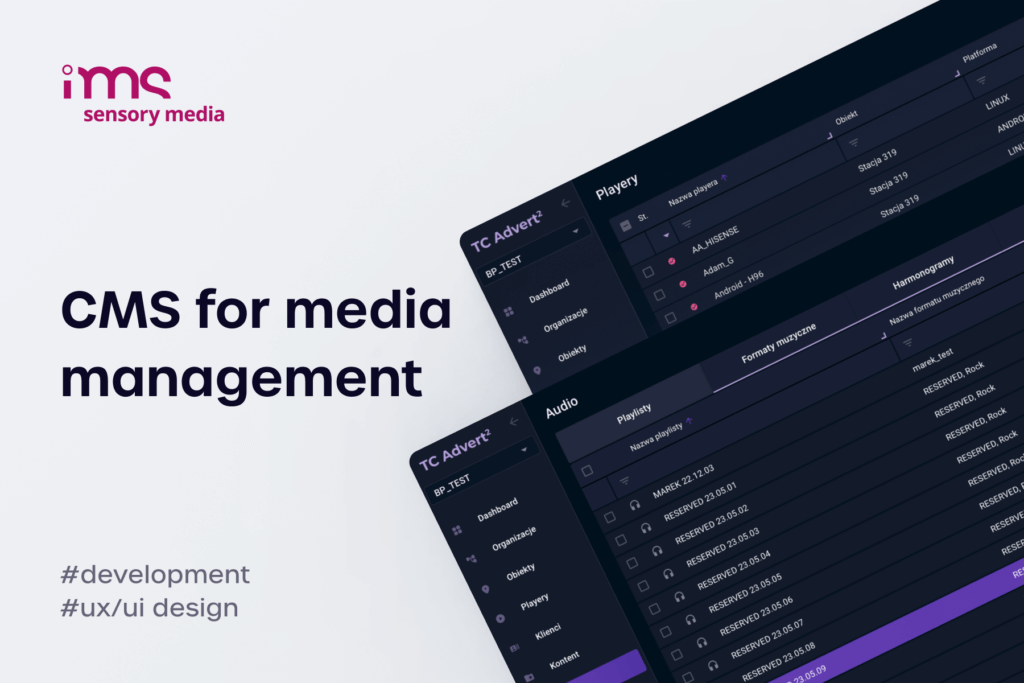
- The digital signage software / CMS – the platform where content is uploaded, scheduled, distributed, and monitored. Lives in the cloud or on a private server.
- The network – the connectivity that ties the players to the CMS: wired LAN, Wi-Fi, 4G/5G, or a mix. Without it, you have a TV with a USB stick.
Strip out any one of those layers and you do not have digital signage – you have a static display.


Displays and media players
Commercial-grade displays are the right starting point for any deployment longer than a marketing pop-up. Consumer TVs are not engineered for the duty cycles signage requires: a typical home TV is rated for 6–8 hours per day of mixed use, while a commercial display is built for 16/7 or 24/7 with brightness, anti-burn-in protection, and serviceable components designed accordingly. Using a consumer panel for a 12-hour-a-day retail loop turns warranty claims into a recurring expense.
The choice between a built-in SoC display and an external media player is one of the foundational decisions in any deployment.
| Aspect | Built-in SoC display (Tizen, WebOS, Android) | External media player (BrightSign, Intel NUC, Raspberry Pi) |
|---|---|---|
| Hardware count | 1 device per location | 2 devices per location |
| Upfront cost | Higher per unit (premium screens) | Lower screens + separate player |
| Performance ceiling | Limited by SoC (good for 1080p, basic 4K) | Higher (4K HDR, complex animations, multi-zone) |
| OS lifecycle | Tied to manufacturer (3–7 years) | Independent, swap player when EOL |
| Field maintenance | Replace whole screen on failure | Replace just the player |
| Content compatibility | Manufacturer-restricted formats | Broader format support |
For most indoor retail, hospitality, and corporate deployments, SoC screens running Tizen, WebOS, or Android are the lower-friction option. For mission-critical, high-performance, or multi-zone playback, a dedicated external player still wins on flexibility and longevity.
Digital signage software and CMS – what to look for?
The CMS is the layer that turns hardware into a system. At a minimum, it has to handle five jobs:
- Content management – upload, organize, and version assets (video, image, HTML, live data widgets).
- Scheduling – assign content to specific screens, times of day, days of the week, and trigger conditions.
- Distribution – push content to thousands of endpoints reliably, including over slow or intermittent links.
- Playback monitoring – know which screen is playing what, right now.
- User and role management – give franchisees, regional managers, or end clients the access they need without exposing the whole network.
Beyond that core, mature CMS platforms add proof of play, audience analytics, integration with point-of-sale and ERP systems, programmatic ad delivery for DOOH networks, and increasingly, AI-assisted content generation. The more screens you operate – and the more clients you serve as an integrator – the more these higher-order capabilities matter.
If your deployment spans Tizen, WebOS, Android, and external players in the same network, the CMS has to abstract those differences cleanly. Failure modes running content reliably across multiple operating systems are a common reason custom development becomes the better path over off-the-shelf SaaS.
Networking, scheduling, and proof of play
Connectivity is where the gap between what is digital signage on paper and what is digital signage in practice opens widest – deployments quietly fail when always-on internet does not exist. Cloud CMS platforms assume always-on internet, but real-world locations – warehouses, transit underpasses, rural QSR drive-thrus – are intermittent at best. A production-grade signage system caches content on the player so playback continues during outages, syncs deltas only when bandwidth is available, and reports back when connectivity returns.
Scheduling logic also matters more than people expect. Day-parting, location-aware playlists, conditional triggers (time, weather, sensor input), and emergency override channels are standard features of mature systems. A QSR network running breakfast, lunch, and dinner menus across 1 200 sites cannot afford a CMS that needs manual switching at every store.
Proof of play – the verifiable record that a given asset played on a given screen at a given time – is non-negotiable in DOOH advertising and increasingly required by enterprise clients for compliance and SLA reporting. The integrators who win larger contracts are the ones who can produce that data on demand, not the ones who can only show pretty content.
Digital signage use cases, benefits, and costs
Adoption is not evenly distributed. Some industries have been on digital signage for fifteen years, others are still piloting their first deployment. Looking at where the spending lands – and what it returns – tells you where the integrator opportunities sit and what to expect from a project budget. Asking what is digital signage worth (in views, in revenue, in capex) is the question every CFO eventually has to sign off on.
Common use cases
What is digital signage being used for, in practice? The big five categories cover most of the global market:
- Retail and shopping centers – product promotions, dynamic pricing, queue-busting, in-store wayfinding, video walls in flagships. Mall operators run common-area networks while individual retailers run in-store loops. The IMS Sensory Media network is one example: 30 000+ locations across 25 markets running synchronized audio-visual marketing tied to a central CMS, including a Broadsign and IMS Sensory Media SSP integration for programmatic ad delivery.
- Quick-service restaurants and hospitality – digital menu boards (now often dayparted automatically), drive-thru order confirmation displays, hotel lobby and concierge screens, in-room signage. QSR alone has driven double-digit growth in DOOH equipment shipments for the past three years.
- Transportation hubs – airport flight information, train and metro real-time arrivals, bus stop e-paper schedules, wayfinding totems. These deployments demand high-availability software and integration with operator data feeds.
- Corporate and healthcare – internal communications, lobby branding, meeting room booking displays, hospital wayfinding, pharmacy and patient information. Tend to be smaller per-site but high-volume across enterprise estates.
- DOOH advertising networks – roadside LED billboards, transit ads, retail screens sold programmatically. The fastest-growing segment in absolute revenue and the most demanding technically: SSP/DSP integrations, audience measurement, and proof-of-play reporting are all required.
Beyond the big five, education, financial services, fitness, and place-based entertainment are mid-volume verticals worth tracking.
What digital signage delivers?
The numbers behind the rollouts are the reason CFOs keep approving them. Independent surveys collected in CrownTV's signage statistics report show:
- Digital displays generate roughly 400% more views than static posters in comparable placements.
- 83% of viewers can recall the brands they saw on digital signage in the past 30 days, versus around 40% recall for print advertising.
- 71% of consumers say in-store digital signage stood out more to them than online ads.
- Well-managed retail deployments report 24–38% sales lifts on featured products during campaign periods.
- AI-assisted personalisation is producing an additional ~28% lift in customer engagement metrics for early adopters.
For end clients, the case is engagement and revenue. For integrators, the model is more interesting still: digital signage networks generate recurring software-as-a-service revenue, monitoring and content-management fees, and ad-network revenue share – on top of the original hardware sale. That recurring revenue is what turns a project business into a platform business, and it is the reason DOOH operators keep grinding through the eight critical challenges facing the DOOH industry in 2026 to scale up rather than stand still.
How much does digital signage cost?
Cost varies more than any other infrastructure category in commercial AV, because the gap between a single-screen pilot and a 1 000-screen network is three orders of magnitude. The honest answer is to break it into the four buckets that show up on every project budget.
| Cost bucket | Typical range per screen (USD) | Notes |
|---|---|---|
| Display | $400 – $4 000 | Commercial 32"–55": $400–$1 500. 65"–86": $1 500–$4 000. Outdoor or high-brightness: 2–3× indoor. LED video walls priced per square meter (~$1 500–$5 000/m²) |
| Media player | $0 – $800 | $0 if using a SoC display. External: Raspberry Pi $80, Intel NUC $400, BrightSign $300–$800 |
| Software / CMS | $5 – $50 per screen / month | SaaS subscriptions (Yodeck, ScreenCloud, Samsung VXT) range $10–$30. Enterprise platforms $25–$50. Custom-built: capex upfront, low marginal cost after |
| Installation, content, ongoing | $200 – $1 000 per screen one-time + variable | Mounting, cabling, network drop, content design. Recurring: monitoring, updates, content production |
A useful rule of thumb: a 50-screen indoor retail deployment lands in the $40 000–$120 000 range for hardware and installation, plus $300–$1 200 per month in CMS and content costs. Underestimating the recurring side is the most common reason mid-size deployments lose their business case after year two.
Custom-built vs SaaS digital signage software
For an integrator, the decision with the biggest long-term impact is not which screen to buy or which network to wire. It is whether to standardize on a SaaS CMS and resell it, or to commission custom software and own the platform layer outright – the ready-made vs custom digital signage software decision we have written about before. Both approaches are valid, but they lead to different businesses with different long-term economics. The answer to what is digital signage as a strategic decision often comes down to that single trade-off.
When SaaS digital signage is the right call?
SaaS platforms make sense when speed-to-market matters more than differentiation. If you are running networks under 200 screens, serving end clients with standard content needs (image and video loops, basic scheduling, simple reporting), and your margins come from hardware and installation rather than the platform, paying $10–$30 per screen per month for a managed CMS is the rational choice.
Specific scenarios where SaaS makes sense:
- Single-vertical, standard-feature deployments – retail loops, basic menu boards, corporate lobbies.
- Networks under 200 screens – the per-screen subscription cost stays manageable.
- Integrators without in-house software capability – avoiding the build cost, the ongoing maintenance, and the security responsibility.
- Pilot or POC phases – proving demand before committing capex to a custom platform.
When does custom development pay off?
The economics flip when the network grows or when the platform itself becomes part of the value proposition. Custom-built digital signage software pays off when:
- Network exceeds 500–1 000 screens – per-screen SaaS fees compound until they exceed amortized custom development cost, often inside 24–36 months.
- You serve regulated industries or enterprise clients – healthcare, government, finance, with data residency, audit, or SSO requirements that SaaS cannot meet.
- You need integrations off the standard menu – proprietary POS systems, legacy ERP, computer vision audience measurement, custom ad-serving logic.
- The CMS is the product you sell – white-label platforms for sub-integrators, branded portals for end clients, or DOOH operators selling inventory to ad buyers.
- You operate at multi-OS scale – managing Tizen, WebOS, Android, and external players in one network often requires abstraction that off-the-shelf platforms do not handle gracefully.
The break-even is usually clearer than people expect, but only if the analysis includes recurring SaaS fees, integration cost, and the strategic value of platform ownership – not just the upfront build. What is digital signage as a build investment becomes context-dependent: a custom CMS makes sense for a 10 000-screen DOOH operator and is overkill for a 50-screen pilot.
How does Fingoweb partner with integrators?
Fingoweb sits on the custom-development side of that decision. What is digital signage to us, in the end, is a complex software product that integrators sell, operate, and grow alongside their hardware business. We build digital signage CMS platforms, player applications, and supporting infrastructure for integrators and AV firms that have outgrown SaaS or need capabilities the off-the-shelf market does not offer. Past projects span Tizen and WebOS player applications, multi-OS CMS platforms, SSP/DSP integration for DOOH operators, and white-label content management portals for regional networks.
If you are evaluating whether to renew another year of SaaS subscriptions or build your own platform, the conversation usually starts with a 90-minute scoping session: current network size, growth plans, integration requirements, and a TCO comparison over 3–5 years. For integrators serious about owning the software layer, the Fingoweb digital signage development team is the partner that runs the build alongside you.

FAQ - What is digital signage?
What is the meaning of digital signage?
What is digital signage in plain language? It refers to networked electronic displays that show centrally managed content – video, images, animations, or live data – to a public or semi-public audience. The "signage" part means the display has a communication purpose (advertising, information, wayfinding, branding), and the "digital" part means content is delivered electronically and managed remotely rather than printed and physically replaced.
Who uses digital signage?
Retailers, restaurants, transit operators, airports, healthcare networks, corporate offices, schools, places of worship, and DOOH advertising operators are the largest users. What is digital signage to each of them is different – ad inventory for the operators, customer engagement for retail, real-time information for transit. The technology is operated end-to-end by media integrators – companies that design, install, and maintain the systems on behalf of those end clients. The integrator typically remains involved long after the install: managing content, monitoring uptime, and rolling out updates across the network.
Can I use a regular TV for digital signage?
Technically yes, practically no. Consumer TVs are not designed for the duty cycles signage demands.
A consumer TV used for digital signage will:
- Burn out faster – panels rated for 6–8 hours of mixed daily use fail early under 12+ hour signage loops.
- Lack proper port and power management – consumer remotes and standby cycles cause unwanted shutdowns.
- Void warranty for commercial use – most manufacturers explicitly exclude commercial deployment from coverage.
- Lag on remote management – without a SoC OS like Tizen or WebOS designed for signage, you need an external media player anyway.
Commercial-grade displays cost 30–60% more upfront but pay back through warranty, longevity, and integrated signage software.
What are the main types of digital signage?
Digital signage falls into a handful of established categories based on location and form factor.
The most common types are:
- Indoor displays – the bulk of retail, hospitality, and corporate deployments.
- Outdoor displays – high-brightness, weather-sealed, used for DOOH and transit.
- Interactive kiosks – touch-driven self-service totems.
- Video walls – multi-panel arrays acting as a single canvas.
- Menu boards – QSR and casual dining.
- Wayfinding displays – malls, hospitals, airports, campuses.
- Advertising totems – high-footfall freestanding units.
- E-paper signage – low-power, slow-update use cases.
The right type depends on dwell time, ambient light, content complexity, and whether interaction is needed.
How much does digital signage cost?
Costs span four categories – display, media player, software, and operations – and the per-screen total varies dramatically with deployment size and grade. Indoor commercial displays run $400–$4 000 per screen, media players are $0 (built-in SoC) to $800 (external), CMS software costs $10–$50 per screen monthly for SaaS or capex-heavy upfront for custom-built, and installation plus content adds $200–$1 000 one-time per screen. A 50-screen indoor retail network typically costs $40 000–$120 000 for hardware and install, plus $300–$1 200 monthly for software and content.
What's the difference between digital signage software and a CMS?
What is digital signage software versus a CMS? They are usually the same thing. A digital signage CMS (content management system) is the software platform that uploads, schedules, distributes, and monitors content across the network. Some vendors call it "digital signage software" to emphasise the broader feature set – player management, proof of play, analytics – while others split the terminology between the front-end CMS and back-end orchestration. In practice, when you evaluate platforms you are comparing the same product under different labels.