













E-commerce accounted for 17.1% of US retail sales in the second quarter of 2026, according to the US Census Bureau, which leaves roughly 83% of sales happening somewhere else, mostly in physical stores. Retail media money flows the other way. Omdia estimates that “only five percent of retail media revenues come from brick-and-mortar stores,” invidis reported. The store is where most buying happens and where the least advertising is sold. That gap is the opportunity behind in-store retail media: advertising space inside a store that brands can buy, delivered on screens and measured with the retailer’s own sales, stock and footfall data.
The buyers who already spend on it are not satisfied either. In a survey by IAB and Grocery TV, 43% of US retail media buyers with active in-store budgets said their organisation is underutilising that investment, and they named activation complexity and measurement limits as the top barriers (The Shelby Report). Both barriers sit in software and data.
In-store retail media works when store screens have the shelf stock, the till data and the playback logs behind them, and that information comes from integrations the screens cannot provide on their own.
This guide is for integrators and network operators who build in-store retail media networks for retail chains. It covers the store zones, the product and stock data a screen needs, POS integration, measurement under the IAB standards and the ways to sell screen space to brands, with a phased plan for connecting digital signage to retail systems.
Questions this article answers:
- What is in-store retail media, and how does it differ from DOOH?
- Which store zones carry screens, and what does each zone need?
- What product and stock data does a store screen need?
- How do you connect store screens to e-commerce and POS systems?
- Can a store screen show only products that are in stock?
- How is in-store retail media measured under the IAB standards?
- How do retailers sell screen space to brands, directly and through programmatic?
- Where should a retail chain start?
In-store retail media in physical stores
Retail media started online, on retailers’ websites and apps, where every impression is logged and every sale is attributed. Taking the same model into a store means rebuilding that logging and attribution with screens, sensors and transaction data.
Definition and the link to the point of sale
In-store retail media is advertising inventory inside a store that brands can buy, planned, delivered and measured with the retailer’s own data. The IAB and IAB Europe standards define it as inventory “that uses retail data for planning, execution and measurement in a store which is available to brands,” covering digital screens, audio and static formats (IAB In-Store Standards, December 2024).
The difference from digital out-of-home lies in the point of sale. A billboard network sells audience; an in-store network sells audience a few metres from the product, with sales data on the purchases that followed. That is why the IAB treats in-store media separately from DOOH, even though the screens and players look the same.
The layers behind a retail media screen
A screen on a store wall is the visible end of several systems. An in-store retail media network that brands will pay for needs most of these layers:
- CMS and players – scheduling, playback, offline operation and monitoring across hundreds of stores.
- Data connectors – product, price and stock data from the retailer’s PIM, ERP or e-commerce platform, and transaction data from POS and loyalty systems.
- Measurement – proof-of-play logs, footfall or sensor data, and sales reporting that brands can trust.
- Sales layer – packages, booking, pricing by location and, for unsold time, a connection to programmatic buyers.
Ownership is split. The retailer owns the data and the shopper relationship, the integrator or operator runs the screen network, and brands buy the media. Most of the engineering effort goes into the connectors between those three parties.
Entrance, aisle and checkout screens
Not every screen in a store does the same job. Where a screen hangs decides its role in in-store retail media: its content, its data needs and the way its audience is counted.
Five store zones in the IAB standard
The IAB standard splits a store into five zones, and the split is useful well beyond measurement:
- Exterior – windows and screens facing the street or the car park.
- Entrance and out of category – foyer displays, security gates, service kiosks and power aisles near the door.
- Checkout – belt and queue screens, shopper-facing screens at the POS and self-checkouts.
- In aisle – shelf screens, gondola ends and promotional areas inside a category.
- Other and connected store – services, click-and-collect points and devices such as smart carts.
Each zone answers a different brief, so a network plan should start from the zones and the content each one will carry.
Entrance screens for reach
Entrance screens reach everyone who walks in, which makes them good for brand messages, seasonal campaigns and store-wide promotions. They rarely need live product data, and their audience can be estimated from footfall counts at the door. Retailers are scaling these retail media screens fast: CVS planned to double its front-entrance screens from 500 to 1,000 in 2026 as part of a network of about 11,000 digital screens (Modern Retail).
The weakness of the entrance zone is distance from the product. A shopper who sees a coffee ad at the door may be twenty minutes away from the coffee aisle, so entrance campaigns are sold on reach and measured with footfall-based estimates.
Aisle screens for products, prices and stock
Aisle screens sit next to the product, which makes them the most valuable and the most demanding. A shelf screen promoting a product that is out of stock, or showing a price that no longer matches the shelf label, does more harm than an empty slot. These screens need live data: availability, price and promotion validity for that exact store.
Placement still needs judgement. Kroger dropped planned screens on the back of its berry display cases, explaining that "there's a low need for advertisers to be in that space, and also, it was distracting for customers" (Modern Retail). Electronic shelf labels are worth separating from screens here. ESLs keep prices accurate and can carry a small promotion, while screens carry video and attention, and both can draw on the same price and stock feed.
E-commerce and stock data on screens
Online retail media decides which ad to show on the basis of what is in stock and what the shopper is looking for. A store screen can follow the same logic, provided someone builds the feed and the rules around it.
The minimum product feed
Most retailers already publish product data for their e-commerce platform and for Google, so the in-store retail media feed rarely starts from zero. Google's local inventory specification is a good template: it requires a product ID, a store code and in-store availability, with quantity and store price as optional fields (Google Merchant Center). For screens we add a few fields that drive the creative.
| Field | Source system | Why the screen needs it |
|---|---|---|
| Product ID (SKU, EAN) | PIM or ERP | Links the creative and the campaign to one product |
| Store code | ERP or store master data | Makes availability and price store-specific |
| Availability and quantity | ERP, WMS or e-commerce stock API | Pauses ads for items that are not on the shelf |
| Store price and promotion dates | Pricing system or POS | Keeps the price on screen equal to the shelf label |
| Category and aisle | Planogram or PIM | Places the ad in the right zone and aisle |
| Creative ID and fallback | Retail media platform or CMS | Defines what plays when the product cannot be shown |
Rules for sold-out items and price changes
The feed is only half of the work. The other half is the set of rules the player applies when the data changes: pause the ad when availability drops below a threshold, swap in a substitute product from the same brand, or fall back to a brand creative without a price. Instacart's Caper Carts follow this logic: their ads extend "only to carts when shoppers are in relevant aisles and where items are in stock" (The Shelby Report).
Sync frequency is a design decision. Stock levels can change every minute, while prices usually change overnight, so the two feeds rarely share a schedule. Offline operation adds a twist. In the systems we build, players cache around two weeks of schedule and content so that a dropped connection does not mean a dark screen, which means the stock rules have to run on the player itself, with the last known data and a safe fallback, rather than only on the server.
One ad decision for the website and the store
The cleanest architecture lets the retailer's ad server decide for both channels. VTEX Ads, for example, documents a digital signage integration in which store screens send the same ad request as the website, identified by device, store and placement, and receive the ad plus an impression URL to call when it plays (VTEX developer docs). The screen network then acts as one more placement in the retailer's existing retail media platform, and brands buy web and store inventory in one campaign.
Where the retailer has no ad server of that kind, the CMS can pull product and campaign data through APIs and apply the rules itself. We cover the general pattern in our guide to content automation with real-time data and APIs.
POS integration for in-store retail media
Checkout is where in-store retail media meets the transaction. Digital signage POS integration can trigger content, measure results and, under the newest IAB draft, even estimate who walked down which aisle.
Checkout screens and transaction triggers
Screens at the till, on self-checkouts and in queues form zone 3 of the IAB standard, and retailers are filling it. CVS expected checkout ads on POS systems in about 7,000 stores in 2026 (Modern Retail). Integrations with the POS can drive several kinds of content:
- Transaction completed – a thank-you message, a loyalty prompt or a coupon for the next visit.
- Basket contains a product or category – a complementary product on the shopper-facing screen while the receipt prints.
- Loyalty card scanned – content matched to the member's segment, within the retailer's consent rules.
- Queue length or checkout status – screens that switch between ads and service messages when lanes open.
Each trigger has a latency budget. Content that reacts to a basket has a second or two before the shopper looks away, so the integration usually runs on the store network next to the POS, without a round trip to a distant cloud. We have not shipped a POS-triggered campaign for a retailer yet. The list above is how we would scope one, and every POS vendor exposes transaction events differently.
Closed-loop measurement with transactions and loyalty data
Brands pay more for screens when they can see a sales effect. The IAB standard describes the method: compare sales in exposed stores with matched control stores, report 30 days before and after the campaign, and extrapolate from loyalty-card holders to shoppers who are not identified. The September 2026 draft of version 2 shortens those windows to 28 days and treats transactions as evidence of exposure: under "category transaction inference", if a customer bought cereal, "purchases become a proxy for aisle presence" (IAB Europe V2 draft). The draft notes that Tesco already counts a purchase as an impression.
Control groups matter more than any single metric. If a bottled water campaign runs in a June with 15°C after a June with 28°C, a year-on-year comparison will show the screens "failing". Matched control stores in the same weather, region and format separate the effect of the media from the effect of everything else.


Selling screen space to brands
An in-store retail media network earns money only when its inventory can be packaged, booked, delivered and proven. This is where most custom work in an in-store project goes, because every retailer sells differently.
Packages, loops and proof of play
Brands buy time on screens in loops: a sequence of slots that repeats through the day, often mixed with the retailer's own content. The IAB standard gives an example of a six-minute loop with 11–15-second ad positions. A package then defines the zones, stores, dayparts and the share of the loop a brand gets.
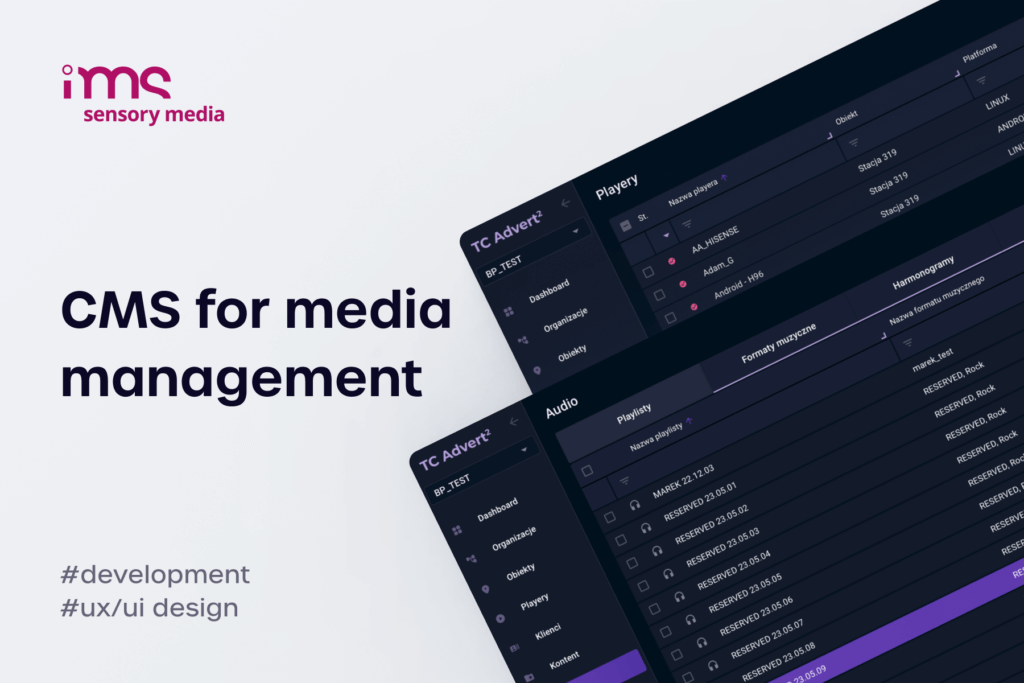
Delivery has to match the order exactly. In the platform we develop for IMS Sensory Media, schedules can place a spot to the second, every two, three or five minutes, or as a set number of plays per hour without the same ad running twice in a row. The same platform includes an offer creator that prices campaigns by the real availability of players and by location, because a screen by a mall entrance is worth more than one on the edge. Every play is logged as proof of play – a record of which content ran on which player and when – and those logs become the billing record.
Reports are where many networks lose credibility. Most proof-of-play reports still go out as spreadsheets that brands find hard to read, while a platform with its own reporting can produce per-campaign summaries by store and zone from the same logs.
Audience metrics: ad play, OTS and LTS
The IAB standards define several layers of measurement for in-store retail media. Ad play is the number of times an ad was displayed, which is exactly what proof-of-play logs record. Gross impressions estimate the number of people in the screen's exposure zone while the ad played. Opportunity to see (OTS) is calculated from footfall, aisle penetration and share of voice, and likelihood to see (LTS) requires sensors that detect presence and viewing.
The version 2 draft changes the starting point. Its authors write that "Ad Play is not the right starting point for media measurement; footfall is," with ad play and gross impressions kept as supporting metrics (IAB Europe V2 draft). Public comments on the draft closed on 23 October 2026 and IAB Europe has not yet published the final version, so details may still change, but integrators should expect brands to ask for footfall-based numbers soon. For LTS, we have integrated cameras that count the people in front of a screen and detect when they look at it, an approach we describe in our article on sensor-based audience measurement. Camera analytics in European stores must be designed around GDPR from the start.
Programmatic sales through an SSP
Direct sales rarely fill every slot in an in-store retail media network. A supply-side platform (SSP) lets programmatic buyers bid for the remaining time, and the screen network only has to expose its inventory in a form the SSP understands: stable screen IDs, venue type and location, an impression count per play based on footfall or sensors, and proof-of-play logs to reconcile billing. We built such a connection between the CMS and BroadSign for IMS, so that buyers can book available slots on their own; the SSP integration case study describes it in detail.
Two realities shape this layer. Programmatic usually monetises unsold time, so for most networks it stays a small share of airtime next to direct sales, and building an in-house ad exchange makes no financial sense for an operator. Large retailers, on the other hand, often impose their own retail media platform and expect the screen network to connect to it, which makes an open API a requirement from day one. For the full chain from DSP to screen, see our overview of the programmatic DOOH stack, step by step.
Starting an in-store retail media network
Most retail chains already have screens in some stores, a CMS that was never meant to sell media and data spread across several systems. The fastest route to revenue adds layers in the order brands will pay for them.
A phased plan for the first year
- Audit what exists – screens, players and their operating systems, the CMS, network quality in stores, and the systems that hold product, price, stock and transaction data.
- Pick a pilot of about one store in ten – one Polish retail media operator, for example, suggests piloting in 60 of 600 locations, chosen to cover different store formats.
- Get proof of play and scheduling right first – exact delivery and readable reports are what brands buy before anything else.
- Add the product and stock feed – starting with the aisle zones, where an ad for a missing product does real damage.
- Connect POS and loyalty data – for checkout content and for closed-loop sales reporting with control stores.
- Open unsold time to programmatic buyers – once inventory, measurement and proof of play are stable enough to expose to an SSP.
The order matters more than the speed. A network that sells reliable proof of play in month three is worth more than one that promises stock-aware creative and delivers it in year two.
Mistakes that sink in-store networks
The most expensive mistake in in-store retail media is starting from the devices. Cooler Screens put screens on refrigerator doors at Walgreens, and when Walgreens ended the agreement, Cooler Screens sued Walgreens for $200 million, the amount it said it had agreed to invest in a 2,500-store rollout, according to Retail TouchPoints. The data, the content plan and the sales layer decide the payback.
The other mistakes are quieter. One retailer we heard about through an integrator was installing screens at store entrances and admitted it wanted digital signage but had no idea what to show on them, so the content plan has to come before the purchase order. Data access is the second trap: in another case, a fuel-station network was unwilling to share data from its mobile app, which ruled out any campaign tied to purchases. Settle the data sources, their owners and the agreements before the build starts. The screen network that wins brand budgets is the one with clean data, exact delivery and reports a brand manager can read in two minutes. If you are planning that network for a retail client, talk to us about integrating your screens with the retailer's systems.
FAQ about in-store retail media
What is in-store retail media?
In-store retail media is advertising inside a store that brands can buy, planned and measured with the retailer's own data, such as sales, loyalty and footfall. It covers digital screens, in-store audio and static formats, from entrance displays to checkout screens. Its value comes from proximity: the ad runs a few metres from the product, and the retailer can report the sales that followed.
How is in-store retail media different from DOOH?
Both use screens in public places, but in-store retail media is tied to a point of sale and to the retailer's transaction data. A DOOH network sells audience in streets, malls or transport hubs and measures it with traffic or panel data. An in-store network can add sales results from the same store, which is why the IAB publishes separate standards for it.
How do you connect store screens to e-commerce?
The usual route is a product feed and an API between the CMS and the retailer's systems:
- Product data – IDs, prices and images from the PIM or e-commerce platform.
- Stock data – store-level availability from the ERP, WMS or stock API.
- Ad decisions – either the retailer's ad server picks the ad for the screen, or the CMS applies its own rules.
The screen then shows offers that match the store's stock and the retailer's online campaigns.
Can a store screen show only products that are in stock?
Yes, if the screen receives store-level availability and the player has rules for what to do when it changes. Typical rules pause an ad below a stock threshold, switch to a substitute product or fall back to a brand creative without a price. Because players often work offline, the rules should run on the device with the last known data.
How is in-store retail media measured?
Measurement combines delivery, audience and sales:
- Ad play – proof-of-play logs showing each ad that ran, on which screen and when.
- Audience – opportunity to see estimated from footfall, or likelihood to see measured with sensors.
- Sales – exposed stores compared with matched control stores, over windows of 30 days, or 28 days under the 2026 IAB draft.
Brands increasingly expect all three in one report.
How do retailers sell screen space to brands?
Most sell packages directly: zones, stores, dayparts and a share of the loop, billed against proof-of-play logs. Unsold time can go to programmatic buyers through an SSP, which needs stable screen IDs, venue data and an impression count per play. Some large retailers sell screen space through the same retail media platform they use online, so brands book web and store inventory together.