













A digital menu board is a screen that shows a restaurant’s or shop’s menu, prices and promotions, and is updated from software instead of being reprinted. When the screen uses e-paper, it looks like a printed poster, stays readable in bright light and draws power only when the image changes.
This article is for restaurant, café and retail chains, and the integrators who build digital signage software for them.
Since 2025, color e-paper in poster sizes, such as Samsung’s Color E-Paper and LG’s 32-inch e-paper display, has made the technology a realistic option for menus with product photos. Rollouts are still small. The panels cost more than LCDs, show no video, and need their own way of connecting to the CMS that runs the rest of the screens.
An e-paper digital menu board fits menus that change a few times a day, in bright spots without easy access to power, and it pays off when it is managed from the same CMS as the rest of the network.
Questions this article answers:
- What is a digital menu board?
- How does color e-paper work, and what can it show?
- Where does e-paper fit better than an LCD menu board?
- How do you connect e-paper displays to your digital menu board software?
- What does a color e-paper menu board cost?
What is a digital menu board?
A digital menu board replaces printed menus and price lists with screens that marketing or store staff update remotely. Most run on LCD screens. E-paper is the option for places where a backlit screen is too bright, too power-hungry or too hard to wire.
Digital menu board uses: menus, prices and promotions
Restaurants and shops use digital menu boards to show products, prices and offers, and to change them without new prints. A coffee chain can switch from the breakfast menu to the lunch menu at 11:00 in every location at once. A bakery can take a sold-out item off the board in a minute. Seasonal offers start and end on a schedule, so nobody has to swap posters on the evening before a promotion.
The format depends on the place: a row of large screens above a counter, a single board at the entrance, or small displays on shelves and tables.
Benefits of an e-paper digital menu board
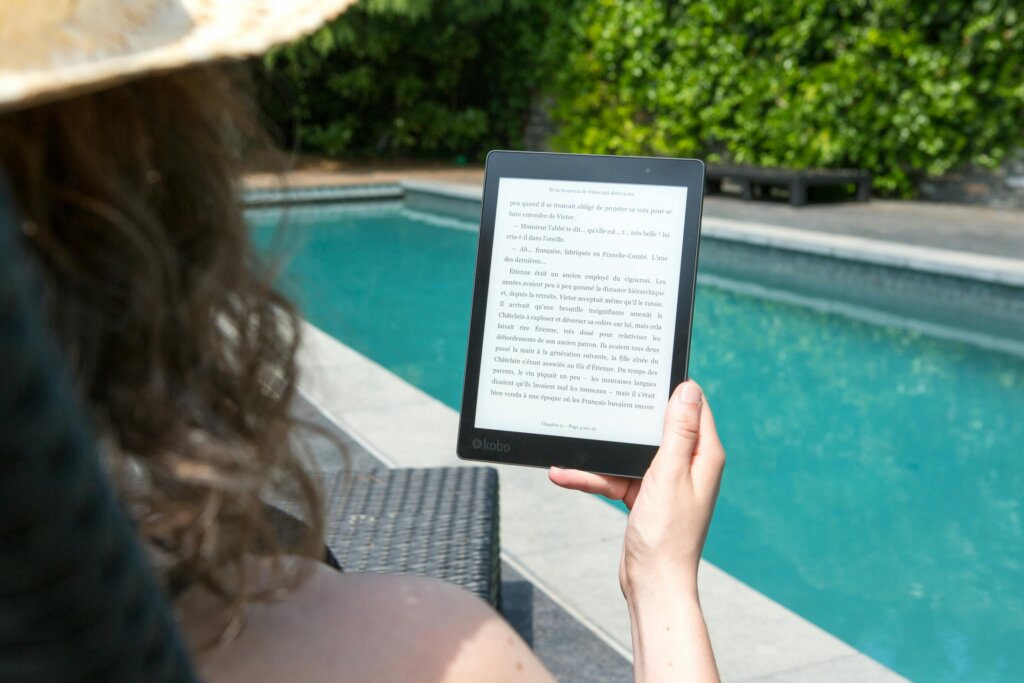
E-paper uses power only when the image changes. Between updates, the picture stays on the panel with no power at all, so battery models can hang on a wall or a pillar without a cable. The panel reflects ambient light the way paper does, which keeps it readable in bright rooms and next to windows, where an LCD looks washed out. In a dim corner it needs lighting, just like a printed poster.
There is little to maintain. The panel has no backlight to wear out and no fan, and a central CMS can update hundreds of boards in many locations at the same time.
E-paper display technology
E-paper mimics the look of printed paper. Most people know it from e-readers and from the electronic shelf labels in supermarkets, and color panels in poster sizes now bring it to menu boards as well.
How e-paper works
An e-paper panel holds tiny capsules of liquid with charged black and white particles. An electric field moves the particles up or down, and they form text and images that stay in place until the next change. Color panels build on the same principle in one of two ways: they add colored pigments to the ink (E Ink Spectra 6) or place a color filter over a black-and-white layer (E Ink Kaleido 3).
What follows from this design:
- The panel uses power only during a refresh.
- It has a wide viewing angle and stays readable in direct light.
- The image changes slowly, with a visible flicker – a full refresh of a color panel takes from a few seconds to around half a minute, so e-paper shows still images only.
Color e-paper displays in 2026
Until recently, e-paper signs were black and white, sometimes with one accent color. E Ink, which makes the panels inside most e-paper signage on the market, now offers two color technologies for signage, and each comes with a different trade-off:
| Feature | E Ink Spectra 6 | E Ink Kaleido 3 |
| How it makes color | Colored pigments in the ink; six base colors mixed into intermediate shades | A color filter over a black-and-white panel; about 4,000 colors |
| Color quality | Saturated, close to a printed poster | Muted and darker, because the filter absorbs part of the light |
| Image change | Slow; a full refresh can take up to around half a minute | Faster; simple animations are possible |
| Operating temperature | Indoor use; E Ink rates the panels for 0–50 °C | Outdoor versions available for a wide temperature range |
| Examples | Samsung Color E-Paper (13″ and 32″), LG 32RS1Q (32″), 75″ posters made of two tiled panels | 75″ advertising display at Taoyuan International Airport, outdoor information totems |
Samsung’s Color E-Paper (EMDX) is the best-known example. The 32-inch model shows 2560 × 1440 pixels, runs Tizen 8.0, and weighs 2.4 kg with its built-in battery. Samsung’s datasheet quotes up to 500 days on a single charge when the image changes once every three days and network standby is off. LG brought its own 32-inch e-paper display to ISE 2026: it runs webOS, has a 72 Wh battery, and is managed through LG SuperSign. Sharp and Philips sell 25- and 32-inch e-posters as well.
Larger formats are coming too. At InfoComm 2026, E Ink showed a 75-inch Spectra 6 poster made of two tiled panels, and in June 2026, a 75-inch Kaleido 3 advertising display went live in the baggage claim area of Terminal 2 at Taoyuan International Airport in Taiwan. For outdoor signage, E Ink is developing Marquee, a color technology designed for −20 to 65 °C, and hopes to start shipping it around the turn of 2026 and 2027.
Price remains the main barrier: a color e-paper display still costs noticeably more than a commercial LCD of the same size.
E-paper vs LCD for a digital menu board
E-paper wins where light is strong, power is hard to reach and the menu changes a few times a day. A board next to a shop window, a price list on a pillar in the middle of a food hall, a menu by a hotel pool – all of these are awkward for an LCD. Today’s color panels are built for indoor use, though: Samsung and LG rate their 32-inch models from 0 °C upwards, so a terrace or a street-facing stand in winter needs an outdoor-rated display or a heated enclosure.
Before you replace printed menus or LCD screens with e-paper, weigh its limits:
- No video or animation. A full image change takes from a few seconds to around half a minute.
- Needs good lighting – the panel has no backlight, and colors look flat in a dim room.
- Indoor temperatures only for standard color panels; outdoor spots need dedicated outdoor models.
- Higher price per screen. The savings come from lower power use, no printing and no cabling, so they grow with the number of boards and updates.
Software for an e-paper digital menu board
Digital menu board software is the CMS that stores the menu, prepares the layouts and sends them to every screen. For e-paper, it also has to work within the panel's limits.
Features of digital menu board software
The basics are the same for LCD and e-paper. Staff need templates in the brand's style, a schedule for dayparts and promotions, and remote updates for every location. A good CMS also pulls prices from the point of sale (POS) system, so the board and the till never disagree, and shows which boards received the latest version. Reports on what was displayed where help marketing check whether a promotion ran in every store.
Integrating e-paper displays with your CMS
Each manufacturer offers its own route. Samsung's Color E-Paper works with the Samsung VXT cloud CMS, sold separately, and with a mobile app, while other CMS platforms can connect to it through Samsung's Tizen Enterprise Platform (TEP) API. LG's display runs webOS and is managed through LG SuperSign. An integrator that already runs LCD menu boards for its clients on its own CMS usually needs custom integration to add e-paper screens to the same system.
E-paper also changes what the software has to do. It should prepare photos for the panel's limited color palette so they keep their detail, plan updates around battery life, and refresh the image at least every three days, which Samsung requires to protect the panel from ghosting. Then the same menu can go to LCD and e-paper boards from one place.
Digital menu board uses by industry
Most e-paper menu boards so far hang in restaurants and shops, but the same displays work wherever a menu or a price list changes a few times a day.
Restaurants and hospitality
In restaurants and hotels, a digital menu board shows dishes, prices and daily specials, and changes them with the time of day. Color e-paper adds what black-and-white panels could not: photos of the food. It fits counters near windows, hotel breakfast rooms and poolside bars, where staff update the menu a few times a day and a backlit screen would be hard to read.
Retail and shopping centres
Shops use the same boards for price lists, promotions and opening hours. A board that updates from the stock system can hide a product that has run out, and a promotion can start in all stores at the same minute. In shopping centres, battery-powered e-paper is easy to place on pillars and stands without new cabling.
Healthcare and hospital cafeterias
In hospital cafeterias and canteens, digital menu boards show daily meals with allergens and nutritional information. Clear, glare-free text helps patients and visitors choose, and kitchen staff can update the board when a dish runs out.


FAQ – digital menu board
What is a digital menu board?
A digital menu board is a screen that shows a menu, prices and promotions and is updated remotely from software. It replaces printed menus in restaurants, cafés, shops and canteens.
How does color e-paper work, and what can it show?
Charged particles of ink move in an electric field and form an image that stays in place without power. Color panels use colored pigments (E Ink Spectra 6) or a color filter (E Ink Kaleido 3). They show still images, including photos, but no video.
Can an e-paper digital menu board show video?
No. A full refresh of a color e-paper panel takes from a few seconds to around half a minute. For menus built around video or animation, an LCD or LED screen is the right choice.
Where does e-paper fit better than an LCD menu board?
In bright places near windows, in spots without easy access to power, and for menus that change a few times a day. Outdoors, it still has to wait: E Ink's Marquee panels for −20 to 65 °C are expected to ship around the turn of 2026 and 2027.
How do you connect e-paper displays to your digital menu board software?
Through the manufacturer's CMS (Samsung VXT, LG SuperSign) or through an integration with the CMS you already use. Samsung's Color E-Paper offers the Tizen Enterprise Platform (TEP) API for third-party systems.
What does a color e-paper menu board cost?
The display costs noticeably more than a commercial LCD of the same size, and the final price depends on the hardware supplier and the size of the rollout. On the software side, you pay either for a license to the manufacturer's CMS or once for an integration that adds e-paper screens to your current CMS.