














The global digital signage market is projected to grow from USD 21.4 billion in 2025 to USD 28.88 billion by 2030, according to MarketsandMarkets. A growing share of that spend flows through software – the CMS platforms and player applications that power content across retail, corporate, and public-facing screens. For integrators building and maintaining these networks, every dollar spent on licensing is a dollar not spent on deployment, customization, or support. That cost pressure is driving real interest in open source alternatives. But “open source” in digital signage covers a wide spectrum. Some projects offer a full CMS with multi-screen management, scheduling, and user permissions. Others are standalone players that display content but leave the management layer to you. A few are archived repositories with no active maintainers.
This comparison evaluates 9 open source digital signage software projects against the criteria that matter most to integrators: production readiness, platform support, licensing terms, and long-term viability. Whether you are looking for a digital signage software development foundation or a ready-to-deploy tool, this guide gives you the facts you need to make that call.
Updated October 2026: Xibo released a new, fully open source Linux player, Garlic Player and Garlic Hub are now on stable 1.x releases, Screenlite development has stalled, and pisignage-server replaced Screenlite Web Kiosk in the ranking. GitHub stars and release versions are current as of October 2026.
How did we select the best open source digital signage software?
Before jumping into individual tools, it is worth explaining how we built this list and what we filtered out. The open source digital signage landscape is fragmented – GitHub alone returns hundreds of repositories tagged with “digital signage,” most of them abandoned proof-of-concept projects or weekend experiments. We applied a structured set of criteria to narrow the field to tools that an integrator could realistically evaluate for a client project.
Evaluation criteria we used
Every tool in this comparison was assessed against six dimensions that reflect what integrators actually care about when selecting open source digital signage software for commercial deployments:
- Source code availability – the project must have a public repository with a recognized open source license (GPL, AGPL, MIT, Apache, BSD). “Free tier” products with closed source code did not qualify.
- Active development or documented status – we included both actively maintained projects and archived ones. Archived projects are clearly flagged so you know what you are getting into. We did not include repositories with no meaningful commits in the past five years unless they still appear in search results and community discussions.
- Functional scope – each tool must perform at least one core digital signage function: content playback, scheduling, or device management. Libraries, SDKs, and signage-adjacent utilities (e.g. screen mirroring tools) were excluded.
- Platform support – we documented which operating systems and hardware each tool runs on, because platform coverage directly affects deployment flexibility.
- Licensing implications – open source licenses carry different obligations. We noted whether a license is permissive (MIT, Apache, BSD) or copyleft (GPL, AGPL), since this affects how integrators can package and resell the software.
- Community and documentation – we checked for active forums, Discord servers, issue trackers, and documentation quality. A tool with no community around it is a tool you will be supporting alone.
What we did not include – and why?
Several well-known names in free digital signage software are missing from this list because they do not meet the open source definition:
- Screenly Pro / Screenly – the commercial product from Screenly, Inc. is closed source. Anthias (formerly Screenly OSE) is the open source fork and is included.
- PiSignage – frequently mentioned in “free digital signage” lists, but the player software is closed source and licensed per screen. Its self-hosted server, pisignage-server, is MIT-licensed and is included in the ranking (#8).
- Yodeck, OptiSigns, Rise Vision – these are SaaS platforms with free tiers, not open source projects. Their code is proprietary.
- AbleSign – offers a free product, but no public source code repository exists.
If a tool is “free to use” but you cannot inspect, modify, or redistribute the code, it is not open source. That distinction matters for integrators who need to customize deployments, audit security, or avoid vendor lock-in.
The line between free and open source is the line between using a product on someone else’s terms and owning your deployment stack.
Open source digital signage solutions – ranking
The table below summarizes all nine tools. You'll find detailed reviews in the following sections.
| # | Tool | Type | License | Platforms | Status | GitHub stars |
|---|---|---|---|---|---|---|
| 1 | Anthias | Player + local UI | GPLv2 | Raspberry Pi, x86 Linux, ARM64 boards | Active | 3,691 |
| 2 | Xibo | CMS + players | AGPLv3 | Docker/Linux (CMS), Windows, Linux, Android*, webOS*, Tizen*, ChromeOS* | Active | 739 |
| 3 | Concerto | CMS + browser player | Apache 2.0 | Docker (amd64, arm64) | Active (v3 RC3) | 485 |
| 4 | LibreSignage | CMS + browser player | BSD 3-Clause | Debian/Docker | Archived | 696 |
| 5 | Garlic Player | Player only | AGPLv3 | Windows, macOS, Linux, Android, iOS | Active (stable 1.x) | 149 |
| 6 | Garlic Hub | CMS | AGPLv3 | Docker | Active (stable 1.x) | 148 |
| 7 | Screenlite | CMS | MIT | Docker (PostgreSQL, Redis, S3) | Stalled (no commits since Jan 2026) | 364 |
| 8 | pisignage-server | CMS (server only) | MIT | Docker/Linux (Node.js, MongoDB) | Active (players licensed) | 445 |
| 9 | Xibo for Linux | Player only | AGPLv3 | Linux x86-64 (Snap, .deb) | Active (new player, GA 2026) | 24 |
1. Anthias
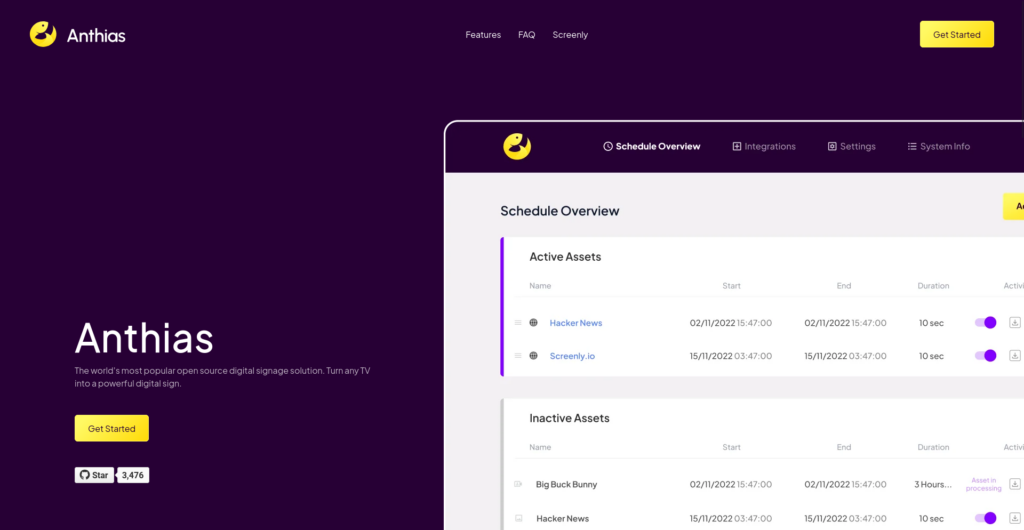
Anthias is the most popular open source digital signage project by GitHub metrics – 3,691 stars and 727 forks as of October 2026. Formerly known as Screenly OSE, it was rebranded in December 2022 to separate it from the commercial Screenly product. The project is maintained by Screenly, Inc. and receives regular updates. In May 2026 the project switched to calendar versioning – the latest release, v2026.09.0, shipped in September 2026.
The tool is built for a specific use case: turning a Raspberry Pi into a single-screen signage player. It is the default recommendation in most "digital signage Raspberry Pi" guides and forum threads for good reason. You connect a Pi to a display, install Anthias via Docker, and manage content through a local web interface. It supports images, web pages, and 1080p video playback. Scheduling is per-asset, and the interface runs on your local network – no cloud connection needed.
For integrators, Anthias works well in scenarios where you need low-cost, single-screen deployments: office lobbies, restaurant menu boards, waiting room displays, or small retail locations. The Raspberry Pi 5 support means the hardware cost per screen can stay under $100, which makes the math attractive for clients who need basic signage without a monthly SaaS subscription.
The limitations become clear when you scale beyond a handful of screens. There is no centralized CMS – each device runs its own instance and is managed individually through its local web UI. You cannot push a campaign to 50 screens at once or manage user permissions across a network. Multi-zone layouts (splitting the screen into regions with different content) are not supported. If you need those capabilities, look at a full CMS such as Xibo – Anthias is a player for individual screens.
- Supported hardware – Raspberry Pi 2/3/3B+/4/5 (Raspberry Pi OS or balenaOS), x86 64-bit PCs, and – on a best-effort basis – generic 64-bit ARM boards running Debian-based Armbian (Bookworm or Trixie), such as Rock Pi 4, Orange Pi 5 or Banana Pi M5, where video is decoded in software
- Tech stack – Python, Docker, Celery, SQLite, nginx
- License – GPLv2 with a commercial license option
- Best for – single-screen, low-budget deployments on Raspberry Pi where simplicity outweighs multi-screen management
Anthias is the go-to choice when you need one screen running reliably on cheap hardware; managing a network of screens calls for a digital signage CMS.
2. Xibo
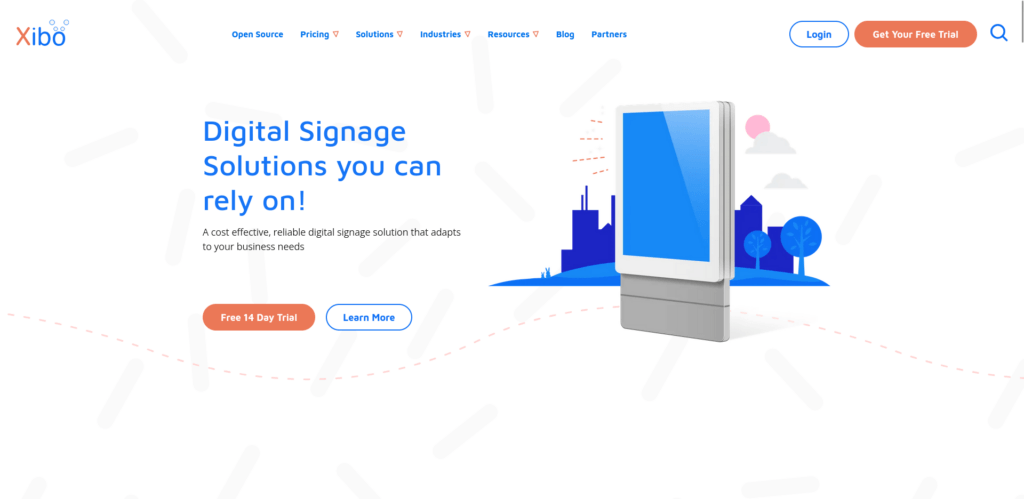
Xibo is the most feature-complete open source digital signage CMS on the market. With 739 GitHub stars on its main repository (513 on the CMS repository alone) and 17 years of development since its first release in 2009, it has the longest track record of any tool on this list. The project is led by Xibo Signage Ltd, a UK-based company that also offers commercial hosting and paid player licenses.
The CMS runs on Docker and provides a full management interface: drag-and-drop layout editor with multi-zone support, campaign scheduling, user and group permissions, DataSet-driven dynamic content, proof-of-play reporting, and an extensive widget library (RSS tickers, embedded content, social media feeds, weather, clocks). For integrators managing digital signage software networks across multiple clients, Xibo provides the operational layer that simpler tools lack.
The open source story comes with an asterisk. The CMS, the Windows player and – since October 2026 – the new Linux player are fully open source under AGPLv3. But the Android, LG webOS, Samsung Tizen and ChromeOS players are commercial products requiring a paid license. In practice, this means you can self-host the CMS and run it with Windows or Linux PCs for free, but deploying to the smart displays and media players that dominate commercial signage requires purchasing player licenses.
The AGPLv3 license itself carries implications. If you modify the CMS code and offer it as a service to your clients, you must make your modifications available under the same license. For integrators who plan to white-label or resell a customized version, this is a factor worth discussing with legal counsel.
- CMS features – layout editor, multi-zone, campaigns, scheduling, user management, DataSets, proof-of-play, API
- Open source players – Windows (.NET), Linux (Electron, since 2026), web player
- Commercial players – Android, LG webOS, Samsung Tizen, ChromeOS (paid per display)
- Tech stack – PHP (Slim Framework), MySQL/MariaDB, Docker
- License – AGPLv3 (CMS, Windows and Linux players)
- Best for – professional multi-screen networks where the CMS feature set justifies the infrastructure overhead
Xibo is the closest thing to an enterprise-grade digital signage CMS in the open source world – provided you account for the commercial player costs on hardware other than Windows and Linux PCs.
3. Concerto
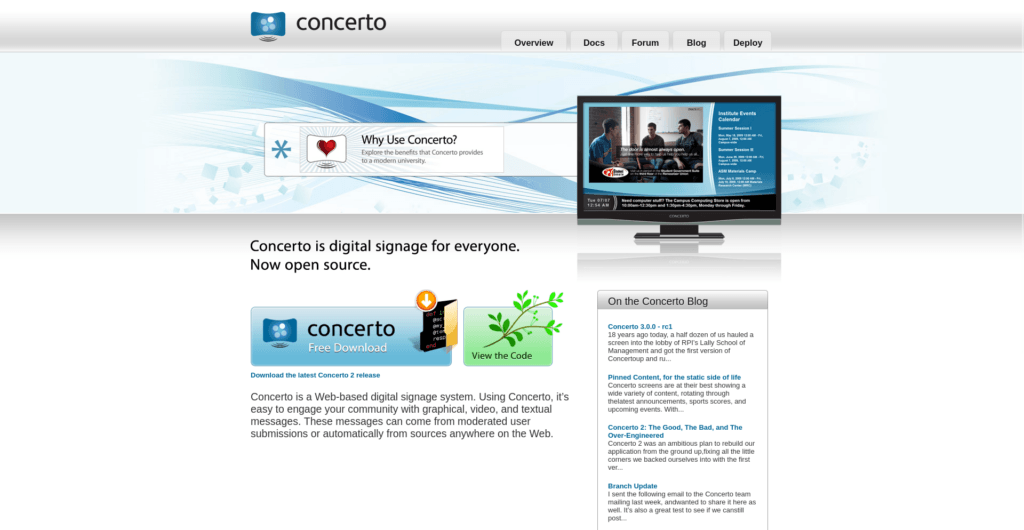
Concerto takes a different approach than most digital signage platforms. Instead of a top-down model where an administrator pushes content to screens, Concerto uses a community bulletin board model. Multiple users submit content to shared feeds, moderators approve or reject submissions, and screens subscribe to one or more feeds. The platform was originally developed at Rensselaer Polytechnic Institute (RPI) and is now undergoing a ground-up rewrite as Concerto 3.
This architecture makes Concerto a natural fit for universities, schools, corporate offices, and public institutions where many departments or individuals need to contribute content to shared displays. Think of a university campus where the athletics department, student government, facilities management, and individual clubs all post announcements to screens in common areas – each with their own permissions and content feeds.
The v3 rewrite (still at release candidate stage – RC3 shipped in September 2026) modernizes the stack with Ruby on Rails 8, SQLite, Vue.js, and Docker deployment. Screens display content through a browser – no native player app is needed. You point a browser in kiosk mode at a screen URL, and it pulls content from the CMS. This means any device with a web browser becomes a signage player, including Raspberry Pi boards, old laptops, smart TVs, and dedicated media players.
The trade-off is layout sophistication. Concerto's template system handles background images, text fields, and content zones, but it is not a pixel-perfect layout editor like Xibo's. If your clients need complex multi-zone compositions with video walls and interactive content, Concerto is not the right tool. If they need a moderated content submission system where dozens of contributors post to shared screens, it fills a niche that most commercial platforms ignore.
- Architecture – feed-based content submission with moderation workflow
- Deployment – Docker (single container), amd64 and arm64 (Raspberry Pi compatible)
- Player – browser-based (no native app needed)
- License – Apache 2.0 (permissive – no copyleft obligations)
- Tech stack – Ruby on Rails 8, SQLite, Vue.js
- Best for – institutions and organizations with multiple content contributors needing moderated, feed-based signage
Concerto's Apache 2.0 license and community-driven content model make it the most integrator-friendly option for institutional deployments – no copyleft constraints, no per-device fees.
4. LibreSignage
LibreSignage was designed as a lightweight, browser-based digital signage solution for schools, cafes, and small shops. It earned 696 GitHub stars – more than Xibo's CMS repository – which suggests the concept resonated with a real audience. The feature set included a web-based slide editor, per-slide scheduling, custom markup formatting, multi-user access control, and browser-based playback on any device.
LibreSignage has been archived and unmaintained since February 2021. The GitHub repository is read-only. No commits, no security patches, no bug fixes have been applied in over five years. The PHP backend likely contains unpatched vulnerabilities at this point.
We include LibreSignage in this comparison because it still appears in search results, recommendation threads, and "best open source digital signage software" lists without adequate warning. Integrators who discover it through those sources deserve a clear signal: this project is dead.
If the feature set appeals to you – lightweight CMS, browser-based player, simple deployment – look at Concerto (active, similar philosophy, permissive license) or Garlic Hub (self-hosted, stable releases since December 2025). Forking LibreSignage and maintaining it yourself is theoretically possible under the BSD 3-Clause license, but the effort of auditing and updating a five-year-old PHP codebase typically exceeds the value of starting from a maintained alternative.
- Last meaningful activity – February 2021 (archived)
- License – BSD 3-Clause (permissive)
- Status – dead; do not use for new deployments
- Alternative to consider – Concerto (active, similar scope) or Garlic Hub (self-hosted, stable 1.x)
LibreSignage is a cautionary example of the risk inherent in open source adoption: community interest (696 stars) does not guarantee long-term maintenance.
5. Garlic Player
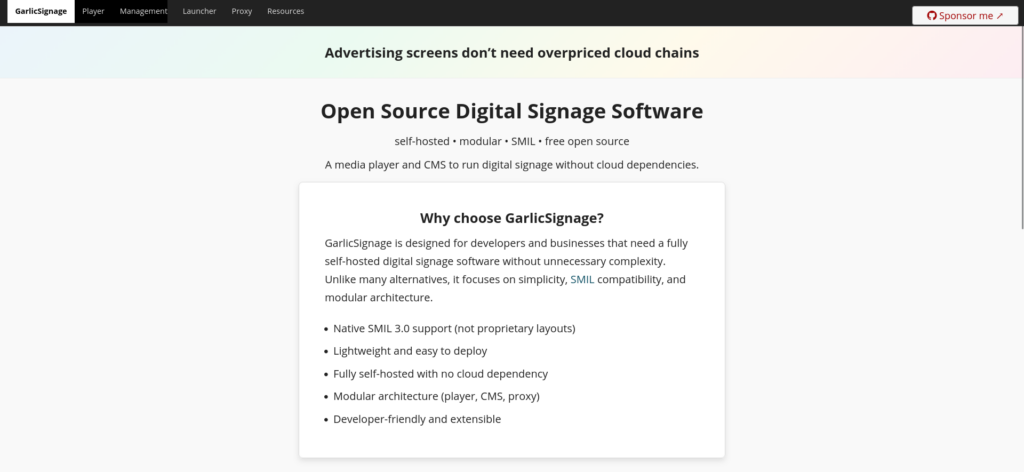
Garlic Player is a standalone media player for digital signage built around the SMIL 3.0 standard – a W3C specification for synchronized multimedia that predates most of today's proprietary signage protocols. The project is developed by Niko Sagiadinos and the garlic-signage organization, with a focus on standards compliance and cross-platform reach.
The SMIL angle is what separates Garlic Player from every other tool on this list. Instead of being locked to a specific CMS, the player reads SMIL playlists from any source – a local file, an HTTP server, or a SMIL-compatible CMS like Garlic Hub. This gives integrators a choice they rarely have: swap the CMS without replacing the player. If you have ever been trapped in a vendor's ecosystem because migrating players across hundreds of screens was too expensive – a problem we have seen firsthand in SSP integration projects – the appeal of a standards-based approach is obvious.
Platform support is the broadest of any tool in this comparison. Garlic Player runs on Windows (7 through 11), macOS (Intel and Apple Silicon), Linux (including Raspberry Pi 3/4/5), Android (4.4+), and experimentally on iOS. The C++/Qt foundation keeps the binary lightweight and fast, and features like multi-zone layouts, wallclock scheduling, priority-based content switching, and media caching are built in.
The main limitation is that Garlic Player is a player only. It does not come with a content management interface – you need Garlic Hub (covered next) or another SMIL-compatible CMS to create and manage playlists. After a long gap between releases (v0.6.0 came out in December 2022), the project shipped its first stable version, v1.0.0, in August 2026, followed by v1.0.1 in September 2026.
- Standard – SMIL 3.0 subset (W3C specification)
- Platforms – Windows, macOS, Linux, Android, iOS (experimental)
- Features – multi-zone, wallclock scheduling, priority-based playback, media caching, RESTful API
- Tech stack – C/C++, Qt/QML
- License – AGPLv3
- Best for – integrators who want vendor-agnostic players with cross-platform deployment and no CMS lock-in
Garlic Player's SMIL compliance is its defining advantage – it is the only open source player that lets you swap the entire backend without touching a single screen.
6. Garlic Hub
Garlic Hub is the CMS counterpart to Garlic Player. It provides a self-hosted web interface for managing media, building SMIL playlists, and pushing content to Garlic Player instances across your network. The project was created in September 2024, shipped its first stable version (v1.0.0) in December 2025 and is actively developed – the current 1.1.x line reached v1.1.5 in October 2026.
The CMS includes an image template editor, user authentication (session-based and OAuth2), hierarchical media management with support for local uploads and external links, a graphic zone editor for multi-zone layouts, conditional playback rules (datetime, touch/click, network triggers), and internationalization in six languages. It runs in Docker and pairs exclusively with Garlic Player – the SMIL output it generates is designed for that player's SMIL 3.0 implementation.
For integrators, the Garlic ecosystem (Hub + Player) offers something rare in open source digital signage: a complete, self-hosted stack with zero per-device fees and no SaaS dependency. The SMIL standard means your content definitions are portable – they are not locked in a proprietary database format. If you later decide to move to a different CMS that speaks SMIL, your playlists and scheduling logic transfer with you.
The trade-off is community size. Garlic Hub has had stable releases since late 2025, and each release ships with a CycloneDX software bill of materials (SBOM), but the community is still small (148 GitHub stars). Answers come mainly from the documentation and the GitHub issue tracker. For production deployments, that means piloting on a few screens first and being prepared to report bugs upstream – or fix them yourself.
- Features – media management, SMIL playlist builder, zone editor, conditional playback, multi-language UI
- Deployment – Docker (PHP 8.4, Slim 4 Framework)
- Pairs with – Garlic Player (SMIL output)
- License – AGPLv3
- Best for – integrators who want a fully self-hosted CMS with no per-device fees and SMIL portability
Garlic Hub has grown from a promising newcomer into a stable, self-hosted CMS; its main remaining risk is the small community.
7. Screenlite
Screenlite is the newest CMS in this comparison, founded in December 2024. It quickly attracted 364 GitHub stars, a sign of strong developer interest – but momentum has faded. The last commit to the main branch landed in January 2026, and the project has never published a release. The project uses a modern tech stack (Fastify, TypeScript, React, PostgreSQL, Redis) and targets the gap between abandoned lightweight CMS projects and the heavier Xibo installation.
The architecture separates the CMS backend from player clients. The backend handles content management, scheduling, device registration, and media storage (S3-compatible). The frontend is a React application with drag-and-drop support. Background job processing runs through BullMQ, and the data layer uses Prisma ORM with PostgreSQL. For developers and technically-oriented integrators, the stack reads like a modern web application.
The MIT license is the most permissive of any CMS in this comparison. You can modify the code, white-label it, embed it in a commercial product, and distribute it without copyleft obligations. For integrators building a branded signage platform on top of open source foundations, this licensing model removes the legal friction that AGPL-licensed tools introduce.
Screenlite is not production-ready, and the developers say so plainly. The client-side experience is described as "partially broken," database migrations may require full resets, and only a web player exists – native Windows, Android, Linux, Tizen, and webOS players are planned but not built. With no development since January 2026, treat Screenlite as a project to watch only, and check the repository for renewed activity before investing time in it.
- Tech stack – Fastify (Node.js), TypeScript, React, PostgreSQL, Redis, S3
- Player – web player only (native players planned)
- License – MIT (permissive, commercial-friendly)
- Community – Discord server, 364 GitHub stars; no commits to the main branch since January 2026
- Best for – developers and integrators tracking the space for future adoption; not for production use today
Screenlite's MIT license and modern architecture are still attractive, but with development stalled since January 2026 it is not a foundation integrators can build on today.
8. pisignage-server
pisignage-server is the self-hosted server behind piSignage, one of the most popular signage solutions for Raspberry Pi. It is published by Colloqi under the MIT license, has 445 GitHub stars and is still maintained, with the latest commits in July 2026. Instead of managing screens through the pisignage.com cloud, you run the server on your own machine or private network and keep all media and data on premises.
The server covers what Anthias lacks: central management of many screens. You upload media, build playlists with built-in or custom layouts, group players, schedule content per group, turn displays on and off on a schedule, and monitor every screen from one dashboard, including live snapshots. New player software versions are pulled to the server automatically, so you can upgrade players from the local network without internet access on each device. The stack is Node.js with MongoDB, ffmpeg and ImageMagick, and a Docker image is available in beta.
The catch is that only the server is open source. The piSignage players – the Raspberry Pi image, the Android app and the web app – are closed source and need licenses, which you upload to your local server. As of October 2026, the first two screens are free, then each new player costs $35 for the first year and $20 per year after that. For integrators, that makes pisignage-server a hybrid: an open source, white-label-friendly management layer on top of low-cost commercial players.
- Tech stack – Node.js, MongoDB, ffmpeg, ImageMagick (Docker image in beta)
- Players – piSignage for Raspberry Pi, Android and web (closed source, licensed per screen)
- License – MIT (server only)
- Best for – on-premise management of Raspberry Pi screen networks where data must stay inside the client's network
pisignage-server gives you a self-hosted, MIT-licensed CMS for Raspberry Pi networks – just budget for player licenses beyond the first two screens.
9. Xibo for Linux
Xibo for Linux is the native Linux player for the Xibo CMS. The original player, built in C++ with GTK/WebKit, never reached a stable release, and its repository (xibo-linux) was archived in 2024. In 2026 Xibo replaced it with a completely new player built on Electron.
Version v4.0.12 was marked stable on 28 September 2026, Xibo announced general availability on 1 October 2026, and v4.0.13 followed on 9 October. The player is open source under AGPLv3, so there are no per-screen license fees, and Xibo states that it has full feature parity with its other players, including scheduling, remote commands and proof-of-play reporting. It ships as a Snap and a .deb package for x86-64 machines running a supported distribution such as Ubuntu LTS. The same codebase also produces a Windows installer (MSI), currently offered to early adopters.
For integrators, this closes a gap that used to push Linux-based Xibo deployments toward the web player or Windows PCs. Intel NUCs, industrial PCs and thin clients running Ubuntu can now play Xibo layouts natively, with no license cost. Two caveats: the player is brand new, so pilot it on a few screens before a full rollout, and Xibo's announcement covers x86-64 hardware only – ARM boards such as Raspberry Pi are not mentioned.
- Release – v4.0.12 stable (September 2026), v4.0.13 (October 2026)
- Packages – Snap and .deb for Linux x86-64; Windows MSI in early access
- License – AGPLv3 (free, no per-screen fees)
- Predecessor –
xibo-linux(C++/GTK), archived in 2024, never stable
Xibo for Linux is back – the new Electron player makes a fully open source, license-free Xibo setup on Linux PCs possible for the first time.

FAQ – Open source digital signage software
What is open source digital signage software?
Open source digital signage software is any CMS or player application whose source code is publicly available under a recognized open source license (GPL, AGPL, MIT, Apache, BSD). This means you can inspect the code, modify it, and redistribute it – subject to the license terms. The practical benefit for integrators is control: you are not dependent on a vendor's roadmap, pricing changes, or continued existence. If the vendor disappears, the code remains. That independence comes with a responsibility, though – you or your team need the technical ability to deploy, configure, and maintain the software.
Is open source digital signage software reliable enough for commercial use?
Some projects are. Xibo has powered commercial signage networks since 2009 and serves thousands of deployments worldwide. Anthias is stable for single-screen Raspberry Pi setups. But reliability varies widely between open source projects. LibreSignage is archived with no maintenance, and Screenlite has had no commits since January 2026 – using projects like these commercially would mean accepting unpatched security vulnerabilities and zero support. Before deploying any open source digital signage software to a client site, check three things: when was the last commit, is there a community responding to issues, and does the license allow your intended use?
What is the best open source digital signage software in 2026?
It depends on your deployment scenario:
- For full CMS with multi-screen management – Xibo is the most mature and feature-rich option, though Android and smart display players require paid licenses.
- For single-screen Raspberry Pi deployments – Anthias is the standard choice, with active development and the largest community.
- For institutional/community bulletin boards – Concerto fills a niche that no other tool covers well.
- For vendor-agnostic, cross-platform playback – Garlic Player's SMIL compliance gives you the most flexibility.
- For a fully self-hosted stack with no per-device fees – Garlic Hub with Garlic Player, both on stable 1.x releases.
- For Xibo on Linux PCs – the new Xibo for Linux player (2026) runs Xibo layouts natively with no license fees.
No single tool is "best" across all contexts. The right choice depends on your scale, hardware, licensing preferences, and willingness to self-host. The broader digital signage trends for 2026 – AI-driven content, edge computing, data integration – also influence which platform will serve you best long-term.
Can I use open source digital signage software without technical knowledge?
Not comfortably. Every tool in this comparison requires some level of technical skill – at minimum, running Docker containers, configuring a server, and troubleshooting network or display issues. Xibo and Concerto have web-based interfaces that simplify day-to-day content management, but the initial setup demands Linux server administration knowledge. If your team does not have that capacity, you have two options: hire a development partner with digital signage integration experience, or choose a managed SaaS platform where the vendor handles infrastructure.
What is the difference between open source and free digital signage software?
"Free" means you do not pay to use the software. "Open source" means you can see and modify the source code. These categories overlap but are not the same. AbleSign is free to use but closed source – you cannot inspect or change the code. PiSignage sits in between: its server is open source (MIT), but the players are closed source and need a paid license beyond two screens. Xibo is open source but not entirely free for commercial use, because its Android and smart TV players require paid licenses. Screenlite and Concerto are both free and open source with permissive licenses (MIT and Apache 2.0), meaning you can use, modify, and redistribute them with minimal restrictions. For integrators, the distinction matters most when you need to customize the software, audit it for security, or avoid long-term vendor dependency.