













Choosing a digital signage software company is one of the highest-leverage decisions an integrator makes. The platform you select determines how efficiently you deploy screens, how reliably they perform across client sites, and how much recurring revenue you can build over time. Yet the evaluation process is rarely straightforward – the market is crowded with vendors making similar claims, and the real differences only surface once a project is live.
For integrators who design, deploy, and maintain digital signage systems end-to-end, picking the wrong digital signage software vendor means rework, margin erosion, and client churn. Getting it right means a scalable foundation that compounds value across every project in your pipeline. This guide breaks the decision into five critical areas that separate a dependable digital signage software company from one that will become a liability.
1. Requirements and compatibility – digital signage software company
Before evaluating features or pricing, the first question is fit. A digital signage platform must work within the constraints you already operate in – existing hardware fleets, client network policies, and the deployment environments your team encounters daily. Starting with compatibility eliminates vendors early and saves weeks of wasted evaluation.
Does the platform work with your existing hardware?
Most integrators do not have the luxury of specifying hardware from scratch for every project. You inherit legacy screens, work with client-mandated display brands, and deploy across mixed environments where Samsung, LG, and Android-based media players coexist in the same network. A digital signage software company that locks you into a single hardware ecosystem creates immediate friction and long-term risk.
Key compatibility questions to ask every vendor:
- Supported operating systems and chipsets – does the platform run on Android, Linux, Tizen, webOS, and Windows, or only a subset? The broader the support, the fewer hardware constraints you pass on to your clients.
- Media player flexibility – can you use third-party players, or does the vendor require proprietary hardware? Proprietary lock-in limits your purchasing power and creates single points of failure in your supply chain.
- Display resolution and orientation support – does the digital signage software handle portrait, landscape, and non-standard aspect ratios without manual workarounds? Mixed-orientation deployments are common in retail and transportation.
- Firmware and update compatibility – how does the vendor handle breaking changes when display manufacturers push firmware updates? A mature digital signage provider will maintain a tested device compatibility list and publish known-issue bulletins.
The best digital signage platforms treat hardware agnosticism as a core design principle, not an afterthought. If a vendor’s compatibility list is short or vague, that tells you exactly how many deployment headaches are waiting downstream.
Custom CMS or ready-made platform – which model fits your business?
Integrators broadly face two paths when selecting a content management system for digital signage: a ready-made SaaS platform or a custom-built CMS developed by a digital signage software company that offers white-label or bespoke solutions. Each model has real trade-offs that depend on your business structure.
- Ready-made platforms offer faster time-to-deployment, predictable subscription costs, and regular feature updates managed by the vendor. They work well when your client projects follow repeatable patterns and you need to onboard new team members quickly.
- Custom CMS solutions give you deeper control over branding, workflows, and feature sets. If your client base demands unique functionality – specialized approval chains, proprietary data feeds, or tightly integrated analytics – a custom-built digital signage CMS may be the only path that delivers.
- White-label options sit between the two. Some digital signage software companies offer their platform under your brand, giving you the appearance of a proprietary product while the vendor handles development and infrastructure.
The critical question is not which model sounds better in theory, but which one your team can actually support operationally. A custom CMS that your organization lacks the engineering depth to maintain will cost more in the long run than a well-supported SaaS platform.
2. Technical capabilities and potential
Once compatibility is confirmed, the evaluation shifts to what the platform can actually do – and more importantly, what it could do as your client requirements evolve. A digital signage software company's current feature set tells you where they are today. Their architecture and development velocity tell you where they will be in two years.
What potential functionalities separate serious digital signage software company from the rest?
Every digital signage platform lists content scheduling, media upload, and remote management as core features. These are table stakes. The capabilities that separate serious vendors from the rest are the ones that reduce your operational overhead and expand what you can sell to clients.
- Dynamic content triggers – does the platform support real-time content changes based on external data inputs like weather APIs, inventory levels, POS transactions, or audience analytics sensors? This functionality transforms static screen deployments into responsive systems that justify premium pricing – and it is one of the key digital signage trends accelerating across the industry.
- Advanced scheduling logic – beyond basic playlists, look for dayparting, location-based rules, priority overrides, and emergency messaging capabilities. Integrators managing multi-site deployments need scheduling that handles complexity without manual intervention.
- Proof-of-play and reporting – advertisers and internal stakeholders increasingly demand verifiable playback logs. A strong digital signage software company provides granular proof-of-play data with exportable reports, not just basic confirmation that content was pushed.
- Multi-tenant architecture – if you manage screens for multiple clients, the platform must support clean tenant separation with role-based access control, individual branding, and per-client reporting. Without this, administrative overhead scales linearly with every new client you onboard.
- Offline playback and failover – network interruptions are inevitable in real-world deployments. The digital signage software should cache content locally and continue playback seamlessly, with automatic resynchronization once connectivity returns.
Features you can not use yet but can activate later are more valuable than features you need to migrate to a different platform to access. Evaluate the vendor's roadmap and release cadence, not just today's feature list.
Does the partner build only CMS or also player software?
This distinction matters more than most integrators realize during the evaluation stage. Some digital signage software companies build both the content management system and the player application that runs on the endpoint device. Others build only the CMS and rely on third-party player software – or vice versa.
When a single digital signage vendor owns both the CMS and the player, you get tighter integration, faster troubleshooting, and a single point of accountability. If content does not display correctly, there is no finger-pointing between a CMS provider and a separate player developer. The vendor owns the entire playback pipeline from content ingest to pixel output.
Conversely, vendors who build only one half of the stack may offer deeper specialization in that component, but they introduce an integration seam that you – the integrator – are responsible for maintaining. When firmware updates on the player break compatibility with the CMS, or when a CMS update changes the content packaging format, you become the unpaid middleware between two vendors.
For most integrators, a digital signage software company that controls both the CMS and player layers reduces risk and simplifies your support operations.


3. Third-party integrations and ecosystem compatibility
No digital signage platform operates in isolation. It sits within a broader ecosystem of data sources, advertising platforms, analytics tools, and enterprise systems that your clients already use. Evaluating a vendor's integration capabilities is just as important as evaluating the core platform itself. The quality and depth of a vendor's integration capabilities directly determine how much value you can deliver beyond basic screen management.
Which integrations actually matter for your client base?
Not all integrations are created equal, and a long list of supported connectors does not automatically translate into practical value. The integrations that matter most depend on the verticals you serve and the problems your clients are paying you to solve.
- Programmatic advertising (SSP/DSP integration) – for DOOH-focused deployments, native integration with supply-side platforms like Broadsign, Vistar Media, or Perion is essential. Without it, monetizing screen inventory becomes a manual, error-prone process. A real-world example of how this works in practice is the SSP integration between Broadsign and IMS Sensory Media.
- Social media and user-generated content feeds – retail and hospitality clients frequently request live social feeds, review aggregations, or branded hashtag walls. The digital signage platform should pull and moderate this content natively.
- Enterprise data sources – integrations with ERP systems, inventory databases, HR platforms, and IoT sensor networks enable dynamic content that responds to real business data. A conference room display that pulls from Microsoft 365 or Google Workspace calendars is a basic example; production dashboards driven by live manufacturing data represent the advanced end.
- Analytics and audience measurement – integration with computer vision analytics, Wi-Fi probe data, or mobile device detection platforms allows you to offer measurable engagement metrics rather than estimated impressions.
- CRM and marketing automation – connecting the digital signage CMS to platforms like Salesforce or HubSpot enables personalized content delivery based on customer segment data.
Ask the vendor for specific integration case studies, not just a feature list. A claimed integration that has never been deployed in production is not an integration – it is a roadmap item.
API-first architecture – the foundation of ecosystem compatibility
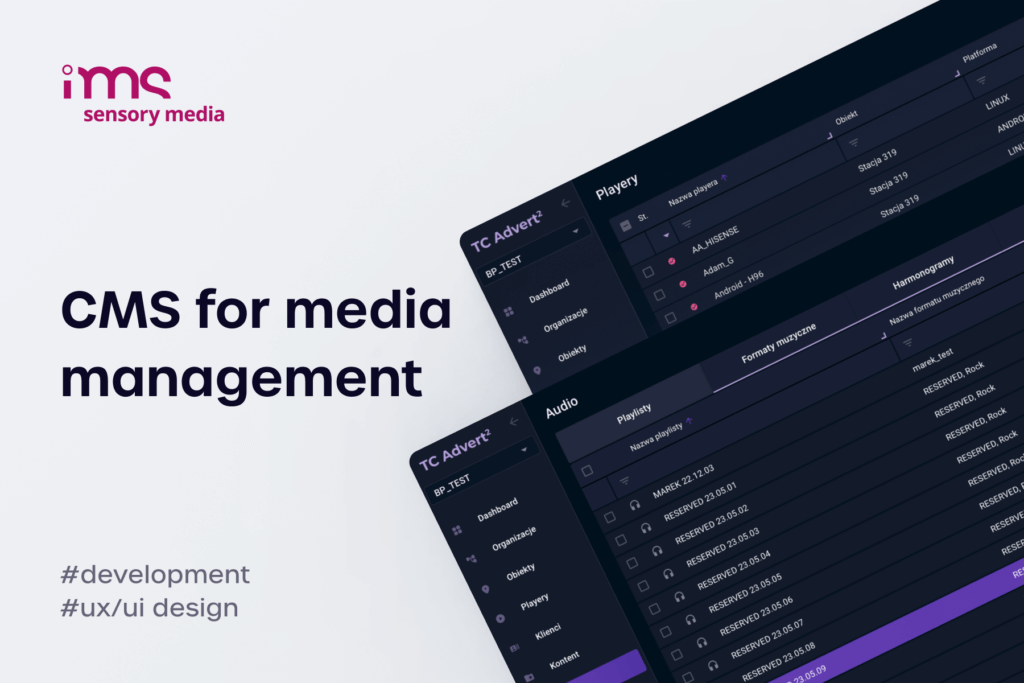
The most reliable indicator of a digital signage software company's integration capability is whether their platform is built on an API-first architecture. This means every function available in the user interface is also accessible through a well-documented, versioned REST or GraphQL API.
An API-first digital signage platform gives you the freedom to build custom workflows, connect to systems the vendor has never heard of, and automate operations that would otherwise require manual CMS interaction. For integrators managing hundreds or thousands of screens, this is not a nice-to-have – it is the difference between a business that scales efficiently and one that drowns in operational overhead.
When evaluating API capabilities, check for:
- Comprehensive documentation with working code examples, not just endpoint listings.
- Versioning and deprecation policies that protect your custom integrations from breaking changes.
- Webhook support for event-driven automation – such as triggering alerts when a player goes offline or when content playback fails.
- Rate limits and authentication methods that match the scale of your operations.
If a digital signage vendor cannot provide API documentation before the sales process closes, they will not provide it after.
4. Partnership model and vendor trust
Technical capabilities get you to the shortlist. The partnership model determines whether the relationship actually works in practice. For integrators, the dynamic with a digital signage software company is not a one-time purchase – it is an ongoing operational dependency. How the vendor treats that dependency reveals more than any feature demo.
How does the vendor support integrators who don't want to be replaced?
This is the uncomfortable question most integrators think about but rarely ask directly. Some digital signage providers position themselves as platform vendors who empower integrators to grow their businesses. Others quietly build direct sales channels that compete with the very integrators who brought them into deals.
- Channel conflict policies – does the vendor sell directly to end clients in your market? If so, under what circumstances? A transparent channel policy is non-negotiable for integrators who invest time and resources developing client relationships.
- White-label and co-branding options – can you present the digital signage platform under your own brand? This protects your client relationship and prevents the vendor from going around you in future renewals.
- Lead referral and deal registration – does the vendor refer inbound leads to integrator partners, or do they keep them for their direct sales team? The answer tells you everything about their actual commitment to the channel.
- Technical enablement – a vendor that provides dedicated integration support, sandbox environments, and co-development resources is investing in the partnership. One that only offers a PDF user guide is not.
The best digital signage software companies make their integrator partners more competitive, not more dependent. If a vendor's business model only works when you are locked in, you are not a partner – you are a customer who happens to resell.
Red flags and green flags when vetting a digital signage software company
After evaluating dozens of vendors across multiple projects, experienced integrators develop pattern recognition for reliable and unreliable partners. Here are the signals that matter most.
Green flags:
- Transparent pricing with no hidden per-device fees, bandwidth surcharges, or premium tiers that gate essential features.
- Named technical contacts assigned to your account – not just a generic support queue.
- Published SLA commitments with defined uptime guarantees, response times, and escalation procedures.
- Active development cadence visible through public changelogs, roadmap transparency, or regular product update communications.
- Reference clients willing to speak candidly about their deployment experience.
Red flags:
- Vague or undocumented pricing that changes between the sales pitch and the contract.
- No direct access to engineering during pre-sales technical evaluation – everything filtered through sales.
- Frequent breaking changes without prior notice or migration support.
- Aggressive NDA requirements that prevent you from discussing the partnership publicly.
- High customer churn visible through review sites, forum complaints, or a suspiciously large number of "new" case studies with no long-term deployments.
Trust is built through operational consistency, not sales presentations. Insist on a proof-of-concept deployment with real hardware before signing a long-term agreement.
5. Scalability, support, and long-term development
The final evaluation dimension is whether the digital signage software company can grow with you – not just technically, but operationally and strategically. A platform that works beautifully at 50 screens may collapse under the weight of 5,000. The architecture, support model, and vendor roadmap must all align with your growth trajectory.
Can the platform scale with your client base – from 50 to 5,000 screens?
Scalability in digital signage software is not just about server capacity. It encompasses content delivery efficiency, management interface performance, monitoring capabilities at scale, and the administrative workflows that keep large deployments organized.
- Content distribution architecture – how does the platform deliver content updates to thousands of endpoints simultaneously? A CDN-backed distribution model with incremental updates outperforms one that pushes full content packages to every device on every change.
- Management UI performance – the CMS interface must remain responsive when managing thousands of screens, hundreds of playlists, and dozens of user accounts. A platform that loads slowly at scale forces your team into workarounds that introduce errors.
- Hierarchical device organization – at scale, you need grouping by client, location, zone, and screen type with bulk operations that apply changes across thousands of devices without manual repetition.
- Monitoring and alerting at scale – individual device dashboards do not work when you manage 5,000 screens. Look for aggregated health views, anomaly detection, and automated alerting that surfaces problems before clients notice them.
- Licensing economics – does the per-screen price decrease meaningfully at volume, or does the cost scale linearly? A digital signage platform with flat per-device pricing becomes prohibitively expensive for integrators managing large fleets.
Ask the vendor for their largest current deployment by screen count and request a reference from that client. If the number is significantly lower than your growth target, you may be paying to help them learn to scale.
Post-sale support and the vendor's development trajectory
The initial deployment is only the beginning of the relationship. What matters over years of operation is how the digital signage software company handles support requests, bug fixes, feature development, and platform evolution.
- Support tier structure – understand exactly what is included in your licensing tier and what costs extra. Priority support, dedicated account management, and on-call engineering should be clearly defined.
- Bug fix response times – distinguish between acknowledging a ticket and actually resolving the issue. A vendor that responds in four hours but takes six weeks to fix critical bugs is not providing adequate support.
- Feature request process – can you influence the product roadmap? Integrators who represent significant license volume should have a structured path to request features and understand delivery timelines.
- Platform stability and migration – how does the vendor handle major platform upgrades? Are migrations non-disruptive, or do they require downtime and reconfiguration? The digital signage provider's track record on major version transitions tells you how future upgrades will go.
- Long-term financial viability – a digital signage software company that is burning cash with no path to sustainability may offer aggressive pricing today but disappear tomorrow. Evaluate the vendor's funding, profitability signals, and client base diversity.
The best vendor relationships compound in value over time – each deployment becomes more efficient, each integration becomes more refined, and both organizations grow together. That outcome requires deliberate partner selection, not just a feature checkbox comparison.
FAQ – Digital signage software company
What is a digital signage software company and what do they provide?
A digital signage software company develops the software platforms that power digital screen networks – typically a content management system (CMS) for scheduling and organizing media, and player software that runs on endpoint devices to render content on displays. Some vendors also provide cloud infrastructure, API integrations, analytics dashboards, and proof-of-play reporting. For integrators, these platforms form the operational backbone of every deployment, handling everything from content delivery and device monitoring to user access management and multi-tenant client separation.
What's the difference between a digital signage CMS and a media player?
A digital signage system has two core components you need to understand before evaluating any vendor:
- CMS – the centralized platform for creating, scheduling, and managing content across a screen network; handles playlists, scheduling rules, user permissions, and reporting
- Media player – the software (and sometimes hardware) running on the endpoint device; receives instructions from the CMS and renders content on the physical display
- Integrated vs. specialized – some vendors build both components together, others rely on third-party partners for one of them
Integrated solutions typically offer tighter performance and simpler troubleshooting – and that distinction matters more than most buyers expect.
Can a digital signage software company work with my existing hardware?
Yes – but the degree of compatibility varies significantly between vendors. The best digital signage platforms support a broad range of operating systems (Android, Linux, Tizen, webOS, Windows), multiple media player manufacturers, and various display resolutions and orientations. Before committing to any vendor, request their current device compatibility list and verify that it covers the hardware already deployed across your client sites. Also ask how they handle compatibility when display manufacturers release firmware updates that change supported codecs or communication protocols.
How do I know if a digital signage platform is scalable enough for my client base?
Scalability is not a feature you can verify from a sales deck – you need to dig into how the platform actually performs under real load.
- Proof of scale – ask the vendor for their largest active deployment by screen count and request a reference call with that client
- Content distribution architecture – CDN-backed incremental updates handle large fleets far better than full-package pushes
- Management interface performance – test how the platform behaves when managing thousands of devices, not just dozens
- Hierarchical device organization – look for flexible grouping and targeting capabilities built for complex, multi-client structures
- Monitoring and alerting – fleet-level visibility and proactive alerts are non-negotiable at scale
- Licensing economics – per-screen pricing that does not decrease at volume will compress your margins as your managed screen count grows
A platform that works well for 50 screens but struggles at 5,000 is not a scalable solution – it is just an early-stage one.
What integrations should a good digital signage software company offer?
The essential integrations depend on your client verticals, but most integrators should expect native support for programmatic advertising platforms (SSP/DSP), enterprise data sources (calendar systems, inventory databases, IoT sensors), analytics and audience measurement tools, and social media content feeds. Beyond specific connectors, the most important capability is a well-documented, versioned API that allows you to build custom integrations for systems the vendor does not natively support. An API-first architecture ensures you are never limited to the vendor's predefined integration list.